

 AgenticRL-Bench
 Env-Lab

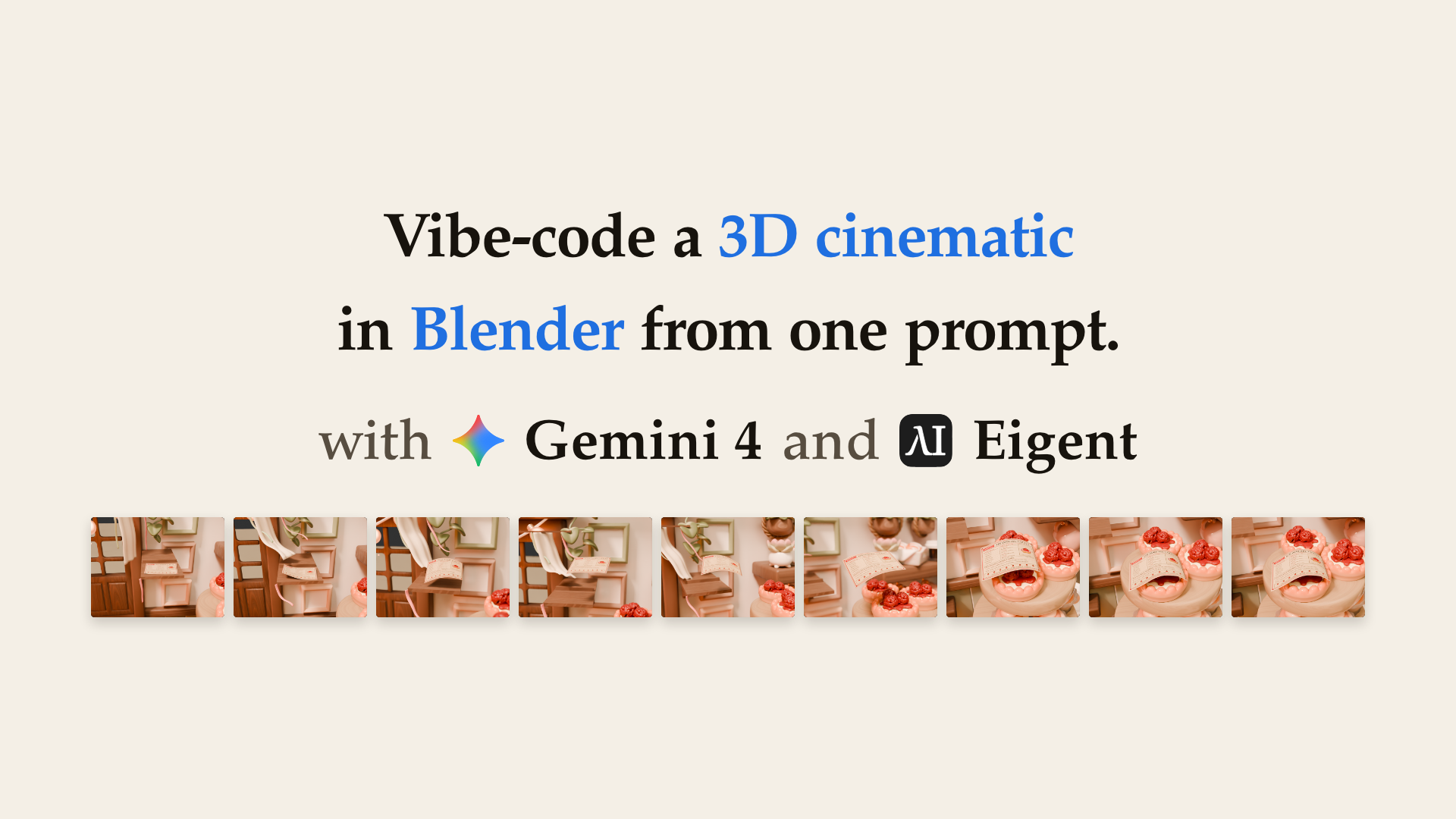
從一個提示詞到四個鏡頭的 Blender 電影短片
十二秒的鏡頭序列聽起來不長。但在 Blender 裡,這是一大堆工作:場面調度、關鍵影格、運鏡、景深,還有一張必須像紙一樣彎曲、而不是像布一樣飄動的紙。大部分工作都得在視埠裡一次又一次點擊完成。
所以我們把整個任務交給了代理。透過 Eigent 中的 Gemini 4,一個提示詞就把 Cozy Kitchen 場景變成了一段四個鏡頭的電影短片。一陣穿堂風把食譜卡片從架子上吹起,帶著它穿過廚房,最後讓它輕輕搭在一個草莓塔上。Gemini 4 從頭到尾沒有打開過 Blender 視窗。它撰寫 Blender Python,以無頭模式執行,檢查自己的成果,並修正發現的問題。
完整流程一覽
你只需要準備場景和任務說明,其餘工作由 Gemini 4 在命令列中完成。每個階段都會留下檔案,方便你隨時檢查進度。
| 階段 | 做什麼 | 得到什麼 |
|---|---|---|
| 讀取 | 以無頭模式開啟場景並載入任務資料 | 卡片起始點的測試算圖 |
| 布景 | 加入食譜架、窗簾桿和風的線索 | 一個讓穿堂風有可見來源的場景 |
| 製作 | 為食譜卡片建模並加上貼圖 | RecipePage,一張附手繪食譜卡的薄雙面紙 |
| 動畫 | 擬合穿過通道的路徑,以及搭在草莓塔上的形態 | 平順的飛行和有支撐的靜止摺痕 |
| 拍攝 | 布置四台攝影機並綁定到剪輯點 | 四個鏡頭的剪輯,鏡頭 2 和 3 帶景深 |
| 驗證 | 測量任務說明中的每條規則並修正不合格項目 | work/ 中可重複執行的檢查腳本 |
| 交付 | 算出靜態畫面和分鏡圖,寫出鏡頭表 | sequence.blend、shotlist.csv、storyboard.png 和九張靜態畫面 |
以下是自己動手的逐步教學,也包括一個我們下次會換個方式設定的地方。
你將得到
- 一個可編輯的 Blender 專案:
sequence.blend,13 MB,所有圖片都已打包,沒有連結的資料庫。打開就能繼續工作。 - 一份鏡頭表:
shotlist.csv,每個鏡頭一列,包含影格範圍、攝影機和動作。 - 一張分鏡圖:
storyboard.png,九個附標註的 640×480 畫格,排成 3×3 網格。 - 九張靜態畫面:第 1、48、73、120、145、192、217、264 和 288 格。
- 一段影片和一個預覽頁面:
sequence.mp4和preview.html,來自一次簡短的追加請求。
開始之前
- 在你的電腦上安裝 Eigent。
- Gemini 4:透過 Eigent Cloud 使用,或使用你自己的 Gemini API 金鑰。
- 同一台電腦上的 Blender。Gemini 4 透過命令列操作它,所以從不需要打開視窗。我們安裝的是 Blender 5.2 LTS。如果你比較想在沙箱中執行,任務包也附了一個固定
bpy5.2.2 的 Docker 映像檔。 - 任務包。我們用的是 3D 程式設計環境中的「recipe-page mishap」:
| 檔案 | 提供給代理什麼 |
|---|---|
PROMPT.md | 任務說明,也是你唯一要送出的訊息 |
agent_environment/input/kitchen.blend | 準備好的 Cozy Kitchen 場景 |
agent_environment/input/subjects.json | 構成草莓塔的物件 |
agent_environment/input/action.json | 卡片的起始點,以及第 120、168 和 192 格的飛行通道 |
agent_environment/input/presentation.json | 靜態畫面和分鏡圖設定 |
agent_environment/input/source_overview.png | 未修改場景的預覽 |
agent_environment/scripts/ | presentation.py(算出靜態畫面和分鏡圖)和 review.py |
選擇 Gemini 4
使用 Eigent Cloud,不需要 API 金鑰:
- 在主畫面上,打開輸入框下方的 模型選擇器。
- 在 Eigent 下選擇 Gemini 4 Argon。
使用你自己的 Gemini API 金鑰:
- 開啟 Settings → Models。
- 找到 Gemini 並開啟其設定。
- 貼上你的 API key。
- 將 model type 設為
gemini-4-argon。 - 點擊 Save,然後在模型選擇器的 Gemini 下選取它。
預設的思考強度就夠用。我們以 Single Agent 模式、Full access 權限執行,讓它可以直接執行 Blender、寫入檔案,不必停下來詢問。
準備專案資料夾
在 Eigent 中建立一個專案,並指向一個只包含以下兩樣東西的資料夾:
showcase-kitchen-draught/
  PROMPT.md
  agent_environment/
    input/      # kitchen.blend, subjects.json, action.json, presentation.json, source_overview.png
    scripts/    # presentation.py, review.py
其他東西都不要放進去,尤其是評分器、參考執行結果,或關於過往結果的筆記。原因請見下文。
貼上提示詞
把下面的任務說明複製到 Cowork with 輸入框中,原封不動送出。
Animate the recipe-page mishap

Create a twelve-second cinematic in /app/input/kitchen.blend: a draught lifts a recipe page, carries it across the work area and leaves it draped on the strawberry tartlet identified in /app/input/subjects.json. Preserve the warm illustrated kitchen. Show the calm setup, motivated lift, flight, contact and settling through four connected shots, with visible, consistent wind clues and readable page motion.

## Action and photography

- Scene Sequence runs at 24 fps, frames 1–288, with camera-bound cuts at 1, 73, 145 and 217. Preserve visible source surfaces, material identity and world transforms within 2 mm; keep existing set pieces visible. Add the page, wind clues and staging as needed.
- RecipePage is an editable thin two-sided sheet, 0.13–0.17 m long and 0.09–0.12 m wide, with 100–12,000 native vertices, finite UVs and readable recipe marks.
- Use /app/input/action.json for the start plane and flight corridor. At frame 1, the page is within 10 mm of the start plane and its centroid within 20 mm of the start point. Through frame 48 the centroid stays within 8 mm of its initial pose; by 120 it moves at least 0.10 m. At frames 120, 168 and 192 it follows the corridor within 35 mm.
- Page centroid motion is at most 16 mm per frame, with successive displacement changes at most 5 mm. After best rigid alignment with frame 1, shape deformation is at least 4 mm RMS at one flight frame and 2 mm RMS at rest. Show convincing paper flutter, stiffness and supported contact folds, without penetration or stretched print.
- Throughout frames 241–288, at least 15% of page surface samples are within 8 mm of the actual selected strawberry-tartlet surface. Centroid variation over 264–288 is at most 3 mm; surface motion from 276 to 288 is at most 4 mm.
- Use four distinct cameras. Shot 1 may be orthographic; shots 2–4 use 35–85 mm perspective lenses. Shots 2 and 3 use depth of field focused within 25 mm of the page centroid at each shot's start, midpoint and end.
- At frames 120, 168, 192 and 264, frame the page in front of the active camera within the central 80%, with projected height 8–65% of the image. Within shots, camera motion is at most 25 mm and 4° per frame, with translation changes at most 8 mm; cuts are exempt.
- Compose purposeful shots with coherent screen direction, controlled focus, anticipation and a clear final reveal. Avoid disconnected poses, arbitrary camera moves or unreadable action.

## Handoff

Save sequence.blend, shotlist.csv, storyboard.png and stills/frame_NNN.png for frames 1, 48, 73, 120, 145, 192, 217, 264 and 288 in /app/output. The CSV columns are shot,start,end,camera,action, matching the native four-shot edit. Use labelled 640×480 panels in a 3×3 storyboard. Stills and storyboard match the saved scene under /app/scripts/presentation.py CPU settings with luminance SSIM ≥0.93; use that helper or equivalent images.

Keep the native project editable and below 192 MiB, with finite nondegenerate geometry, all used material/world images packed and no linked libraries. It must replay with Python auto-execution disabled; native constraints and ordinary driver expressions are allowed. Keep /app/input unchanged; use /app/work for work files. Blender Python, headless rendering and command-line tools are available.
這個提示詞是為 Docker 容器撰寫的,所以路徑都以 /app 開頭。在我們的 Mac 上執行時,Gemini 4 自己把它們對應到專案資料夾:agent_environment/input、work/ 和 output/。
任務說明裡有幾個部分發揮了關鍵作用:
- 用數字取代形容詞。「拍得有電影感」只是一種氛圍。「第 168 格時距離通道不超過 35 mm」才是代理可以測量、也能達成的目標。
- 有故事節拍,不只有規則。 平靜的開場、有動機的升起、飛行、接觸、落定。數字讓動作保持真實,節拍讓它成為一個故事。
- 保留廚房原貌。 原有物件的偏差不超過 2 mm,材質維持不變。代理是在場景上加東西,而不是重建場景。
- 真正能交接的成果。 一個已打包、可編輯的
.blend,在停用 Python 自動執行的情況下也能播放。明天打開就能接著做動畫。
讓代理開始工作
送出提示詞。Gemini 4 會先規劃任務,再用 Blender Python 一步步完成。我們這次執行從第一次讀取檔案到最後的自我稽核,大約花了 50 分鐘。以下按順序看看它做了什麼:
- 讀取場景。 以無頭模式開啟
kitchen.blend,載入草莓塔和飛行通道資料,並算出起始點的測試視圖。 - 搭建布景。 在起始點下方放了一個小木製食譜架,又在廚房窗戶上加了一根窗簾桿。
- 加入風的線索。 一條窗簾綁帶、幾條緞帶和架子上的一張小標籤,全都朝同一個方向飄動,讓穿堂風有一個看得見的來源。
- 製作卡片。
RecipePage尺寸為 0.136 × 0.094 m,有 1,218 個頂點,雙面,上面是它自己畫的食譜卡:「Recipe No. 14, Strawberry Tartlet」。主廚筆記的最後一行是我們沒有要求的:「Keep recipe cards away from open kitchen window draughts!」 - 規劃運動。 一條穿過各個通道檢查點的平順路徑,再加上一個貼合草莓塔真實表面的靜止搭放形態。
- 布置四台攝影機。 平靜開場用 42 mm,升起用 48 mm 加 f/5.6 景深,飛行用 52 mm 跟拍鏡頭,落地用 58 mm 主鏡頭。時間軸標記把每台攝影機綁定到第 1、73、145 和 217 格的剪輯點。
- 檢查自己的成果。 它為任務說明中每條可測量的規則撰寫了驗證腳本,執行後修正了發現的問題。卡片印刷的那一面朝背離攝影機的方向傾斜,於是它翻轉了俯仰角。它還幫窗簾加了皺褶,把靜止的卡片從相鄰的草莓塔旁移開一點,並抬高了最後一台攝影機,讓結尾的揭曉更清楚。
- 交付成果。 它用
presentation.py算出靜態畫面和分鏡圖,寫出shotlist.csv,並做了最終稽核:所有原有物件都在、沒有移動,材質也都維持原樣。
查看鏡頭表
打開 output/shotlist.csv,四個鏡頭,每台攝影機一個:
| 鏡頭 | 影格 | 攝影機 | 動作 |
|---|---|---|---|
| 1 | 1–72 | Cam_Shot1 | 木製食譜架前的平靜開場,窗邊的緞帶在吹進來的穿堂風中飄動,食譜卡片被吹起 |
| 2 | 73–144 | Cam_Shot2 | 穿堂風帶著翻飛的食譜卡片離開架子,升入高處的飛行通道 |
| 3 | 145–216 | Cam_Shot3 | 卡片俯衝掠過廚房料理台,朝雙層點心架滑翔而去 |
| 4 | 217–288 | Cam_Shot4 | 卡片落下,形成一道挺立、有支撐的弧形,搭在草莓塔上 |
接著打開 storyboard.png。九個畫面一眼說完整個故事:卡片靜止、升起、穿過廚房,最後落在草莓塔上。
核對數據
Gemini 4 的驗證腳本保留在 work/ 中,你隨時可以對儲存的專案重新執行。以下是它在我們最終的 sequence.blend 上測得的結果:
| 檢查項目 | 任務說明要求 | 結果 |
|---|---|---|
| 第 1 格的起始點 | 20 mm 以內 | 1.03 mm |
| 第 48 格前保持靜止 | 漂移不超過 8 mm | 6.69 mm |
| 第 120 格時的移動距離 | 至少 0.10 m | 0.152 m |
| 第 120、168、192 格的飛行通道 | 35 mm 以內 | 0.00 mm |
| 卡片速度 | 每格不超過 16 mm | 9.35 mm |
| 飛行中的抖動 | 至少 4 mm RMS | 11.07 mm |
| 與草莓塔的接觸,第 241–288 格 | 至少占卡片的 15% | 22.9% |
| 卡片穿透草莓塔 | 不允許 | 0 個重疊三角面 |
| 落定,第 264–288 格 | 不超過 3 mm | 0.37 mm |
| 鏡頭 2 和 3 的景深對焦 | 距卡片 25 mm 以內 | 0.19 mm 或更小 |
| 攝影機最快轉動 | 每格不超過 4° | 0.71° |
這些是代理對照任務說明所做的自我檢查。任務包裡還附了一個獨立的評分器:23 條測量規則,加上一個為故事、製作水準和紙張質感打分的視覺評審。如果你想要正式分數,可以在執行結束後,在代理的資料夾之外自行對輸出執行 grader/grade.sh。
播放成品
任務說明要求的是 Blender 專案,而不是影片。所以我們在同一個專案裡追加了一則訊息,請 Gemini 4 把序列匯出成 MP4,並附上瀏覽器預覽。
它交回了 sequence.mp4(288 格,640×480 H.264,3 MB)和 preview.html。預覽頁面可以播放這段電影短片,即時顯示影格編號,一鍵跳到四個鏡頭中的任何一個,下方還附有完整的分鏡圖。
下次我們會換個方式設定
我們的專案資料夾裡放了超出代理所需的東西。除了 PROMPT.md 和 agent_environment/,還有任務的 README.md、grader/,以及先前模型留下的 reference_runs/。
這點很重要。Gemini 4 的檢查腳本用 5% 的拉伸上限來測試卡片上的印刷內容。這個數字不在提示詞裡,而是在 README 中,旁邊是關於先前幾次執行如何失敗的筆記。Gemini 4 的腳本從未讀取評分器或參考執行結果,但可以合理推測 README 影響了它設定的目標。
所以請把我們這次執行當作一次展示,而不是基準測試成績。想要公平測試,就只給代理兩樣東西:PROMPT.md 和 agent_environment/,並把評分器放在它看不到的地方。
打造你自己的版本
同樣的模式適用於任何 Blender 場景:
- 把美感變成數字。 構圖、速度、對焦距離、接觸。可測量的目標讓代理在你按下播放之前就能自我檢查。
- 給它一條通道。 JSON 檔裡的幾個檢查點就能引導動作,不需要手動設定任何一個關鍵影格。
- 要求真正能交接的成果。 一個已打包、可編輯的
.blend、一份鏡頭表和一張分鏡圖。你得到的是一個可以繼續做下去的專案,而不只是一段算圖結果。 - 讓它自己驗證。 這次執行最精彩的時刻,是 Gemini 4 發現卡片印刷的那一面背對著攝影機,並在我們看到之前就修好了。
十二秒的動畫,過去代表在視埠裡耗掉一個下午。現在只需要一個提示詞,還能得到一個可以打開、調整、變成你自己作品的專案。
致謝:使用 Gemini 4 和 Eigent 製作。場景:Nicole Morena 創作的「Cozy Kitchen」(Blender 3.5 啟動畫面),CC-BY-SA;衍生場景和算圖保留姓名標示並遵循 ShareAlike 條款。任務說明和任務資料:Eigent 原創。音樂:The Soundlings 的「Quirk n Twerk」(YouTube 音效庫)。