





Eigent
Pricing
A cream facade with blue windows refracted through fine vertical glass

AI workspace

  • OverviewSee the whole workspace.
  • Spaces and SessionsKeep each project's files and work together.
  • Skills & ConnectorsTeach agents your way of working. Connect your tools.
  • AutomationsRun Tasks on a schedule or a trigger.
  • Remote ControlCheck in from your browser or phone.
  • Use casesSee real work, finished.

Updates

  • ChangelogCatch up on the latest releases.
  • RoadmapFollow what comes next.
  • WindowsDownload Eigent for Windows.
  • MacDownload Eigent for macOS.
  • LinuxDownload Eigent for Linux.
  • Open SourceInspect, adapt, and make it yours.
  • EnterpriseRoll Eigent out across your company.
Concrete balconies and golden railings refracted through fine vertical glass

Enterprise

  • OverviewAn AI workspace for every team, in your environment.
  • MonitoringSee every run, step by step.
  • GovernanceSet who can build, run, and approve.
  • ControlLimit what agents can reach.
  • Security and trustHow we protect your data.
  • Enterprise servicesWe build it with you, then hand it over to your team.
  • Talk to salesPlan a proof of concept for your company.
A sunlit facade and geometric shadows refracted through fine vertical glass

Environments

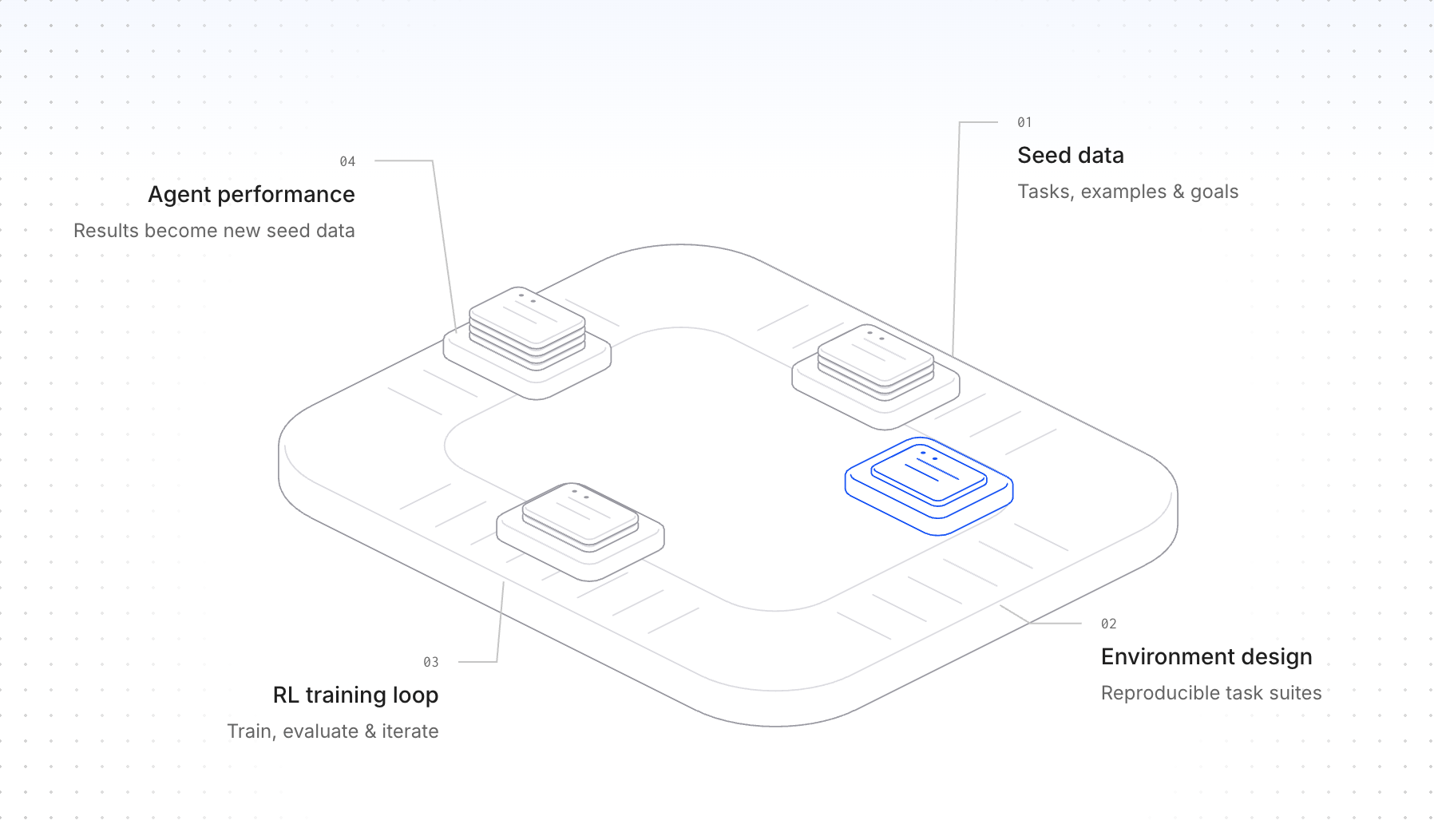
  • OverviewTrain and test agents on real work.
  • Environment catalogBrowse 30 categories of environments.
  • Request an environmentTell us what your agents need to learn.
  • AgenticRL-BenchCan agents do agentic RL? See the leaderboard. (opens in a new tab)
  • Env-LabCustom RL environments, training data, and benchmarks for real work. (opens in a new tab)
Weathered window frames refracted through fine vertical glass

Learn

  • DocsGet started and go deeper.
  • BlogIdeas, releases, and stories.
  • SupportFind answers and get help.

Company

  • AboutMeet the people behind Eigent.
  • CareersJoin the team building Eigent.

Community

  • CAMEL-AIThe multi-agent research community behind Eigent. (opens in a new tab)

AI workspace

  • OverviewSee the whole workspace.
  • Spaces and SessionsKeep each project's files and work together.
  • Skills & ConnectorsTeach agents your way of working. Connect your tools.
  • AutomationsRun Tasks on a schedule or a trigger.
  • Remote ControlCheck in from your browser or phone.
  • Use casesSee real work, finished.

Updates

  • ChangelogCatch up on the latest releases.
  • RoadmapFollow what comes next.
  • WindowsDownload Eigent for Windows.
  • MacDownload Eigent for macOS.
  • LinuxDownload Eigent for Linux.
  • Open SourceInspect, adapt, and make it yours.
  • EnterpriseRoll Eigent out across your company.

Enterprise

  • OverviewAn AI workspace for every team, in your environment.
  • MonitoringSee every run, step by step.
  • GovernanceSet who can build, run, and approve.
  • ControlLimit what agents can reach.
  • Security and trustHow we protect your data.
  • Enterprise servicesWe build it with you, then hand it over to your team.
  • Talk to salesPlan a proof of concept for your company.

Environments

  • OverviewTrain and test agents on real work.
  • Environment catalogBrowse 30 categories of environments.
  • Request an environmentTell us what your agents need to learn.
  • AgenticRL-BenchCan agents do agentic RL? See the leaderboard. (opens in a new tab)
  • Env-LabCustom RL environments, training data, and benchmarks for real work. (opens in a new tab)

Learn

  • DocsGet started and go deeper.
  • BlogIdeas, releases, and stories.
  • SupportFind answers and get help.

Company

  • AboutMeet the people behind Eigent.
  • CareersJoin the team building Eigent.

Community

  • CAMEL-AIThe multi-agent research community behind Eigent. (opens in a new tab)
Pricing
Blogs
Nov 24, 2026

什麼是 Claude 插件?連接器與技能,現已合而為一

Anthropic 將連接器與技能合併為單一插件系統——以下是變更內容、已上線功能及使用方法。

EigentEigent
Share to
什麼是 Claude 插件?連接器與技能,現已合而為一
  • 什麼是 Claude 插件?
  • 連接器與技能:快速說明
  • 哪些方案支援 Claude 插件?
  • 如何在 Claude 新增插件
  • 如何建立自己的 Claude 插件
  • 為何此事重要
  • 用你自己的 AI 工作團隊來實現
Automate Everything with
AI Workforce on Desktop
Download Eigent

Anthropic 已將兩個獨立的 Claude 功能——連接器(connectors)與技能(skills)——合併為一個名為**插件(plugins)**的統一系統。如果你曾對連接器、技能與插件之間的區別感到困惑,這次變更正是為了消除這種困惑:現在只需一種方式,即可將你的工具連接至 Claude、教導它新技能,或同時完成兩者。

本指南將說明什麼是 Claude 插件、哪些方案支援、如何新增插件,以及如何建立一個查詢自有資料的私人插件。

什麼是 Claude 插件?

Claude 插件是一個單一套件,可包含連接器(將 Claude 連結至外部服務)、技能(教導 Claude 如何執行特定任務),或兩者兼備——另加可選的指令與代理。你無需再分別在不同頁籤瀏覽連接器與技能,現在可從同一個地方新增所有內容。

實際上,Anthropic 已將連接器與技能統一整合至插件系統,側邊欄原有的自訂(Customize)頁籤改為插件(Plugins)——一個頁面取代了原本獨立的技能、連接器與插件頁籤。底層組件並未改變:現有的技能與 MCP 連接器仍可正常運作,並可整合至更大的套件中。

此公告由 Anthropic 官方 Claude 帳號於 2026 年 11 月 23 日發布,簡明扼要地說明:連接器與技能合而為一,成為插件。

連接器與技能:快速說明

這兩個基本組件在底層仍有所區別,了解各自的功能有助於理解整體架構:

  • 連接器將 Claude 連結至外部服務——例如 Gmail、Slack 或 Notion——使其能夠讀取並操作你在這些服務中的資料。
  • 技能教導 Claude 如何執行特定任務,以可遵循的指令形式封裝。

一個插件可包含多個連接器與技能。例如,小型企業插件捆綁了 44 個技能與 35 個連接器,而 Salesforce 插件則內建 37 個預設銷售技能,以及 Salesforce 與 Slack 連接器。這種捆綁方式才是真正的轉變:一次安裝即可同時設定任務知識與所需的資料存取權限。

哪些方案支援 Claude 插件?

統一的插件體驗已在 Free、Pro、Max 及 Ultra 方案上線,Team 與 Enterprise 方案將隨後跟進。

  • Free、Pro、Max、Ultra — 現已開放。
  • Team — 根據 Anthropic 說明中心資訊,推出時程預計於 2026 年 11 月 30 日開始。
  • Enterprise — 將於其後數週內開放使用。

Anthropic 表示其目錄收錄了超過 10,000 個插件供瀏覽。(獨立統計的公開市集數量在上線時較低——有媒體統計時發現公開列出的插件僅數百個,連接器約 1,200 個——因此 10,000+ 應視為 Anthropic 引用的完整目錄數字,而非經過核實的公開統計。)

如何在 Claude 新增插件

操作流程刻意設計得簡單直觀:

  1. 從 Claude 側邊欄開啟**插件(Plugins)頁面(此頁面取代了原有的自訂(Customize)**入口)。
  2. 瀏覽或搜尋目錄。篩選器可區分技能與連接器,分類則按部門、行業及日常活動將目錄分組。
  3. 安裝所需插件。需要存取權限的連接器將引導你登入相關服務。

如果你已安裝連接器、技能或插件,它們將保持原狀——大多數用戶無需採取任何行動。

工作場所需注意一點:自 11 月 30 日起,若組織已關閉技能功能,Claude Desktop 將封鎖相關插件,使桌面版行為與網頁版 Claude 及 Claude Code 保持一致。

如何建立自己的 Claude 插件

插件不僅限於安裝——你也可以自行建立,這正是此系統對團隊而言最具吸引力之處。

插件本質上只是一個資料夾:位於 .claude-plugin/plugin.json 的清單檔案,加上旁邊的各組件目錄。根據 Anthropic 開發者文件,大多數插件無需建置步驟,因為它們僅由 Markdown 與 JSON 組成。清單檔案包含插件的基本資訊——名稱、版本、描述、作者、授權——同時還需要 README 與授權文件。

組件支援因介面而異:技能與指令可在所有介面載入;遠端 MCP 伺服器會顯示在聊天與 Cowork 插件的連接器頁籤中;代理與鉤子(hooks)則在 Cowork 與 Claude Code 中載入,聊天介面不支援。

私人插件:查詢自有資料

最實用的模式是建立一個私人插件,無需對外發布。你可以在「自訂 > 插件」下安裝,無需接觸公開目錄——將插件指向你的產品資料庫,然後透過網頁、手機或 Claude Code,以自然語言向 Claude 提問,例如本週有多少新用戶完成付款。

安全設定比程式碼本身更為重要:使用唯讀資料庫帳號、遮蔽電子郵件、電話號碼與金鑰,並將 MCP 伺服器置於僅限你自己帳號可存取的登入保護後方。真正的價值不在於連接器本身,而在於告訴模型哪些查詢重要、你的資料表代表什麼含義的技能檔案。

為何此事重要

插件建立於模型上下文協議(Model Context Protocol,MCP)與代理技能(Agent Skills)之上,這些是開發者已用於擴展 Claude 的相同開放標準。將連接器與技能合併為一個套件——以及一個統一的探索頁面——是 Anthropic 推動 Claude 邁向應用程式商店模式的舉措,讓尋找與新增功能成為一個簡單明確的動作,而非三個相互重疊的步驟。

如果你在 MCP 上進行開發,實際的收穫是現有工作可無縫延續:技能與連接器繼續運作,連接器列表日後也可升級為插件。如果你在多個工具之間切換,更難解決的問題是如何保持上下文的連貫性——這是我們在跨編程工具的可攜式代理記憶體中探討的主題。

用你自己的 AI 工作團隊來實現

插件封裝了相同的開放基礎組件——MCP 連接器與技能——讓 AI 代理能夠真正執行工作,而不僅僅是對話。Eigent 是一款開源多代理「Cowork」桌面應用程式,可在本地運行 AI 工作團隊,並透過相同的 MCP 標準連接你的工具,讓你無需將資料上傳至雲端,即可串接連接器與可重複使用的技能。如果你希望代理能查詢自有系統並執行真實工作流程,立即下載 Eigent 並開始建立屬於你的系統。

Recent Posts

Eigent v1.0.8 版本資訊:全新主頁、全域搜尋與更清晰的對話
產品Nov 17, 2026

Eigent v1.0.8 版本資訊:全新主頁、全域搜尋與更清晰的對話

Eigent v1.0.8 帶來重新設計的主頁、跨空間搜尋及新版訊息輸入框,並預設使用對話時間軸,讓你更容易了解代理的工作。

Douglas LaiDouglas Lai
GPT-6.2 Astra 與 Sol:新功能、定價及基準測試
Nov 17, 2026

GPT-6.2 Astra 與 Sol:新功能、定價及基準測試

GPT-6.2 Astra 與 Sol 是 OpenAI 為 ChatGPT Work、Codex 及 API 推出的最新模型。了解有何改變、定價、基準測試,以及應選用哪個模型。

EigentEigent
什麼是 NVIDIA Nemotron for Science?面向研究智能體的開放模型
Nov 17, 2026

什麼是 NVIDIA Nemotron for Science?面向研究智能體的開放模型

詳解 NVIDIA Nemotron for Science:開放模型、LitmusBench v0.2 化學數據集,以及用於構建科學研究 AI 智能體的後訓練方案。

EigentEigent
Automate everything with AI workforce on desktop
Download Eigent

立即試用 Eigent

下載開源桌面 app。你的 AI workforce,直接在你電腦上運行。

下載 Eigent
Eigent

獲取 AI workforce 自動化的最新更新、教學與版本消息。

感謝訂閱!

產品Eigent環境定價企業方案
探索解決方案使用案例技能外掛網誌更新日誌
開發者文件GitHubCAMEL-AIOpen Source Fund合作夥伴
下載適用於開源版
公司關於我們品牌招聘支援中心使用條款私隱政策安全與信任Cookie 政策退款與試用政策

版權所有 © 2026 EIGENT UK LTD