

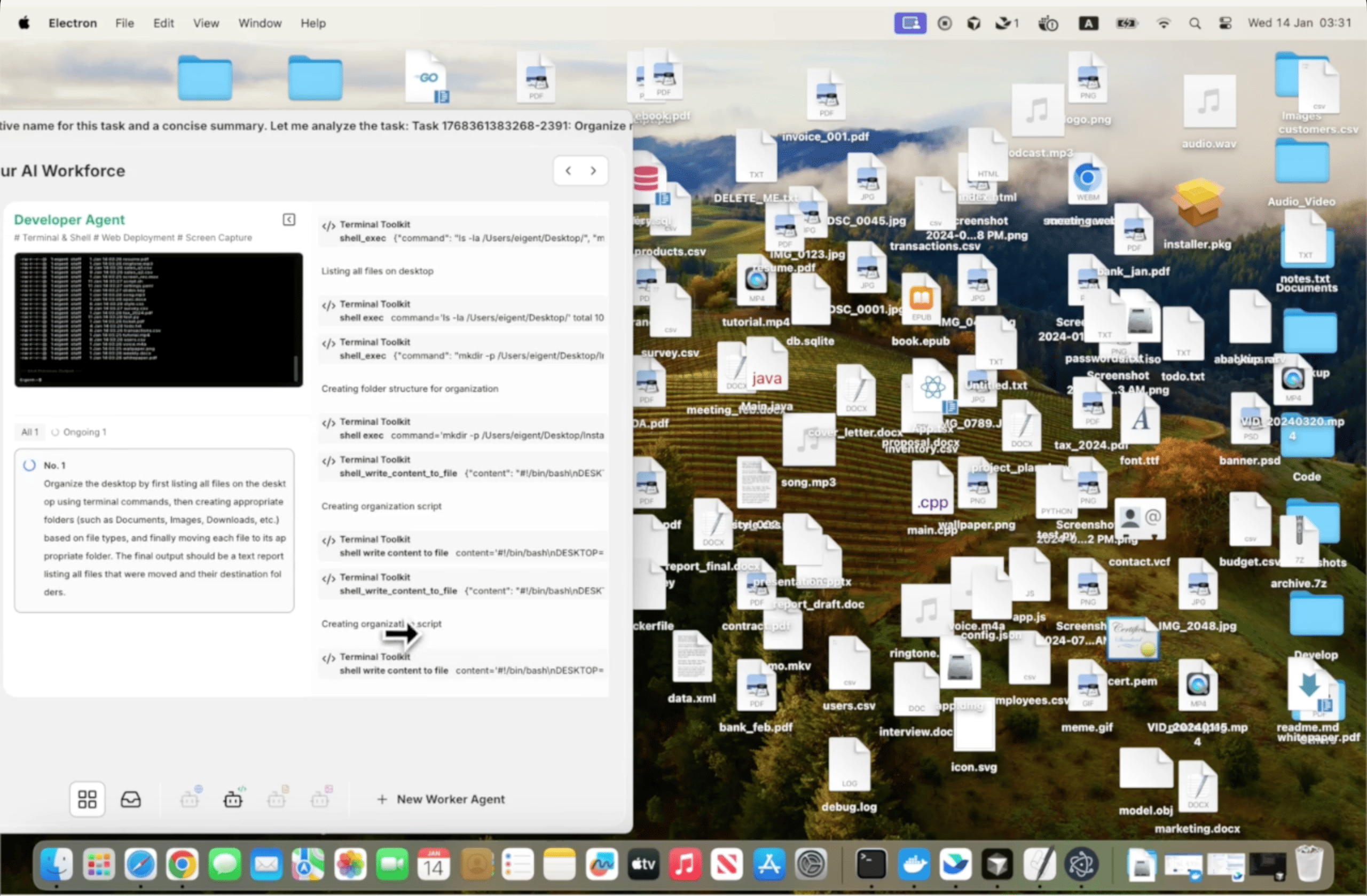
Nettoyez votre bureau en quelques secondes
Un bureau en désordre est un problème universel. Captures d’écran, téléchargements, documents inachevés, fichiers d’installation — tout s’accumule plus vite que quiconque ne le range, et tout réorganiser manuellement signifie ouvrir Finder ou Explorer et faire beaucoup de glisser-déposer et de choix. Eigent le fait pour vous avec une seule requête.
Ouvrez Eigent et décrivez la tâche
Vous n’avez pas besoin d’un prompt détaillé pour celui-ci. La version la plus simple fonctionne :
Aidez-moi à organiser mon bureau.
Eigent évaluera ce qui se trouve sur votre bureau, déduira des catégories pertinentes en fonction des types de fichiers et des noms, puis proposera une structure d’organisation avant d’apporter le moindre changement.
Eigent audite votre bureau
Avant de déplacer quoi que ce soit, Eigent dresse l’inventaire de ce qui s’y trouve. Il examine les types de fichiers, les dates de création et les noms de fichiers afin de comprendre de quel type d’encombrement il s’agit. Parmi les catégories courantes qu’il identifie, on trouve :
- Captures d’écran et images
- Installateurs téléchargés et fichiers archivés
- Documents, PDF et feuilles de calcul
- Fichiers de code et dossiers de projets
- Fichiers temporaires ou éléments non identifiés
Les fichiers sont triés dans des dossiers
Eigent crée des sous-dossiers et y déplace les fichiers par catégorie. La structure des dossiers est intuitive — des éléments comme « Captures d’écran », « Documents », « Installateurs » et « Archives » — afin que vous puissiez tout retrouver facilement, même si vous n’avez pas conçu le système vous-même.
Si vous souhaitez personnaliser les catégories, incluez-le dans le prompt :
Aidez-moi à organiser mon bureau. Mettez toutes les captures d’écran dans un dossier appelé "Captures", tous les PDF dans "Lecture", et déplacez tout ce qui a plus de 3 mois dans un dossier "Archive".
Vérifiez ce qui a été déplacé
Une fois la tâche terminée, Eigent vous indique ce qu’il a fait — quels fichiers ont été déplacés, quels dossiers ont été créés, et si quelque chose est resté en place parce que ce n’était pas clair. Vous pouvez examiner le résultat et demander à Eigent d’ajuster :
Déplacez les fichiers de projet que vous avez mis dans "Documents" vers un dossier séparé appelé "Projets" à la place.
Pourquoi c’est important
C’est la version la plus simple possible d’une automatisation de workflow : un prompt, une tâche, terminé. Mais cela montre quelque chose d’important : vous n’avez pas besoin de décrire chaque étape de ce que vous voulez qu’Eigent fasse. Dire « aidez-moi à organiser mon bureau » suffit pour qu’Eigent comprenne l’intention, évalue la situation et exécute le travail. Ce même principe s’applique à des tâches beaucoup plus complexes.
Ce qu’il faut essayer ensuite
Organisez mon dossier Téléchargements de la même manière.
Triez les fichiers sur mon bureau par projet et créez un dossier pour chacun.
Archivez tout ce qui se trouve sur mon bureau et que je n’ai pas ouvert au cours des 30 derniers jours.
Après l’organisation, dites-moi les cinq plus gros fichiers sur mon bureau afin que je puisse décider s’il faut les conserver.
Conseils pour de meilleurs résultats
-
Ajoutez des préférences si vous en avez. « Conservez sur le bureau tous les fichiers qui contiennent "final" dans leur nom » ou « ne touchez pas au dossier nommé "Projets actifs" » donne à Eigent des garde-fous qui correspondent à votre vrai flux de travail.
-
Exécutez-le régulièrement. L’organisation du bureau est quelque chose qui doit se produire de façon répétée, pas une seule fois. Une fois la structure de dossiers que vous aimez mise en place, relancer le même prompt permet de garder les choses bien rangées au fil du temps.
-
Demandez un rapport récapitulatif. Ajouter « une fois terminé, dites-moi ce que vous avez déplacé et où » signifie que vous disposez d’un enregistrement clair des changements au cas où vous auriez besoin de retrouver quelque chose.





