

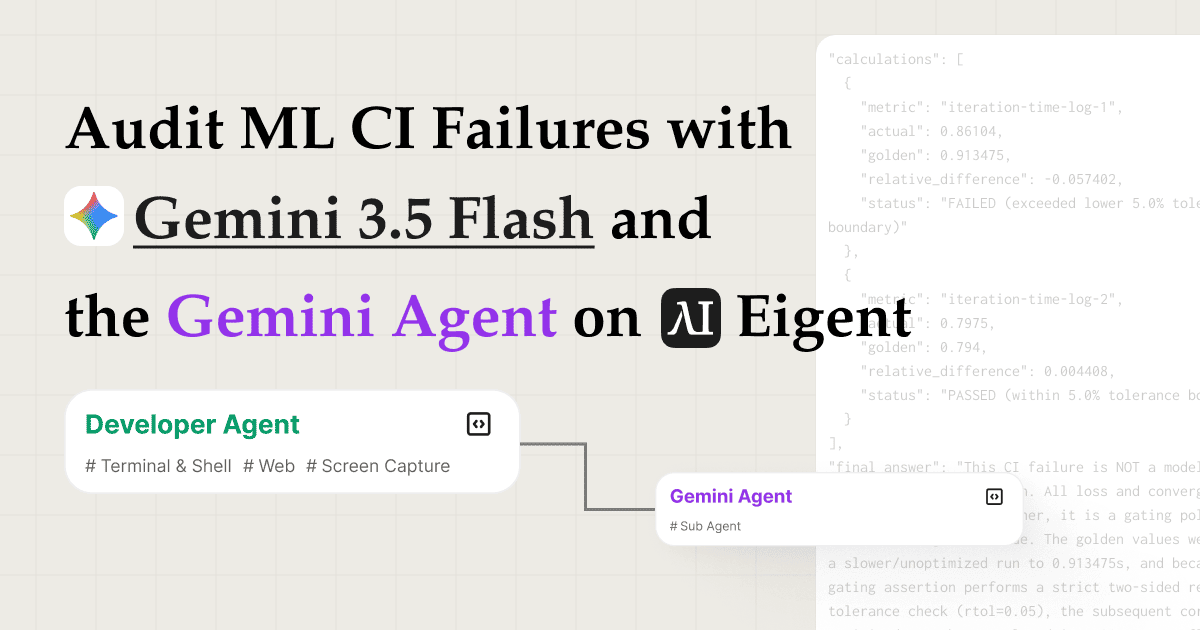
Znajdź przyczynę źródłową awarii ML CI w kilka minut z Gemini 3.5 Flash
Debugowanie uszkodzonego pipeline’u treningu ML to powolna, żmudna praca. Pobierasz logi z dwóch różnych uruchomień CI, porównujesz je z wartościami golden, przeszukujesz historię commitów, aby znaleźć regresję, a potem piszesz raport wyjaśniający, co poszło nie tak i dlaczego, podczas gdy Twój zespół czeka. Ten przypadek użycia automatyzuje całe to dochodzenie.
Łącząc umiejętność ml-failure-audit z modelem Gemini 3.5 Flash od Google oraz Gemini Agent API jako zdalnym silnikiem rozumowania, wieloagentowa siła robocza Eigent może przeprowadzić audyt awarii CI od początku do końca: pobierając logi, wyodrębniając wartości referencyjne, śledząc dowody, delegując ciężką analizę i generując ustrukturyzowane rezultaty — wszystko z jednego promptu.
Wybierz Gemini 3.5 Flash jako model
Przejdź do Settings → Agents → Model i wybierz Gemini 3.5 Flash z listy modeli w chmurze. Jeśli wolisz używać własnych danych uwierzytelniających API, dodaj własny klucz Gemini, wpisując go w Settings → API Keys → Gemini.
Gemini 3.5 Flash jest zoptymalizowany pod kątem szybkiej, ekonomicznej inferencji (wnioskowania) w zadaniach z długim kontekstem — dokładnie tego, czego wymaga analiza logów CI.
Włącz Gemini Agent API jako zdalnego subagenta
Przejdź do Settings → Agents → Remote Agents i włącz Gemini Agent API. To rejestruje agenta Gemini jako wywoływalnego subagenta wewnątrz siły roboczej Eigent.
Po włączeniu Twój Agent Developer może przekazywać zadania obliczeniowo intensywnego rozumowania, takie jak analiza przyczyny źródłowej w setkach linii logów, bezpośrednio do agenta Gemini, zamiast przetwarzać wszystko w jednym wywołaniu modelu. Daje to dwupoziomową konfigurację: lokalne agenty Eigent obsługują orkiestrację i użycie narzędzi, a agent Gemini zajmuje się głębokim rozumowaniem.
Prześlij umiejętność ml-failure-audit
Przejdź do Settings → Agents → Skills i prześlij pakiet umiejętności ml-failure-audit. Możesz też przeglądać Skill Hub: ml-failure-audit, aby zobaczyć szczegóły umiejętności i kroki instalacji. Umiejętność definiuje, jak Eigent powinien podejść do audytów awarii CI: jakie artefakty zebrać, jakie porównania uruchomić, jakie dowody zgromadzić i jak ustrukturyzować końcowy raport.
Po przesłaniu dowolny agent w siłach roboczych może wywołać tę umiejętność podczas obsługi zadań audytu ML.
Przekaż swoje zadanie do Eigent
Gdy wszystko jest skonfigurowane, wpisz prompt zadania do czatu Eigent:
Follow the {{ml-failure-audit}} skill, and use remote sub agent to finish complex subtasks.
Please audit this Megatron-LM MIMO VLM pretraining golden metric CI failure. I am giving you a local NVIDIA/Megatron-LM checkout at commit <your-commit-sha> and the CI artifacts I attached (for example, passing and failing run logs). The failing workload is an 8-GPU frozen start convergence check using sequence packing, global batch size 32, total packed sequence length 3200, packing buffer 4, and 100 training iterations.
Please decide whether the failure is a real model convergence/correctness regression or a metric/gating policy issue. Use the repo's golden value comparison code and the CI logs as evidence. Do not rerun GPU training.
Produce answer.json in the repo root with source_refs, extracted_facts, calculations, final_answer, and validation. Also produce a concise answer.md.
Include the repository URL, your target commit checkout, and attach the CI artifacts you want compared. Eigent immediately begins planning the investigation.
Zainstaluj ml-failure-audit przed uruchomieniem tego promptu.
Własne dane wejściowe: zastąp <your-commit-sha> commitem, który chcesz zaudytować, przełącz się na tę rewizję w swoim workspace i dołącz własne artefakty CI (na przykład logi z udanego i nieudanego uruchomienia, zrzuty stderr lub wyeksportowany output zadania CI). Możesz dostosować przykład Megatron-LM do dowolnego repozytorium i awarii, którą analizujesz.
Agent Koordynator planuje i przydziela zadanie
Agent Koordynator w Eigent odczytuje prompt i rozbija go na ustrukturyzowany plan audytu. Identyfikuje kluczowe fazy (pobieranie logów, ekstrakcję danych, śledzenie dowodów i generowanie raportu) i przydziela całe dochodzenie Agentowi Developer.
Koordynator nie deleguje po prostu w ciemno: przekazuje referencję do umiejętności, kontekst repozytorium i artefakty logów CI, aby Agent Developer startował ze wszystkim, czego potrzebuje.
Agent Developer ładuje umiejętność i pobiera logi
Pierwszą czynnością Agenta Developera jest załadowanie umiejętności ml-failure-audit, aby odczytać jej instrukcje i zrozumieć metodologię audytu.
Następnie uruchamia 4 polecenia równolegle, aby pobrać dane logów CI, równocześnie pobierając dwa logi awarii i wszelkie istotne metadane. Równoległe wykonywanie narzędzi sprawia, że faza zbierania danych kończy się w ułamku czasu potrzebnego przy sekwencyjnym podejściu.
Wyodrębnij wartości golden i prześledź commit z poprawką
Mając logi, Agent Developer uruchamia skrypt Pythona, aby wyodrębnić referencyjne wartości golden: oczekiwane metryki treningowe, krzywe loss lub liczby benchmarkowe, które powinno wygenerować udane uruchomienie CI. Następnie porównuje je z wartościami zapisanymi w logach nieudanego uruchomienia, aby dokładnie ustalić, gdzie i o ile nastąpiło odchylenie.
Następnie Agent Developer przeszukuje historię commitów Megatron-LM, aby znaleźć commit z poprawką, czyli konkretną zmianę kodu, która najprawdopodobniej odpowiada za regresję. Ten commit służy jako konkret dowodowy w raporcie audytu, dając recenzentom bezpośredni związek między zaobserwowaną awarią a leżącą u jej podstaw zmianą kodu.
Deleguj głębokie rozumowanie do agenta Gemini
Gdy surowe dowody zostaną zebrane (diffy logów, porównania wartości golden i prześledzony commit), Agent Developer wywołuje agenta Gemini, aby wykonał ciężki etap rozumowania.
Agent Gemini analizuje pełny kontekst: co zmieniło się w kodzie, jak ta zmiana wpłynęła na zachowanie treningu i jaka jest najbardziej prawdopodobna przyczyna źródłowa. Kilka minut później zwraca kompletny, ustrukturyzowany raport audytu obejmujący diagnozę awarii, czynniki przyczyniające się do problemu oraz zalecane rozwiązanie.
Agent Developer zapisuje końcowe raporty audytu
Agent Developer bierze analizę agenta Gemini i zapisuje dwa rezultaty do workspace:
-
answer.json: czytelny maszynowo rekord audytu z ustrukturyzowanymi polami dla typu awarii, przyczyny źródłowej, dotkniętych metryk, commitu z dowodem i zalecanego rozwiązania. Przydatne dla zautomatyzowanych pipeline’ów, systemów ticketowych lub dashboardów CI. -
answer.md: zwięzłe, czytelne dla człowieka podsumowanie audytu obejmujące to, co zawiodło, dlaczego zawiodło, jakie są dowody i co zrobić dalej. Gotowe do wklejenia do komentarza PR, wątku Slack lub raportu incydentu.
Oba pliki są zapisywane bezpośrednio w folderze workspace i są natychmiast dostępne.
Dlaczego ten workflow ma znaczenie
Awaryjne przypadki ML CI są notorycznie trudne do debugowania, ponieważ sygnał jest ukryty w gęstym outputcie logów, a przyczyna źródłowa często znajduje się kilka commitów wcześniej niż symptom. Ten workflow rozwiązuje to trzema działającymi razem możliwościami:
- Równoległe pobieranie logów eliminuje sekwencyjne wąskie gardło polegające na pobieraniu artefaktów po jednym.
- Ekstrakcja wartości golden oparta na Pythonie stosuje precyzyjne porównanie numeryczne zamiast polegać na dopasowywaniu wzorców lub ręcznej inspekcji.
- Gemini Agent jako subagent rozumowania odciąża najbardziej złożony etap inferencji do modelu zoptymalizowanego pod ten cel, utrzymując orkiestrację lekką, a analizę głęboką.
Rezultatem jest audyt przyczyny źródłowej, który zająłby inżynierowi 30–60 minut skoncentrowanej pracy, dostarczony w kilka minut, z ustrukturyzowanym śladem artefaktów.
Co wypróbować dalej
Gdy Twój pierwszy audyt będzie gotowy, rozszerz workflow o kolejne prompty, takie jak:
Uruchom ten sam audyt dla trzech najnowszych awarii CI i porównaj przyczyny źródłowe.
Po znalezieniu commitu z poprawką otwórz problem w GitHubie z wstępnie uzupełnionym raportem audytu.
Zaplanuj nocny trigger do audytu wszystkich nowych awarii CI i opublikuj answer.md w Slacku.
Zamień model na inny, wypróbuj Gemini 3.5 Pro dla głębszej analizy albo Gemini Flash Lite dla szybszego czasu realizacji.
Wskazówki dla lepszych wyników
- Dołącz swoje artefakty CI wprost. Umiejętność ml-failure-audit działa najlepiej, gdy podasz checkout commitu wraz z logami lub eksportami, które chcesz porównać (na przykład udane uruchomienie i nieudane uruchomienie).
- Uwzględnij URL repozytorium. Agent Developer używa go do przeszukania historii commitów w poszukiwaniu commitu z poprawką. Bezpośredni link do repozytorium oszczędza krok wyszukiwania.
- Określ pliki wyjściowe. Poproszenie o zarówno
answer.json, jak ianswer.mdmówi Agentowi Developerowi, aby wygenerował oba formaty, co jest przydatne, jeśli potrzebujesz wyniku czytelnego maszynowo dla pipeline’u CI i wyniku czytelnego dla ludzi dla Twojego zespołu. - Używaj agenta Gemini do zadań wymagających głębokiego rozumowania. Wzorzec zdalnego subagenta działa najlepiej, gdy lokalne agenty zajmują się zbieraniem danych, a agent Gemini syntezą. Unikaj wywoływania go do prostych wyszukiwań, które lokalne narzędzia mogą obsłużyć szybciej.





