Bring your own key (BYOK)
Configure your own API keys to use various LLM providers with Eigent.
What is BYOK?
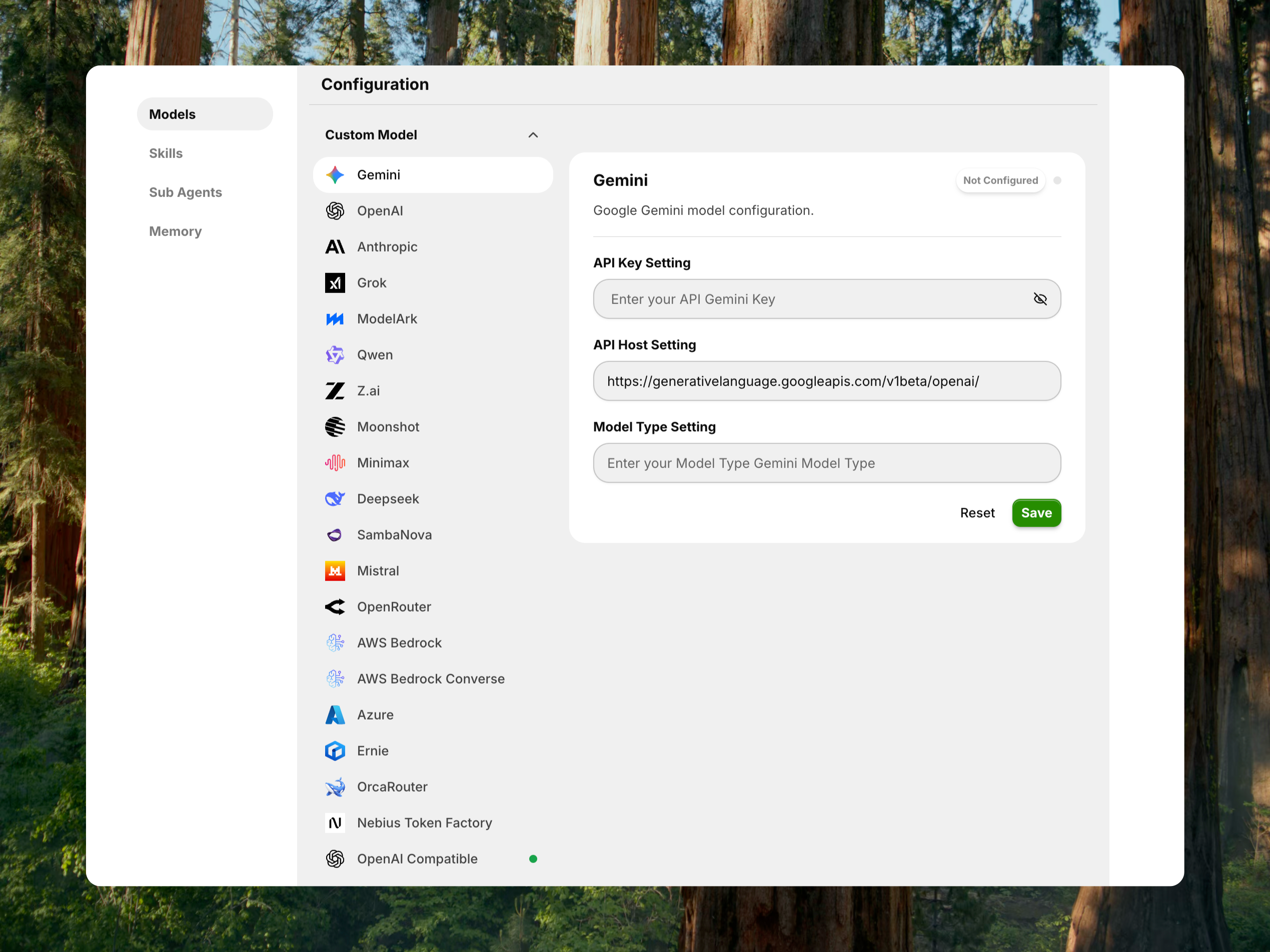
Bring Your Own Key (BYOK) allows you to use your own API keys from various AI model providers with Eigent. Instead of relying on a shared service, you connect directly to providers like OpenAI, Anthropic, or Google using your personal API credentials. This gives you:
- Full control over your API usage and billing
- Direct access to the latest models from each provider
- Privacy - your requests go directly to the provider
Gemini configuration (example)
Step 1: get your API key
- Visit Google AI Studio
- Create or select a project
- Generate an API key and copy it
Step 2: configure in Eigent
Launch Eigent and go to Agents > Models
Find the Gemini card in the Custom Model section
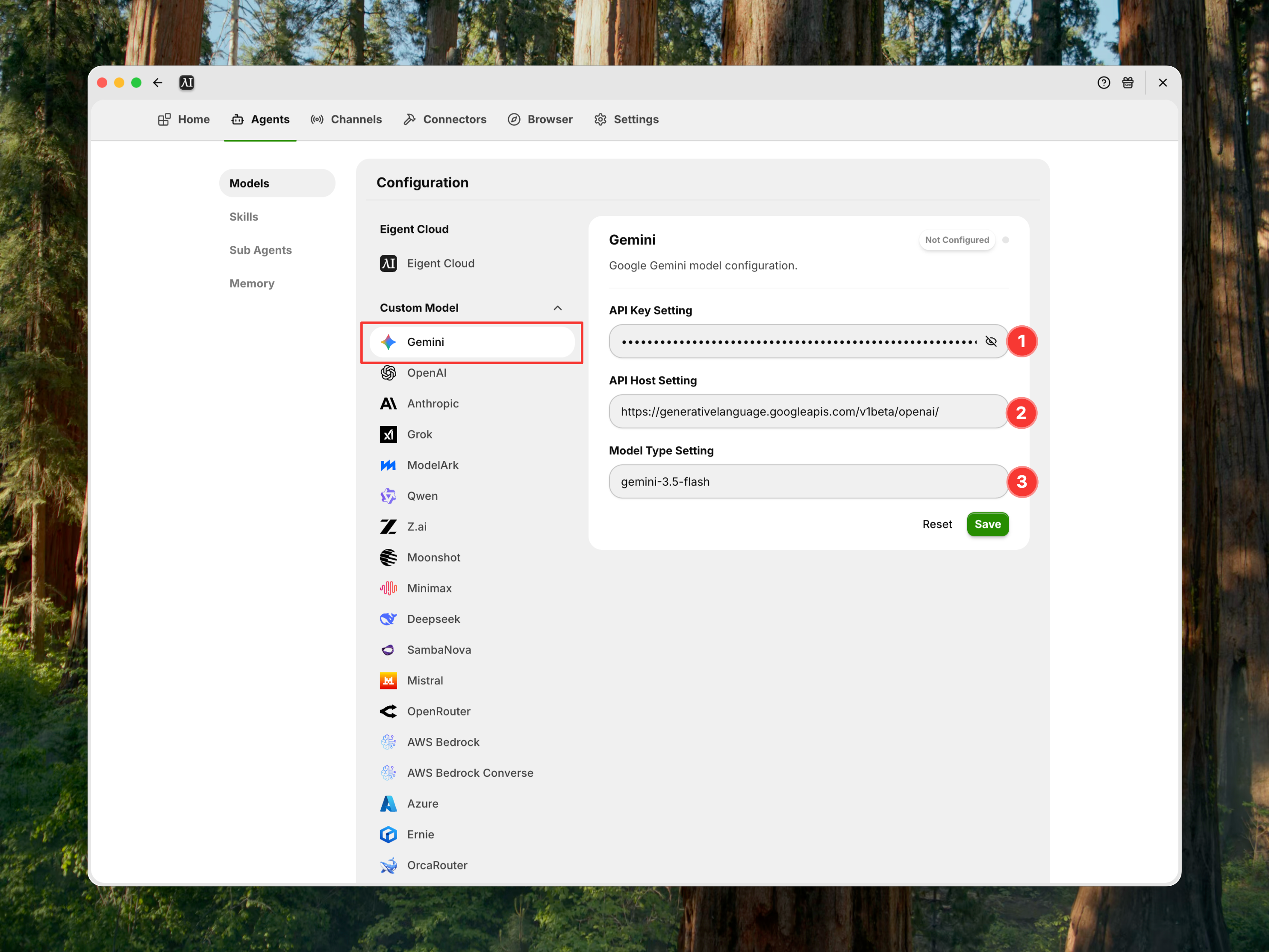
- Fill in the following fields:
| Field | Value | Example |
|---|---|---|
| API Key | Your Gemini API key | AIza... |
| API Host | Gemini API endpoint | https://generativelanguage.googleapis.com/v1beta/openai/ |
| Model Type | The model you want to use | gemini-3.5-flash |
- Click Save to validate and store your configuration
- Click Set as Default to use this provider for your agents
Configuration fields
| Field | Description | Required |
|---|---|---|
| API Key | Your authentication key from the provider | Yes |
| API Host | The API endpoint URL | Yes (pre-filled for most providers) |
| Model Type | The specific model variant to use | Yes |
| External Config | Provider-specific settings (e.g., Azure deployment name) | Only for certain providers |
Common errors
When saving your configuration, Eigent validates your API key and model. Here are the errors you may encounter:
| Error | Cause | Solution |
|---|---|---|
| Invalid key. Validation failed. | API key is incorrect, expired, or malformed | Double-check your API key. Regenerate a new key if needed. |
| Invalid model name. Validation failed. | The specified model does not exist or is not available for your account | Verify the model name is correct. Check if you have access to that model. |
| You exceeded your current quota | API quota exhausted or billing issue | Check your provider's billing dashboard. Add credits or upgrade your plan. |
Supported providers
Eigent supports the following BYOK providers:
| Provider | Default API Host | Official Documentation |
|---|---|---|
| Google Gemini | https://generativelanguage.googleapis.com/v1beta/openai/ |
Gemini API Docs |
| OpenAI | https://api.openai.com/v1 |
OpenAI API Docs |
| Anthropic | https://api.anthropic.com |
Anthropic API Docs |
| OrcaRouter | https://api.orcarouter.ai/v1 |
OrcaRouter Docs |
| OpenRouter | https://openrouter.ai/api/v1 |
OpenRouter Docs |
| Qwen (Alibaba) | https://dashscope.aliyuncs.com/compatible-mode/v1 |
Qwen API Docs |
| DeepSeek | https://api.deepseek.com |
DeepSeek API Docs |
| MiniMax | https://api.minimax.io/v1 |
MiniMax API Docs |
| Z.ai | https://api.z.ai/api/coding/paas/v4/ |
Z.ai Developer Docs |
| Moonshot | https://api.moonshot.ai/v1 |
Moonshot AI Platform |
| ModelArk | https://ark.ap-southeast.bytepluses.com/api/v3 |
ModelArk Docs |
| SambaNova | https://api.sambanova.ai/v1 |
SambaNova API Reference |
| Nebius Token Factory | https://api.tokenfactory.nebius.com/v1 |
Nebius Token Factory Docs |
| Grok | https://api.x.ai/v1 |
xAI Docs |
| Mistral | https://api.mistral.ai |
Mistral API Docs |
| AWS Bedrock | https://bedrock-mantle.us-east-1.api.aws/v1 |
AWS Bedrock Docs |
| AWS Bedrock Converse | https://bedrock-runtime.us-east-1.amazonaws.com |
Bedrock Converse API |
| Azure OpenAI | (user-provided) | Azure OpenAI Docs |
| Baidu ERNIE | https://qianfan.baidubce.com/v2 |
Baidu Qianfan Docs |
| OpenAI Compatible | (user-provided) | For custom endpoints (e.g., xAI, local servers) |
Tips
- Keep your API key secure - Never share or expose your API key publicly
- Monitor usage - Check your provider's dashboard regularly to track costs
- Use appropriate models - Different models have different capabilities and pricing