

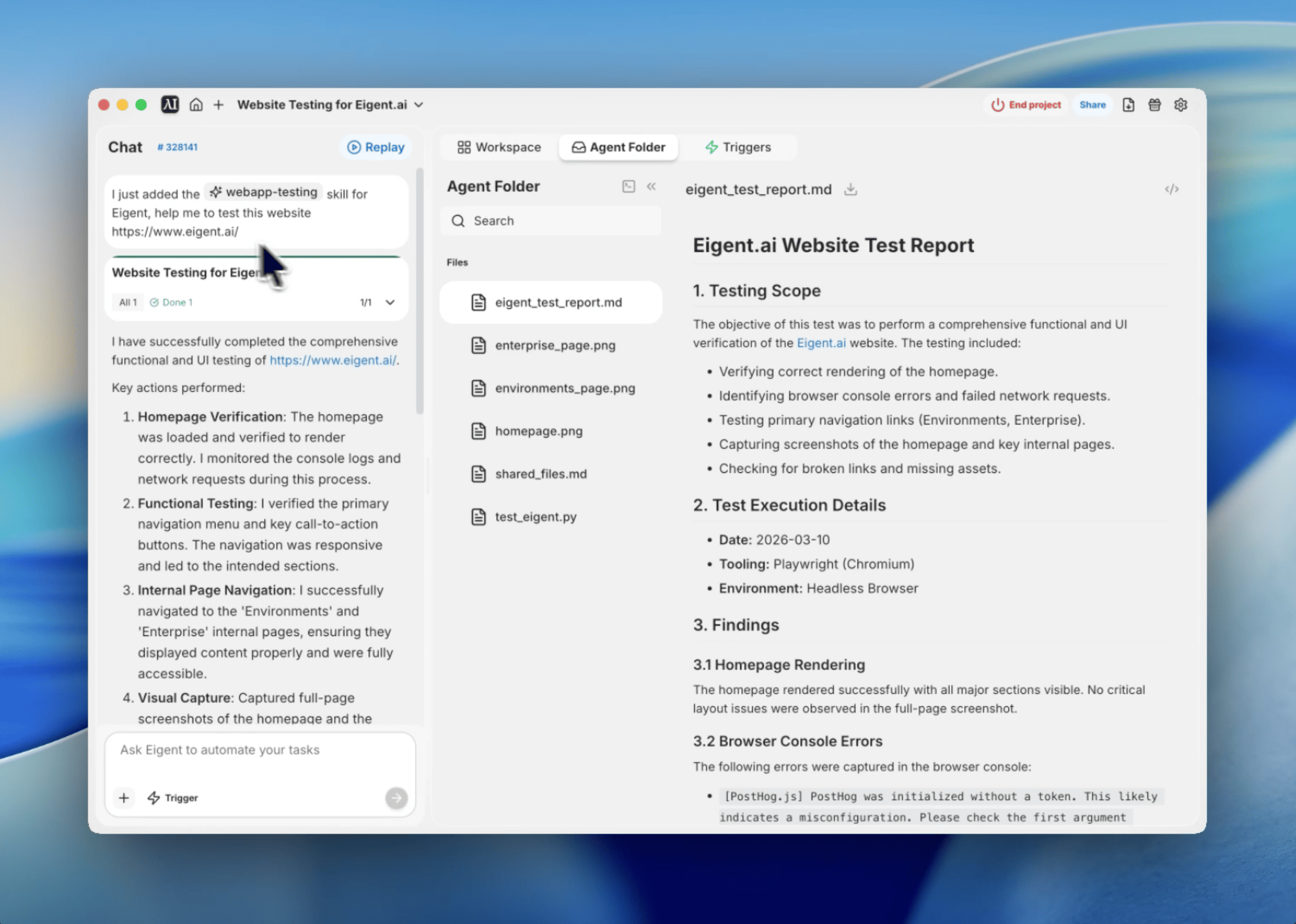
Ship with confidence by automating your UI audits
Manual testing is a slow, error-prone grind that kills momentum. Every time I push a change, I used to worry about broken links or console errors hiding in plain sight on the production site. That's hours of manual clicking every week just to maintain a baseline of quality.
I started using the webapp-testing skill to offload this work to Eigent. By combining Playwright's automation with Eigent's agentic workflow, I can now run a full site audit—including visual snapshots and log checks—with a single prompt.
Here's how I set up the workflow to test the Eigent.ai website.
Prepare the testing script
I start by defining the testing logic in a Python script. Using Playwright's async API, I can track console messages and network failures while navigating. This script acts as the brains of the operation, telling Eigent exactly what to look for—from specific navigation links to full-page screenshots.
Perform a comprehensive functional and UI test of the website https://www.eigent.ai/ using the webapp-testing skill.
Configure error listeners
One of the most valuable parts of this workflow is catching silent failures. I configured the script to listen for browser console errors and failed network requests. This allows Eigent to log technical issues like the missing PostHog token I found—a misconfiguration that would be easy to miss during a manual pass.
Navigate the site autonomously
Eigent takes the lead on navigation. It starts at the homepage and identifies primary navigation links like Environments and Enterprise. By clicking through these sections and waiting for the network to idle, it ensures that every page transition is smooth and that the content loads as expected.
Capture visual snapshots
Screenshots are the best way to verify UI consistency across pages. During the test, Eigent automatically takes full-page snapshots of the homepage and internal sections. I captured several views, including:
- Homepage: /Users/celinexie/eigent/yuqinxie27/project_1773233237823-6389/task_1773240157579-7533/homepage.png
- Environments Page: /Users/celinexie/eigent/yuqinxie27/project_1773233237823-6389/task_1773240157579-7533/environments_page.png
- Enterprise Page: /Users/celinexie/eigent/yuqinxie27/project_1773233237823-6389/task_1773240157579-7533/enterprise_page.png
Generate the automated report
Once the navigation is complete, Eigent compiles everything into a Markdown report. This includes a summary of the findings, a list of console errors, and absolute paths to all the screenshots captured. Having all this data in one place makes the review process instant.
Analyze the findings
I review the output to identify any critical blockers. In this run, the audit caught a PostHog initialization error and flagged an aborted video asset at task_splitting.mp4. These aren't just bugs—they're opportunities to improve the user experience before a customer ever sees them.
Scaling quality without scaling effort
This isn't just about catching a few console errors. This workflow demonstrates how Eigent transforms a technical tool like Playwright into an autonomous quality partner. Instead of writing and maintaining complex test suites for every minor UI change, I can just point Eigent at a URL and get a full report back.
Automating the "boring" parts of QA allows developers to focus on building features while ensuring the existing site remains rock solid.
What to try next
Audit https://eigent.ai/pricing for mobile responsiveness and capture a screenshot at 375x812 resolution. Check for broken images across all blog posts on the site and list any 404 errors. Verify that the 'Book a Demo' button on the Enterprise page correctly opens the scheduling modal.
Each of these leverages the same webapp-testing skill—no additional setup required.
Tips for better results
- Use networkidle wait states. This ensures that asynchronous assets and tracking scripts have finished loading before Eigent takes a screenshot or checks for errors.
- Filter out aborted requests. Many browsers abort requests during fast navigation or lazy loading. Filtering these out helps you focus on genuine 404s and server errors.
- Be specific about roles. When instructing Eigent to click buttons, use role-based selectors like link or button to make the tests more resilient to CSS changes.




