logo
  • Environments
  • Enterprise
  • Pricing

Open Source CoworkWork side by side with Your Agent.

Powered by the model of your choice, Eigent turns any context into finished work while keeping you in control.

  • Open source
  • Model agnostic
  • Fully customisable
Contact Sales
Home
Market Research
D
Workspace
FilesLocal
Automations
Dispatch
Configuration
New
Pinned
Weekly competitor digest
Sessions
Map the AI agent market
Summarize Q3 customer interviews
Pricing teardown: top five vendors
Draft the Q4 positioning memo
Audit the onboarding funnel
Rewrite the pricing page copy
Cowork with
Single Agent
Describe what you want to accomplish...
Single AgentAsk me first
EigentHigh
Map the AI agent market
Total: 2.1K
Map the AI agent market for Q4 and write a brief on how the top five players position themselves
Worked for 0s
I'll pull the Q4 funding rounds first, then read how each of the top five describes itself.
3 actions
Search web · AI agent startup funding Q4
Read page · crunchbase.com/discover/funding-rounds
Extract · 14 rounds · 5 vendor pages
Positioning has moved since Q3 — writing that up with the funding table alongside it.
2 actions
Eigent is working…

Here is the Q4 agent-market brief.

  • $2.1B raised across 14 rounds, concentrated in orchestration and computer-use startups.
  • Four of the five leaders now lead with “multi-agent workforce” rather than “copilot”.
  • Pricing is moving off seats toward task- and outcome-based tiers.
ai_agent_market_q4.mdfunding_rounds_q4.csv
Ask a follow-up
Single AgentAsk me first
EigentHigh
Summary
Latest only
Agents1
CAMEL Agent
Progress3
Collect Q4 funding rounds
Compare positioning for the top five
Assemble the shareable brief
Execution Context3
Skills1
market-research
MCP & Tools2
Exa Search
Notion
Files

Files the agent writes during this session appear here.

ai_agent_market_q4.md
funding_rounds_q4.csv

Loved by developers at

AWS
Booking.com
HSBC
Tencent
Baidu
Imperial College London
University of Oxford
ETH Zurich
University of Chicago
Chinese University of Hong Kong
KAUST
Eigent
AWS
Booking.com
HSBC
Tencent
Baidu
Imperial College London
University of Oxford
ETH Zurich
University of Chicago
Chinese University of Hong Kong
KAUST
Eigent
Use cases

Automations that drive real outcomes

Real tasks, handled start to finish - see what your workforce can do.

Explore more
Pricing

Pricing

Choose the plan that's right for you.

Open Source Cowork Desktop

100% open source - host it yourself, free, with your own API keys or local models.

Eigent

Get the latest updates, tutorials, and releases on AI workforce automation.

Thank you for subscribing!

ProductEigentEnvironmentsPricingEnterprise
ExploreSolutionsUse CasesSkillsPluginsBlogs
DevelopersDocsGitHubCAMEL-AIOpen Source FundPartner
DownloadFor open source
CompanyAbout UsBrandCareersTerms of UsePrivacy PolicySecurity & TrustCookie PolicyRefund & Trial Policy

All rights reserved © 2026 EIGENT UK LTD

Build an agent workspace around your team.

Cowork with agents that share context, use your tools, and deliver results ready for review.

Home
Market Research
D
Back to Home
New Space
Spaces
Market Research
Growth Experiments
Customer Success
Design System
Revenue Ops
Market ResearchCompetitive and market research for the Q4 planning cycle. Agents, Skills and Connectors are packaged here once and reused by every session.
Sessions12
Tasks48
Automations3
StatusActive
LocationLocal
AddedJun 2, 2026
SessionsTasksAutomationsContextMemorySpace Settings
Open Workspace
NameSpaceTasksAutomationsUpdated
Map the AI agent marketMarket Research612m ago
Weekly competitor digestMarket Research411h ago
Summarize Q3 customer interviewsMarket Research90Yesterday
Pricing teardown: top five vendorsMarket Research702d ago
Draft the Q4 positioning memoMarket Research514d ago
Audit the onboarding funnelMarket Research110Jun 18
Capability / 01

Set up once. Start every Space ready to work.

Package the agents, Skills, Connectors, and instructions your team relies on. Reuse the setup across Spaces while keeping secrets bound locally.

  • Reusable, versioned Space profiles
  • One setup for agents, Skills, and Connectors
  • Secrets stay bound locally
Try it now
Everything agents need to keep work moving and keep you in control.

Memory

Carry confirmed knowledge from one task to the next, scoped to you, the Space, or the Session.

Automation

Run work on a schedule, event, or condition. Return to saved output ready for review.

Remote control

Check progress and respond from the browser or channels such as WhatsApp, wherever you are.

Chat and Trajectory

Follow the conversation or inspect the reasoning, actions, delegation, and file changes behind the result.

Approvals

Keep permission decisions and agent questions scoped, visible, and waiting for you—even after an interruption.

Agent browser

Let agents work in the browser while restricting access to the targets you approve.

Agent Workspace

Adopt AI agents
without giving up control.

Run Eigent on your infrastructure, connect the models you choose, and keep every step reviewable across your team.

01Deployment

Run Eigent in your environment

Deploy locally or self-host in an environment your team controls. You decide which models connect and which data agents can access.

Local execution · Self-hosted deployment
Eigent deployed locally across macOS, Windows, and Linux
02Model Agnostic

Use the right model for every task

Connect supported cloud providers, enterprise gateways, or local models. Bring your own API keys and switch providers without rebuilding the workflow.

Cloud · Enterprise gateway · Local · BYOK
Model providers supported by Eigent
03Traceability and control

See the work before you accept it

Follow each agent’s progress, inspect sources and file changes, compare earlier versions, then approve the result or ask for revisions.

Sources · File history · Reviews · Approvals
Layered review and control workflow
04Enterprise grade

Scale agent work across teams

Manage roles and access, apply governance through policies and approvals, and keep security and privacy controls visible. SOC 2 readiness and GDPR compliance work remain in progress.

Team management · Governance · Compliance readiness
ISO, SOC 2, and GDPR enterprise readiness
Build a CAD Model from Video: Gemini 3.7 Flash vs. 3.6 Flash

Build a CAD Model from Video: Gemini 3.7 Flash vs. 3.6 Flash

Analyze the transformers character in the uploaded reference video and generate a production-ready, highly detailed 3D CAD/mesh model exported as a .glb file. Analyze the character identity and style, joints and articulation, and surface details. Create ultra-high-precision hard-surface mechanical geometry with distinct body and armor pieces separated around logical joint pivot points. Use metallic PBR materials, including anodized metals, brushed steel, dark titanium, high-gloss painted armor, and emissive channels for the eyes, chest core, and joint glow effects. Pack the diffuse, normal, roughness, metallic, and emissive textures directly into the GLB. Ensure clean topology, manifold geometry, and real-time optimization without losing mechanical sharpness.

Automated VAT Return from Receipts and Invoices

Automated VAT Return from Receipts and Invoices

Please process all receipts and invoices in the "VAT" folder, including photos, scanned PDFs, and digital invoices. The final output should include only two files: (1) vat_return.xlsx — the Excel file should include one row per receipt or invoice, list all extracted fields, show whether each item is eligible for VAT recovery, show the recoverable VAT amount for each eligible item, include the exclusion reason for non-recoverable items, clearly flag items that require manual review, and include a summary sheet showing the total recoverable VAT amount. (2) vat_return.html — create a self-contained HTML file that can be opened directly and shared with the accounting team. The HTML file should show all VAT recovery items, the recoverable VAT amount for each item, excluded items and the reasons for exclusion, items requiring manual review, and the total recoverable VAT amount. Do not guess any uncertain information.

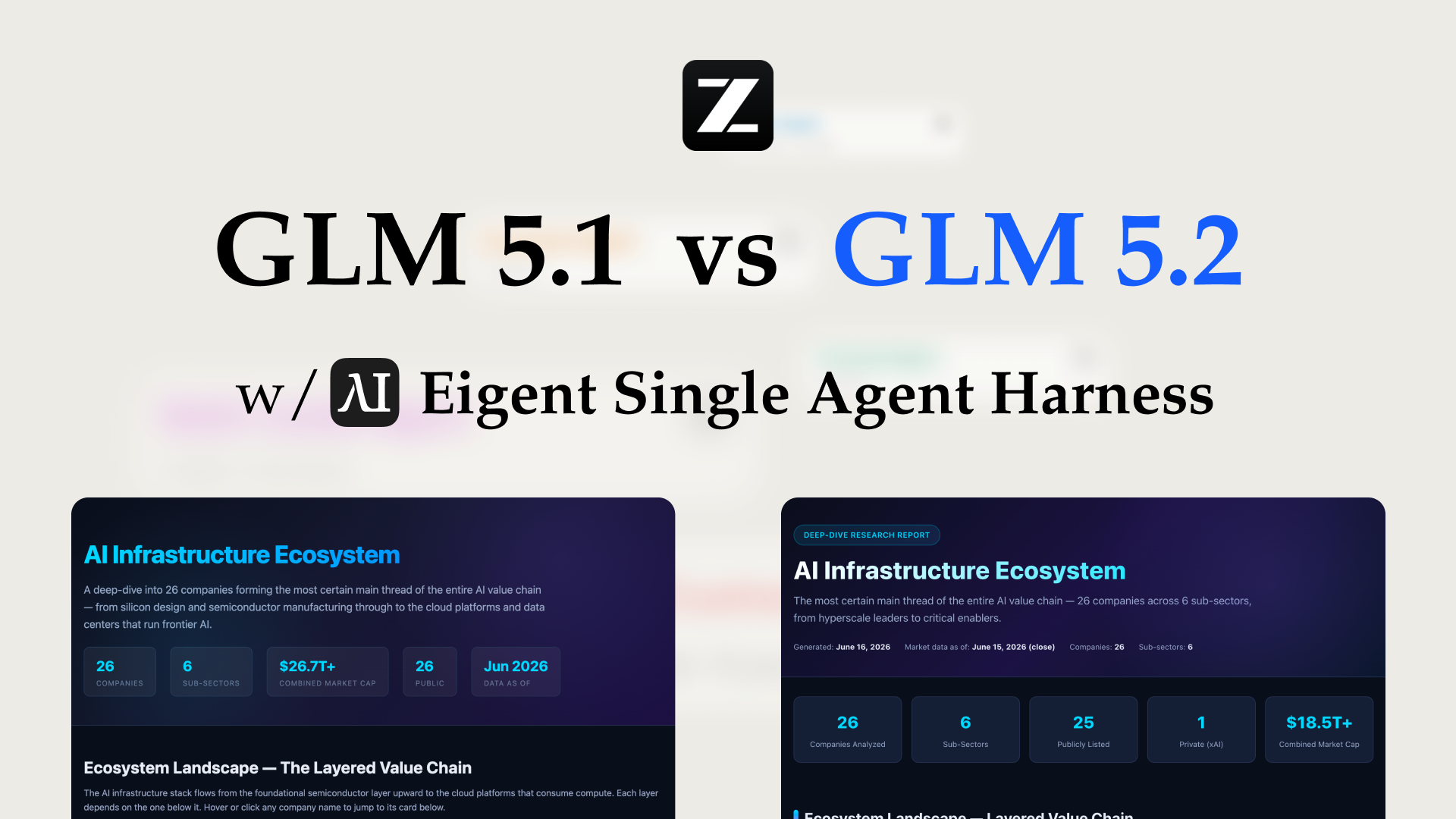
Long-Horizon Task: GLM-5.1 vs GLM-5.2 on Eigent

Long-Horizon Task: GLM-5.1 vs GLM-5.2 on Eigent

Do a deep-dive research on 26 companies in the AI infrastructure ecosystem — the most certain main thread of the entire AI value chain. Cover these 6 sub-sectors (pick representative companies in each, from large-cap leaders down to smaller players): AI Data Center (compute infrastructure / build-out); GPU / AI Chips (training & inference silicon, ASICs, IP); Servers, Networking & Optical Modules (switches, NICs, optical interconnect); Power, Liquid Cooling & Energy Storage (power supply, thermal, energy management); AI Cloud / Compute Platform (hyperscalers, GPU clouds, compute-rental platforms); Supporting Ecosystem (HBM / advanced packaging, foundry, connectors & other critical components). For each company, research: company name, sub-sector, HQ / country; core products and its specific role in the AI chain; public or private (ticker + exchange if listed; if private, note latest valuation / funding round); market cap or valuation size (used for ranking); positioning and moat in the ecosystem (1–2 sentences); key customers / competitors. Ordering: within each sub-sector, rank from largest to smallest (by market cap / valuation). Structure the whole thing top-down: from the full hardware-ecosystem landscape → down to each individual company. Output requirements: First, generate a structured data file ai_infra_data.json — containing all 26 companies with the fields above, the 6 sub-sector classifications, a public/private flag, and a cross-company comparison matrix (sub-sector × key dimensions). Then generate a polished HTML report from that JSON: include an ecosystem landscape / layered diagram, sector sections, company cards, a clear visual indicator for public vs. private (tags or color coding), a market-cap ranking chart, and a sortable/filterable comparison table. Make the design professional, information-dense, and interactive. Verify the research data for accuracy first (listing status, tickers, valuations — use the latest figures and cite sources), then generate the report. Send the task in single-agent mode.

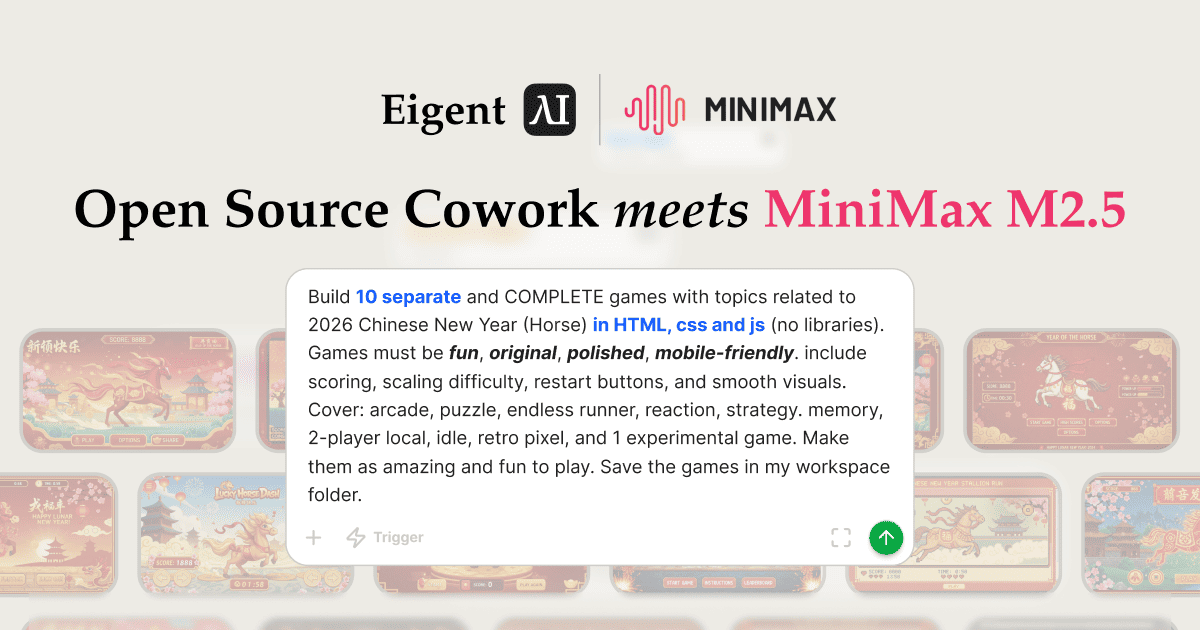
Build 10 Chinese New Year HTML5 Games with Eigent

Build 10 Chinese New Year HTML5 Games with Eigent

Build 10 separate and COMPLETE games with topics related to 2026 Chinese New Year (Horse) in HTML, CSS and JS (no libraries). Games must be fun, original, polished, mobile-friendly. Include scoring, scaling difficulty, restart buttons, and smooth visuals. Cover: arcade, puzzle, endless runner, reaction, strategy, memory, 2-player local, idle, retro pixel, and 1 experimental game.

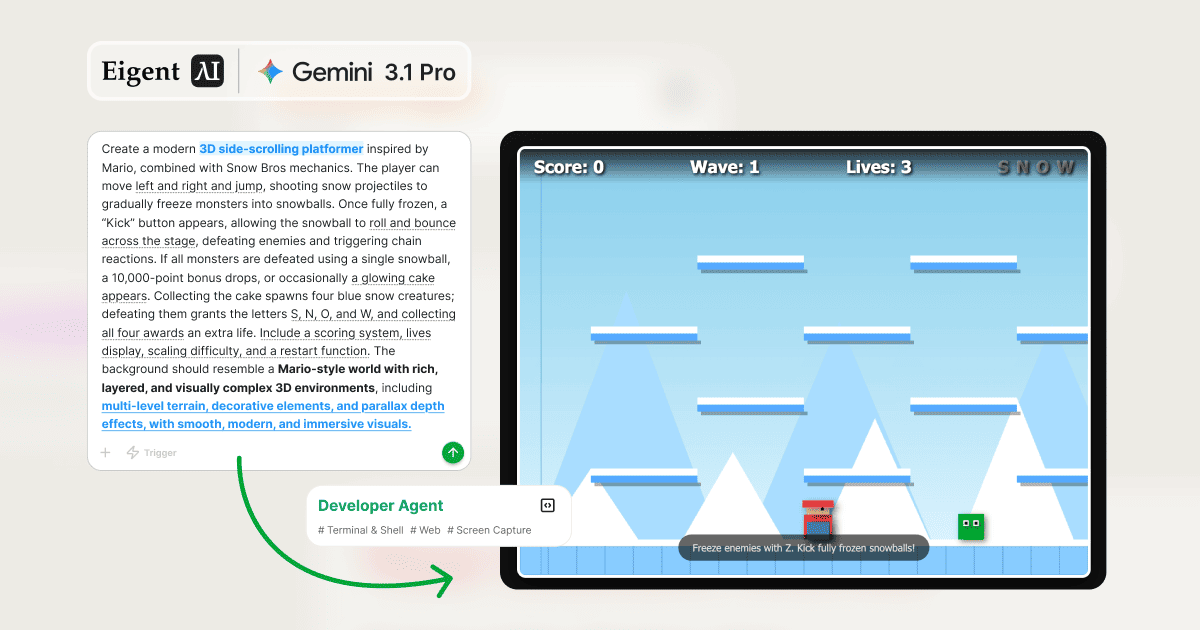
Build a 3D Snow Bros Platformer with Gemini 3.1 Pro

Build a 3D Snow Bros Platformer with Gemini 3.1 Pro

Create a modern 3D side-scrolling platformer inspired by Mario, combined with Snow Bros mechanics. The player can shoot snow projectiles to freeze monsters into snowballs, then kick them to chain into other enemies. Include a scoring system, lives display, scaling difficulty, and a restart function with rich 3D layered environments.

Configure Gemini & Automate Salesforce Deals

Configure Gemini & Automate Salesforce Deals

I need to update the salesforce.com - 200 Widgets deal. Give me the contact name and phone number. Back to the Opportunities page, edit the Next Step as 'book a meeting with + the contact name and phone number.'

Organize Your Desktop & Get an HTML Daily Report

Organize Your Desktop & Get an HTML Daily Report

Off work now! Please help me organize the work files on my desktop into today's folder, and then write an HTML daily report summarizing what I did today.

Add a New Salesforce Contact and Account with MiniMax M2

Add a New Salesforce Contact and Account with MiniMax M2

We have a new contact at Global Media - Jennifer Martinez (jennifer.m@globalmedia.com) is their new Senior Marketing Manager. Add her to our Salesforce and make sure she's connected to the right company. You can open the browser directly—I'm already logged into the system.

Turn Excel Sales Data into a Report with Kimi K2.5

Turn Excel Sales Data into a Report with Kimi K2.5

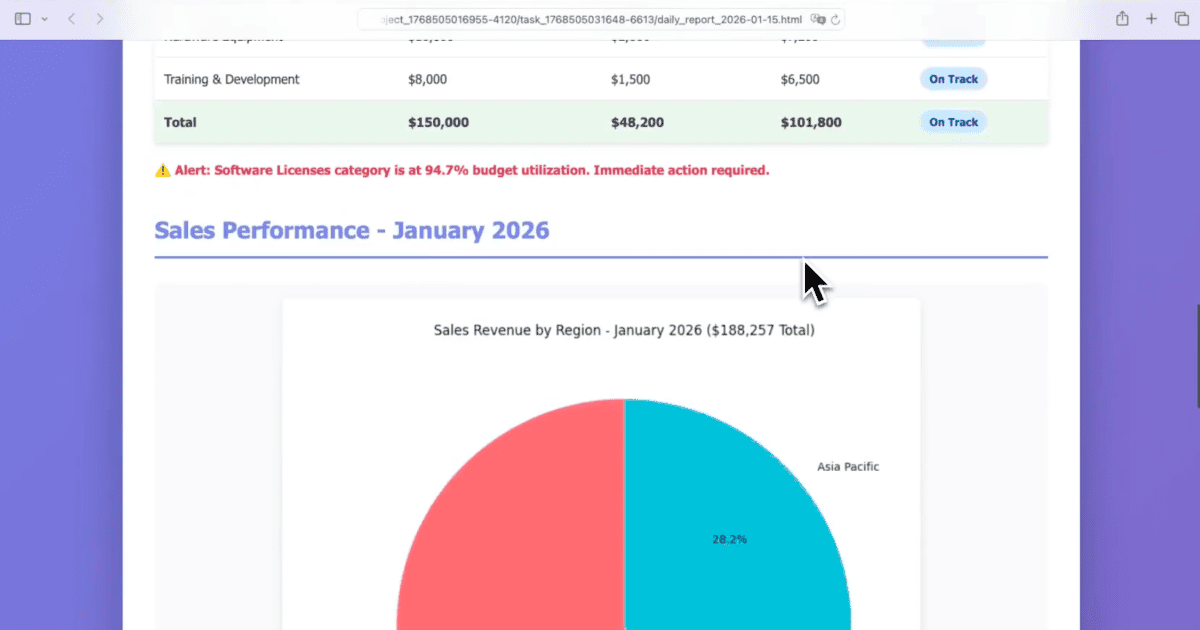
We are conducting a sales performance evaluation. Analyze the sales data and compare all salespeople across key metrics including order count, total revenue, average/median/highest order value, GMV per person per month, and order conversion rate. Generate a structured HTML analytics report with a summary, comparison table, and conclusions.

Free

$19.99/ Month

Includes:

New user bonus: 1,000 registration credits
Invite bonus: 500 credits for each successful invite
Model access: BYOK and local models to use Eigent for free
Support: Email + community forum

Plus

$19.99/ Month

$0 today. Then $19.99/month after your 7-day free trial. We'll email you before billing. Renews automatically; cancel anytime.

Everything in Free, plus:

Task credits: 2,000 / month
Free trial usage limit: 300 credits / day, 1,000 credits total
Support: Priority Email + Community Forum

Pro

$99.99/ Month

$0 today. Then $99.99/month after your 7-day free trial. We'll email you before billing. Renews automatically; cancel anytime.

Everything in Plus, plus:

Task credits: 10,000 / month
Free trial usage limit: 300 credits / day, 1,000 credits total
Support: High-priority user support

Teams

Coming Soon

Everything in Plus, plus:

Shared library: shared chats, commands, and rules
Centralized billing: team billing + seat management

Enterprise

Custom

Everything in Teams, plus

Local deployment + enterprise-grade security
Custom features & integrations
Custom agent RL environment (Agent training/evaluation environments, datasets, verifiers)
Invoice / PO billing
Priority support + account management