10 Games, One Prompt, Running in Parallel
Building a single polished browser game takes hours. Building ten different games across ten different genres — arcade, puzzle, endless runner, memory, strategy, retro pixel, two-player, idle, reaction, and experimental — could take days. With Eigent's parallel agent execution, it takes one prompt. This workflow shows what happens when you stop thinking about tasks sequentially and let your AI workforce handle them all at once.
The Prompt That Starts Everything
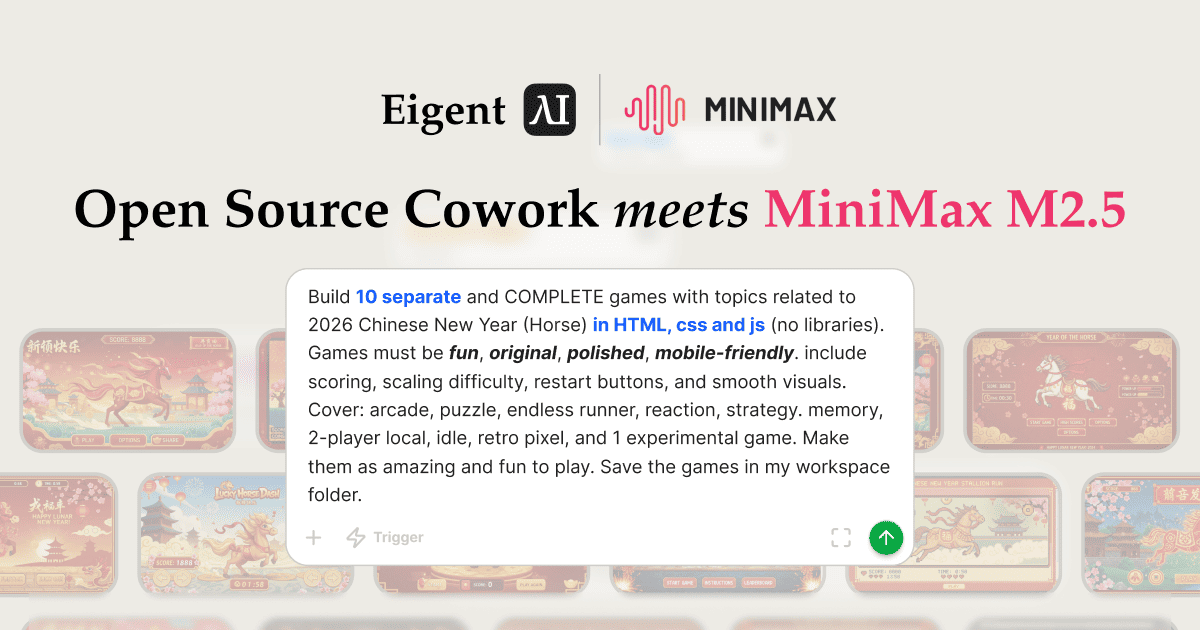
The full specification is passed in a single prompt:
Build 10 separate and COMPLETE games with topics related to 2026 Chinese New Year (Horse) in HTML, CSS and JS (no libraries). Games must be fun, original, polished, mobile-friendly. Include scoring, scaling difficulty, restart buttons, and smooth visuals. Cover: arcade, puzzle, endless runner, reaction, strategy, memory, 2-player local, idle, retro pixel, and 1 experimental game. Make them as amazing and fun to play. Save the games in my workspace folder.
No libraries. No external assets. Pure HTML/CSS/JS, playable in any browser, themed with the red-and-gold aesthetic of the Year of the Horse.
Eigent Splits Into 10 Parallel Tasks
Eigent's AI Workforce immediately decomposes the request into 10 concurrent tasks — all running simultaneously:
arcade-game.html— classic arcade action with CNY horse themepuzzle-game.html— spatial or logic puzzle with festive elementsendless-runner.html— side-scrolling runner with horse characterreaction-game.html— timing and reflex-based mechanicstrategy-game.html— tactical decision-making with CNY motifsmemory-game.html— card matching or pattern memory gametwoplayer-game.html— local two-player competitive formatidle-game.html— incremental resource accumulationretro-pixel-game.html— 8-bit aesthetic with pixel art horse spritesexperimental-game.html— unconventional mechanic or interaction model
The Eigent UI shows all 10 tasks in progress simultaneously — five ongoing, five pending in queue — with real-time status updates as each completes.
Each Game Is Fully Implemented
The Developer Agent builds each game with the complete feature set specified in the prompt:
- Scoring system — points awarded based on performance
- Scaling difficulty — game speed or complexity increases over time
- Restart button — playable without refreshing the page
- Smooth visuals — CSS animations, canvas rendering, CNY color palette (red, gold, white)
- Mobile-friendly layout — touch events and responsive sizing
A game_development_plan.md and shared_files.md are also generated automatically — documentation that describes the design decisions and shared assets across all 10 games.
Playable Immediately in the Browser
Once all tasks complete, each .html file opens directly in any browser — no build step, no server required. The arcade game demo shows a live score counter, high score tracking, CNY decorations, and a "再来一次" (Play Again) button in red and gold. Every game is self-contained in a single file.
Token usage for this task: approximately 750,000 tokens — a reflection of the scale of parallel code generation happening under the hood.
What Parallel Execution Really Means
The key insight here isn't just that Eigent built 10 games — it's that it built them at the same time. Sequential execution of 10 games would take 10× as long. Eigent's parallel agent architecture means the total time is bounded by the slowest individual task, not the sum of all tasks.
This same principle applies to any batch of independent deliverables: generating multiple reports, writing multiple documents, building multiple components, or researching multiple topics simultaneously.
What to Try Next
Build a game bundle for a product launch: a branded puzzle, a leaderboard arcade game, and a trivia game — all with our company's color scheme and logo.
Generate a festive micro-game that can be embedded as an iframe on a landing page.
After building the games, open each one in the browser and take a screenshot for a preview grid.
Combine all 10 games into a single HTML page with a menu to launch each one.
Tips for Better Results
-
Be genre-specific. The more precisely you define each game's genre and core mechanic in the prompt, the more differentiated the outputs will be. Vague prompts tend to produce similar games with slightly different themes.
-
Set a quality bar explicitly. Phrases like "polished," "mobile-friendly," and "smooth visuals" are interpreted as constraints, not suggestions. They directly influence the quality of the generated code.
-
Save to a named workspace folder. Including a specific output path in the prompt ensures all 10 files land in the same place — ready to zip and share or deploy as a bundle.