

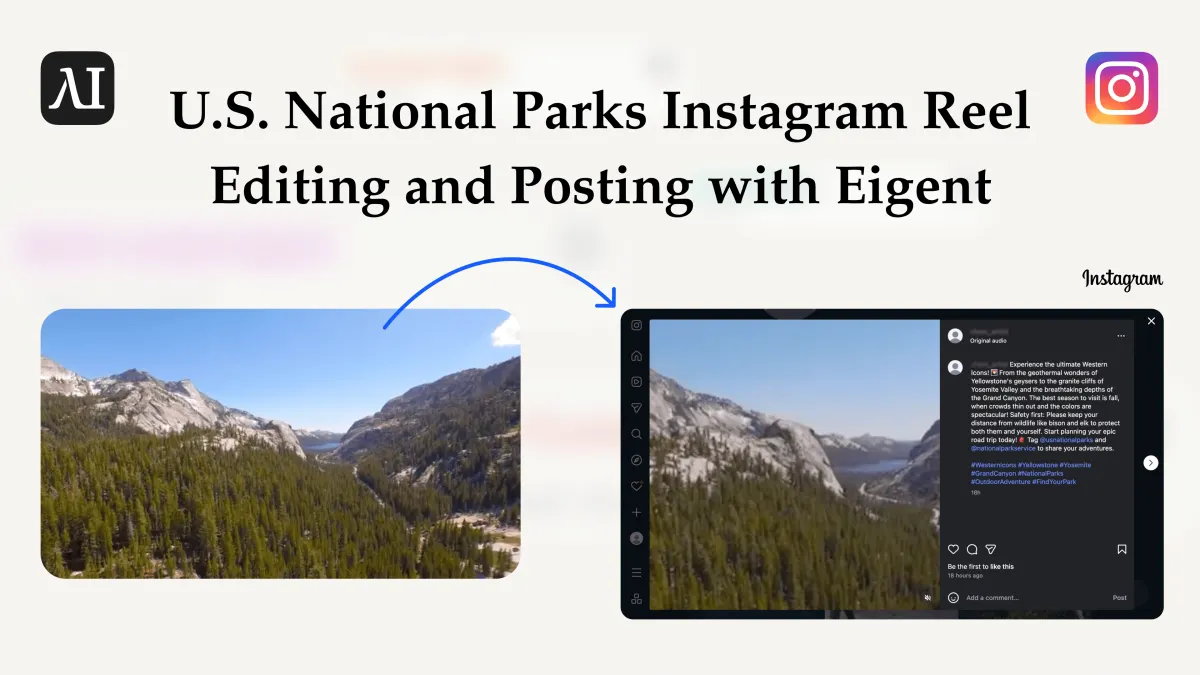
AI Współpracownik dla Marek Turystycznych Związanych z Parkami Narodowymi USA, Który Prowadzi Twojego Instagrama
Amerykańskie rady turystyczne parków narodowych, regionalne DMO i organizatorzy wycieczek zwykle dysponują ogromną biblioteką surowych nagrań z miejsc — gejzery wybuchające w Yellowstone, wschód słońca nad Half Dome w Yosemite, spacery po krawędzi Grand Canyon, wędrówki przez Narrows w Zion, alpejskie jeziora w Rocky Mountain, łosie w Great Smoky Mountains, sztormowe wybrzeża w Olympic, granitowe szczyty w Grand Teton, łąki pełne dzikich kwiatów w Glacier i wodospady w Acadia — a do tego krótkim opisem każdego parku lub punktu widokowego przygotowanym przez zespół produktowy albo interpretacyjny. Zamiana tej biblioteki w spójny strumień Instagram Reels, który faktycznie przyciąga podróżnych, to zadanie, na które nikt w zespole nie ma czasu.
Ten przypadek użycia pokazuje, jak powierzyć ten cykl AI współpracownikowi dla Twojej marki turystycznej związanej z parkami narodowymi w USA. Dzięki Eigent — open source cowork, który uruchamia wieloagentową pracę na własnym pulpicie — możesz łączyć surowe nagrania z parków narodowych w tematyczne Reels, przygotować 7-dniowy plan publikacji na Instagramie z podpisami dopasowanymi do odwiedzających parki, a następnie ustawić cykliczny trigger, który automatycznie publikuje każde dzienne wideo. To automatyzacja marketingu parków narodowych, która bardziej przypomina junior social media managera niż zwykły scheduler — takiego, który już zna Twoje szlaki, sezony i priorytety bezpieczeństwa.
Workflow dzieli się na dwie fazy. Faza 1 jest kreatywna: skill Video Editor grupuje po 3–4 parki lub doświadczenia parkowe na Reel i tworzy tygodniowy plan. Faza 2 to realizacja: cykliczny trigger wraz ze skilliem Instagram Posting publikuje właściwy Reel i podpis każdego ranka przez siedem dni, bez potrzeby wpisywania promptu na czacie.
Przygotuj materiały parkowe w folderze
Zacznij od folderu, który Twój zespół turystyczny lub contentowy już utrzymuje dla kampanii związanych z parkami narodowymi w USA. Dla każdego parku uwzględnij osobny podfolder z:
- Surowym materiałem wideo — erupcje Old Faithful i stada bizonów w Yellowstone National Park, szlak Mist Trail i widoki z Glacier Point w Yosemite National Park, wschód i zachód słońca wzdłuż South Rim Grand Canyon National Park, wędrowcy w Narrows i przy Angels Landing w Zion National Park, wędrówki graniami i alpejskie jeziora w Rocky Mountain National Park, zadymione grzbiety i wodospady w Great Smoky Mountains National Park, burzliwe plaże i lasy deszczowe w Olympic National Park, granitowe szczyty i dziką przyrodę w Grand Teton National Park, widoki z Going-to-the-Sun Road w Glacier National Park oraz nadmorskie klify i latarnie morskie w Acadia National Park.
- Pliki markdown z opisem — nazwa parku, najważniejsze atrakcje, najlepsza pora roku na wizytę, przypomnienia o bezpieczeństwie i Leave No Trace, informacje o pozwoleniach lub wejściu czasowym, uwagi dotyczące dostępności oraz preferowane hashtagi i @handle (np.
#FindYourPark #Yellowstone #Yosemiteoraz oficjalne konto lub partnerów DMO), które należy oznaczyć.
Otwórz Eigent i wskaż swojemu AI współpracownikowi folder główny, aby każdy krok agenta widział ten sam materiał źródłowy.
Zainstaluj skills Video Editor i Instagram Posting
Ten workflow dla turystyki parków narodowych korzysta z dwóch skills. skill Video Editor obsługuje fazę 1: przycinanie, łączenie, zmienianie czasu i renderowanie surowych klipów w krótkie pionowe wideo zoptymalizowane pod Reels — z nakładkami z nazwami parków i podpisami, jeśli są przydatne. skill Instagram Posting obsługuje fazę 2: przesyłanie gotowego wideo i publikowanie go z podpisem na połączonym koncie Instagram.
Zainstaluj oba w Ustawienia → Skills. Następnie przejdź do Ustawienia → Connectors i autoryzuj integrację Instagram dla konta marki, z którego publikujesz (np. @VisitYellowstone, @YourStateParks albo konto regionalnego DMO). Gdy oba elementy są gotowe, Twój AI współpracownik ma wszystko, czego potrzebuje, aby przejąć cały pipeline „surowe nagrania z parków → opublikowany Reel”.
Faza 1 — Zgrupuj parki i zaprojektuj 7-dniowy plan publikacji
Faza 1 to etap planowania. Chcesz, aby Twój AI współpracownik dla marketingu parków narodowych zdecydował, które parki i doświadczenia pasują do siebie, pociął Reels i ułożył tygodniowy harmonogram, który opowiada spójną historię przez cały tydzień. Wklej ten prompt do czatu:
Oto foldery z materiałami o parkach narodowych USA w Desktop/us-national-parks-content/. Dla każdego podfolderu odczytaj surowe klipy wideo i opis markdown. Zgrupuj parki w tematyczne zestawy po 3–4 parki lub doświadczenia — na przykład: "Western Icons" (Yellowstone + Yosemite + Grand Canyon), "Red Rocks & Canyons" (Grand Canyon + Zion), "Peaks & Alpine Lakes" (Rocky Mountain + Glacier + Grand Teton), "Coast & Rainforest" (Olympic + Acadia) albo "Smoky Ridges & Waterfalls" (Great Smoky Mountains + pobliskie trasy widokowe). Dla każdej grupy użyj skillu Video Editor, aby stworzyć jeden krótki pionowy Reel (9:16, 20–40 sekund), który naturalnie przechodzi między parkami i scenami, z muzyką w folderze muzyki w tle. Następnie przygotuj 7-dniowy plan publikacji na Instagramie — jeden Reel dziennie — i dla każdego dnia podaj: datę, ścieżkę do pliku wideo oraz podpis pobrany z plików markdown z opisami w tej grupie. Podpisy powinny być napisane dla podróżnych planujących wyjazd do parku, wspominać o najlepszej porze roku na wizytę, zawierać 5–8 hashtagów związanych z parkami narodowymi lub aktywną turystyką, uwzględniać co najmniej jedno przypomnienie o bezpieczeństwie lub ochronie przyrody (np. trzymaj się szlaku, zachowaj dystans od dzikich zwierząt) oraz oznaczać nasze oficjalne konto i odpowiednich partnerów. Zapisz plan jako posting-plan.md w tym samym folderze.
Eigent skanuje folder, grupuje parki, renderuje każdy Reel do podfolderu edited-videos/ i zapisuje plan w formie podobnej do tej:
Dzień 1 — 2026-04-14
Wideo: edited-videos/western-icons_yellowstone-yosemite-grand-canyon.mp4
Podpis: Trzy westernowe legendy w mniej niż 30 sekund. Zobacz gejzery wybuchające w Yellowstone,
złap wschód słońca nad Half Dome w Yosemite i przejdź się po krawędzi Grand Canyon o złotej
godzinie. Najlepsza pora roku: późna wiosna–wczesna jesień. Pamiętaj, aby trzymać się oznaczonych
szlaków i dawać dzikim zwierzętom dużo przestrzeni. #FindYourPark #Yellowstone #Yosemite #GrandCanyon
#NPS #OutdoorAdventure #SeeAmerica

Dzień 2 — 2026-04-15
Wideo: edited-videos/red-rocks_and_canyons_grand-canyon-zion.mp4
Podpis: Podążaj za światłem kanionu od South Rim Grand Canyon do Narrows w Zion.
Od szerokich punktów widokowych po wijące się rzeczne szczeliny, te ikony czerwonej skały
powinny znaleźć się na każdej road tripie po Południowym Zachodzie. Najlepsza pora roku:
wiosna i jesień ze względu na niższe temperatury. Spakuj dużo wody i sprawdź warunki na
szlaku przed wyjazdem. #GrandCanyon #Zion #SouthwestRoadTrip #HikingAdventures #PublicLands
Sprawdź plan przed przejściem dalej. Jeśli jakieś połączenie wydaje się nietrafione, podpis wymaga dopracowania albo notatka o sezonie lub bezpieczeństwie powinna zostać dostosowana do Twojej grupy odbiorców, edytuj bezpośrednio posting-plan.md — faza 2 czyta ten plik jako jedno źródło prawdy na cały tydzień.
Faza 2 — Ustaw cykliczny trigger do automatycznej publikacji
Gdy plan jest zatwierdzony, druga faza to czysta realizacja. Najpierw zaloguj się do konta Instagram w ustawieniach przeglądarki (przejdź do Dashboard > Browser > Cookies, aby dodać dane logowania do konta Instagram), aby cookies i stan logowania zostały zapisane dla tego konta. Agent potrzebuje tej uwierzytelnionej sesji, aby przesyłać i publikować posty w Twoim imieniu.
Przejdź do Triggers, utwórz nowy trigger i ustaw go jako Recurring z harmonogramem every day at 10:00 AM na kolejne 7 dni (dopasuj to do swojej głównej strefy czasowej i odbiorców — na przykład 9:00 AM Eastern, aby dotrzeć do podróżnych z East Coast). Wklej prompt:
Odczytaj posting-plan.md i znajdź dzisiejszy wpis według daty. Użyj skillu Instagram Posting, aby przesłać pierwszy wymieniony plik wideo na moje konto Instagram i opublikować go z podpisem z dzisiejszego wpisu. Po publikacji dopisz obok dzisiejszego wpisu w posting-plan.md wynikowy URL posta oraz znacznik czasu.
Od tego momentu trigger uruchamia się każdego ranka. Twój AI współpracownik otwiera plan, wybiera odpowiedni wiersz dla bieżącej daty, przesyła odpowiadający Reel o parkach narodowych i publikuje go z dopasowanym podpisem — bez promptu na czacie, bez aplikacji Instagram, bez udziału człowieka.
Co Twój AI Współpracownik Robi Każdego Ranka
Gdy trigger się uruchamia, Eigent wykonuje sprawną sekwencję działań:
- Odczytuje
posting-plan.mdi dopasowuje dzisiejszą datę. - Odszukuje ścieżkę do pliku wideo i odczytuje podpis.
- Wywołuje skill Instagram Posting, aby przesłać Reel i opublikować go z podpisem oraz hashtagami.
- Zapisuje URL posta i znacznik czasu publikacji z powrotem do
posting-plan.mdjako bieżący log audytowy.
Jeśli coś się nie powiedzie — wygaśnięty token Instagram, brakujący plik albo limit zapytań — log uruchomienia triggera pokaże błąd, dzięki czemu możesz naprawić jeden dzień bez ponownego uruchamiania całego tygodnia.
Dlaczego AI Współpracownik Lepiej Sprawdza się niż Standardowy Scheduler w Turystyce Parków Narodowych
Wiele narzędzi potrafi ustawić kolejkę postów na Instagramie. To, czego nie potrafią, to zmontować wideo, napisać podpis znający realia parków i dostosować plan do materiału, który faktycznie masz. To właśnie różnica między schedulerem a AI współpracownikiem dla marki turystycznej parków narodowych: współpracownik wykonuje pracę kreatywną i realizację.
Trzy rzeczy sprawiają, że ten workflow różni się od starszych narzędzi social media dla parków i marek outdoorowych:
- Czyta prawdziwy materiał źródłowy. Skill Video Editor analizuje Twoje surowe klipy i markdown z opisem każdego parku — a nie niejasny brief „opublikuj coś o Yellowstone”.
- Zostawia ludziom kontrolę. Faza 1 tworzy edytowalny plan w markdown. Zespoły komunikacji i interpretacji mogą dostosować wskazówki sezonowe, przypomnienia o bezpieczeństwie i notatki o dostępności, zanim cokolwiek trafi na żywo.
- Jest modułowy. Skills plus cykliczny trigger oznaczają, że możesz zamienić Instagram na TikTok, YouTube Shorts lub inne kanały bez przebudowy całego workflow.
Dla amerykańskich rad turystycznych parków narodowych, regionalnych DMO i organizatorów wycieczek przekłada się to na jedną skoncentrowaną sesję planowania tygodniowo i siedem dni zautomatyzowanych Reels — bez zwiększania liczby etatów i bez kolejnej subskrypcji SaaS.
Co Przetestować Następnie
Gdy 7-dniowy plan publikacji o parkach narodowych działa bez zarzutu, rozszerz to, co potrafi Twój AI współpracownik:
Po każdym opublikowanym poście pobierz metryki zaangażowania z Instagrama i zapisz je w posting-plan.md, a następnie uporządkuj parki i tematy (np. gejzery vs. wodospady vs. punkty widokowe nad kanionami) według skuteczności Reels.
Pod koniec tygodnia podsumuj Reel, który osiągnął najlepsze wyniki, i zarekomenduj, które zestawy parków warto pokazać ponownie w następnym tygodniu (np. "Yellowstone + Grand Teton konsekwentnie wypada lepiej niż posty o jednym parku" albo "wędrówki w Zion generują więcej zapisów niż punkty widokowe Grand Canyon").
Publikuj każdy dzienny Reel także na TikTok, YouTube Shorts i innych kanałach, korzystając z odpowiednich skills.
Automatycznie generuj plan na kolejny tydzień w każdą niedzielę wieczorem na podstawie pozostałych niewykorzystanych nagrań w us-national-parks-content/, rotując między Yellowstone, Yosemite, Grand Canyon, Zion, Rocky Mountain, Great Smoky Mountains, Olympic, Grand Teton, Glacier i Acadia.
Twórz rozszerzone podpisy lub scenariusze karuzeli na podstawie materiału z każdego Reel i opisu, aby wspierać wpisy blogowe, przewodniki po wyjazdach lub kampanie e-mailowe dla tych samych parków.
Każda z tych funkcji opiera się na tym samym pliku planu i tym samym cyklicznym triggerze — bez dodatkowej konfiguracji.
Wskazówki dla Lepszych Wyników
- Nazywaj pliki źródłowe opisowo.
yellowstone_old-faithful_sunset.mp4pomaga skillowi Video Editor wybrać właściwe klipy do każdego tematycznego Reel. (Albo poproś Eigent o zmianę nazw) - Najpierw ręcznie sprawdź pierwszy post dnia. Zanim zaufasz cyklicznemu triggerowi na cały tydzień, uruchom prompt z fazy 2 raz dla dnia 1 i upewnij się, że Reel wygląda dobrze na Instagramie — zwłaszcza tagi lokalizacji, wskazówki sezonowe i komunikaty bezpieczeństwa.
- Dopasuj czas triggera do rynku docelowego. 10:00 AM lokalnie to bezpieczny punkt startowy, ale jeśli kierujesz ofertę do podróżnych w innej strefie czasowej niż Twoje biuro, dostosuj godzinę tak, aby trafić w ich poranne lub wieczorne okno scrollowania.
- Regularnie dodawaj świeże nagrania. Co tydzień wrzucaj nowe klipy z różnych sezonów (jesienne kolory w Acadia, zima w Yellowstone, wiosenne dzikie kwiaty w Great Smoky Mountains, letnie wędrówki alpejskie w Glacier i Rocky Mountain) do
us-national-parks-content/, aby Twój AI współpracownik zawsze miał nowy materiał.
Najważniejsze Wnioski
- Eigent działa jako AI współpracownik dla marek turystycznych związanych z parkami narodowymi w USA, zamieniając surowe nagrania z Yellowstone, Yosemite, Grand Canyon, Zion, Rocky Mountain, Great Smoky Mountains, Olympic, Grand Teton, Glacier i Acadia w tydzień opublikowanych Instagram Reels.
- Faza 1 — zaplanuj raz: skill Video Editor grupuje parki w tematyczne doświadczenia, renderuje Reels i tworzy 7-dniowy
posting-plan.mdz podpisami dla odwiedzających parki. - Faza 2 — publikuj codziennie: cykliczny trigger wraz ze skilliem Instagram Posting automatycznie publikuje Reel każdego dnia.
- Plik planu w markdown pozostaje edytowalny, więc Twój zespół zachowuje kontrolę nad wskazówkami sezonowymi, komunikatami o bezpieczeństwie i ochronie przyrody oraz notatkami o dostępności, podczas gdy powtarzalna praca jest automatyzowana.
- Ten sam wzorzec można rozszerzyć na TikTok, YouTube Shorts, kampanie e-mailowe i treści blogowe — automatyzację marketingu parków narodowych, którą możesz stale rozwijać.
Gotowy, aby posadzić AI współpracownika na stanowisku social media Twojej marki turystycznej parków narodowych? Pobierz Eigent, zainstaluj skills Video Editor i Instagram Posting, i uruchom fazę 1 na swoim pierwszym folderze nagrań z parków już dziś.





