





 AgenticRL-Bench
 Env-Lab

Eigent How-To: Setting Up Your First Custom MCP Server
Automating GitHub Workflows with Eigent’s Multi-Agent System
 Eigent
In open source projects, time is precious. Maintainers juggle bug fixes, feature requests, community support, and documentation, all while trying to keep code secure and releases organized. One repetitive but crucial task is reviewing pull requests and preparing release updates. It’s necessary, but it eats up hours that could be spent innovating.
What if automation could handle the grunt work for you? That’s where Eigent steps in, giving you an Eigent open source cowork that can reliably support and automate your GitHub workflows.
Eigent is the world’s first Multi-agent Workforce desktop application, empowering you to build, manage, and deploy a custom AI workforce that can turn your most complex workflows into automated tasks. It’s a modular, multi-agent system that can break down complex tasks and handle them through specialized agents working in coordination.
Eigent’s multi-agent coordination platform boosts productivity by turning your workflows into automated tasks. Built on the open-source CAMEL framework, it brings parallel execution, customization, and privacy to your AI automation.
What can Eigent do for you? For first-time readers, consider Eigent as a flexible agentic assistant. You can create different “workers” (AI agents) with domain-specific skills (e.g. coding, documentation, DevOps) and have them collaborate on tasks. Some examples of technical workflows Eigent can simplify include:
- GitHub automation with AI agents: Reviewing code changes, summarizing pull requests, triaging issues.
- Release note generation: Automatically compiling highlights of what’s new in each release.
- Documentation and code analysis: Extracting key points from docs or codebases, suggesting improvements.
- Open-source workflows: Keeping track of project activity, generating reports for contributors, etc.
In this guide, we’ll show you how to configure a custom GitHub MCP server inside Eigent and set up an agent workflow that:
- Fetches new pull requests from a repo
- Extracts and analyzes PR data
- Formats the highlights into release-ready notes
- Generates a short social post (e.g. for Twitter/X)
Let’s dive into the step-by-step guide!
Step 1 : Open Eigent and Navigate to MCP & Tools Settings
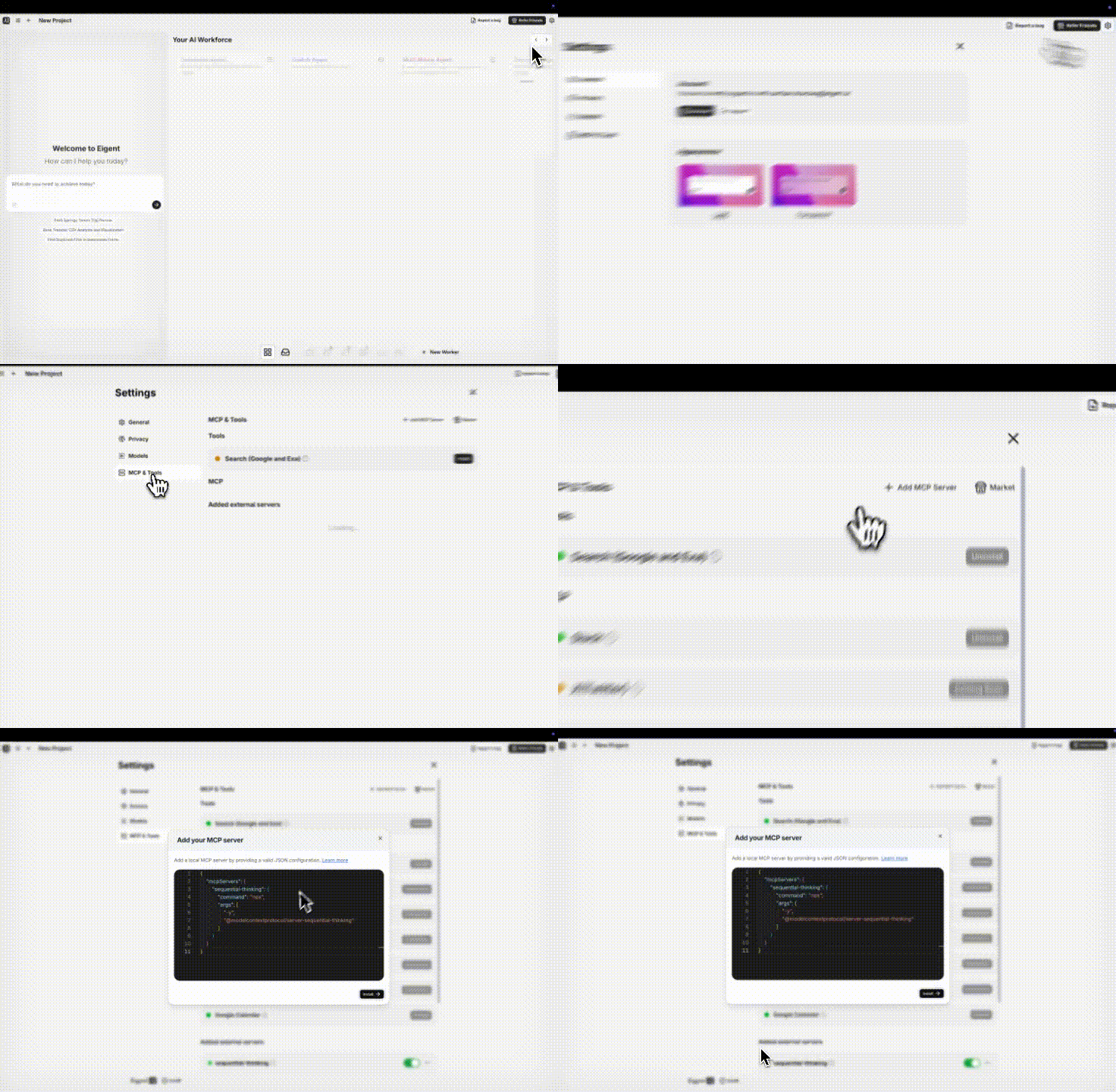
Once you have Eigent running, begin by opening the Settings panel. In the Settings, find and click on the “MCP & Tools” section. This is where you can configure external tools and servers for your AI agents. We’ll use this area to add a new custom MCP server for GitHub tasks.
In the MCP & Tools tab, you’ll see a list of available tools and any configured MCP servers. To add your own, look for an “Add MCP Server” button and click it. This opens a dialog where you can input a JSON configuration for the new server.
Step 2: Add a Custom MCP Server via JSON Configuration
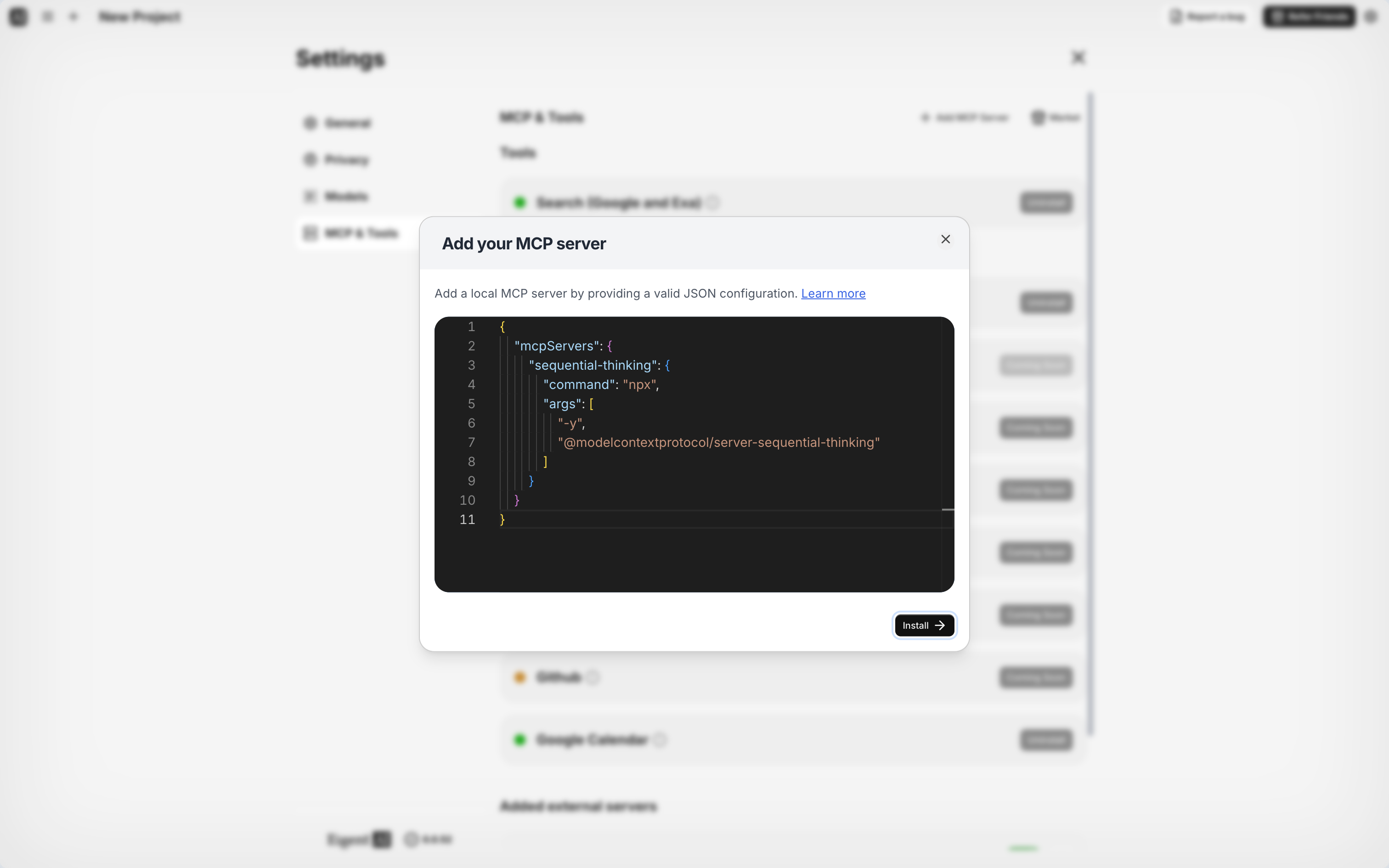
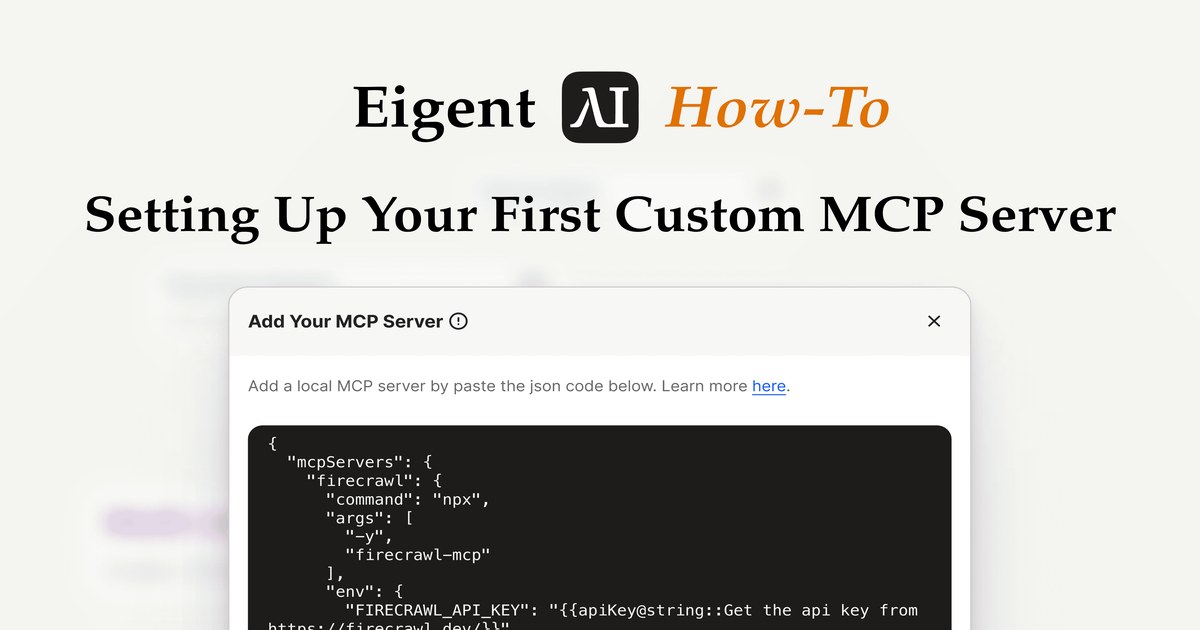
Eigent allows advanced users to add custom agent servers by providing a JSON config. In the Add MCP Server dialog, you’ll see a text area to paste JSON. We’re going to add a sequential-thinking MCP server – a general-purpose AI reasoning engine that can coordinate tasks (perfect for breaking down complex prompts).
Use the following minimal JSON to register the server:
{
  "mcpServers": {
    "sequential-thinking": {
      "command": "npx",
      "args": ["-y", "@modelcontextprotocol/server-sequential-thinking"]
    }
  }
}
Step 3: Configure the GitHub MCP Server Settings (Include Your PAT)
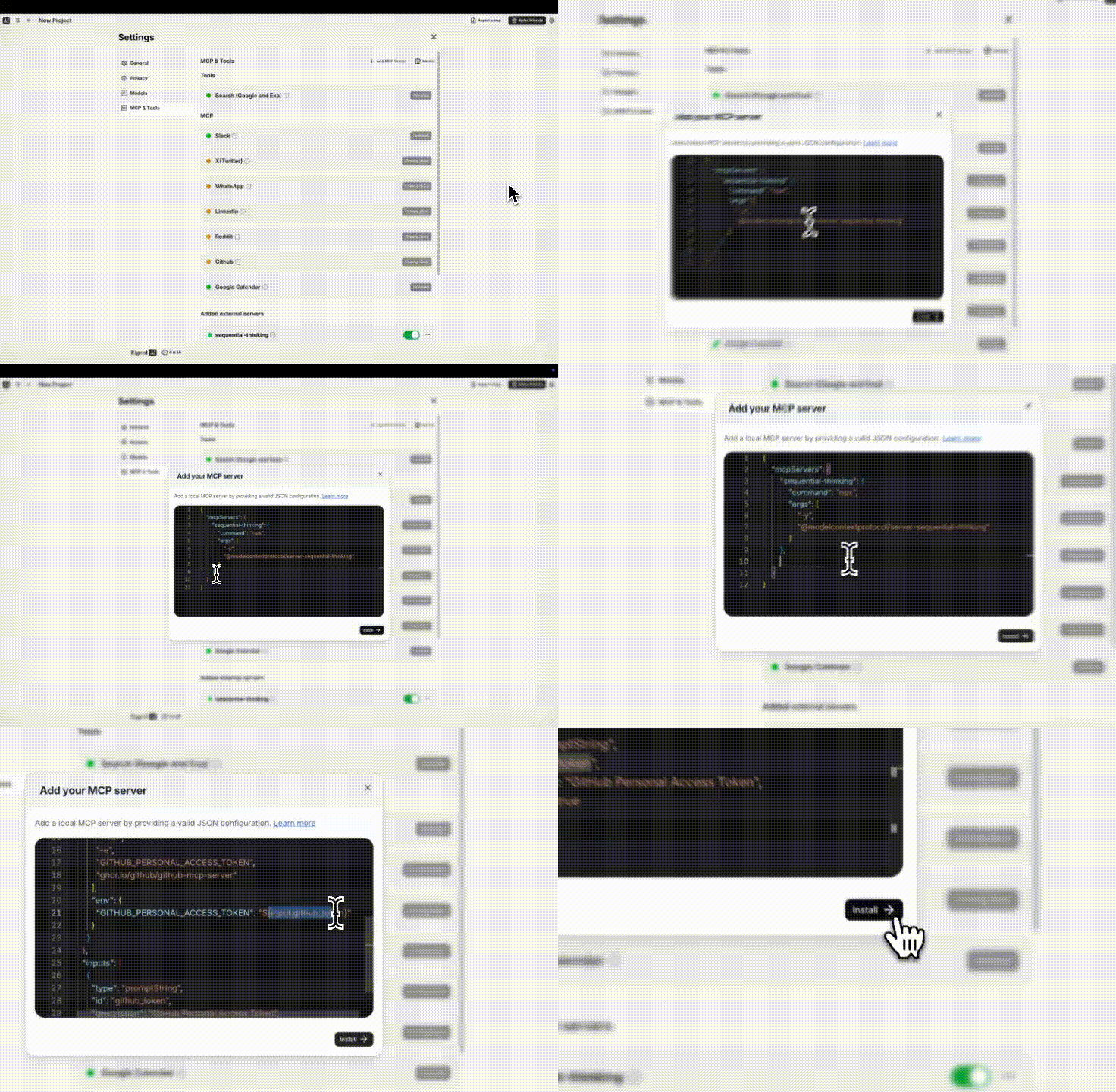
Before finalizing the MCP server setup, include your GitHub Personal Access Token (PAT) in the configuration. This token allows the agent to authenticate with the GitHub API and fetch repository data. Generate a PAT from your GitHub account with appropriate scopes (for public repos, default public scopes are sufficient).
Extend the configuration to include the GitHub server and your token:
{
  "mcpServers": {
    "sequential-thinking": {
      "command": "npx",
      "args": [
        "-y", "@modelcontextprotocol/server-sequential-thinking",
        "ghcr.io/github/github-mcp-server"
      ],
      "env": {
        "GITHUB_PERSONAL_ACCESS_TOKEN": "ghp_yourGitHubTokenHere"
      }
    }
  }
}
Once the JSON is ready, click Install or Add to save the MCP server. Eigent will download and initialize the server in the background. After a moment, you should see the new server listed in your MCP tools.
Step 4: Add a GitHub-Focused Worker (Agent) Using the New MCP Server
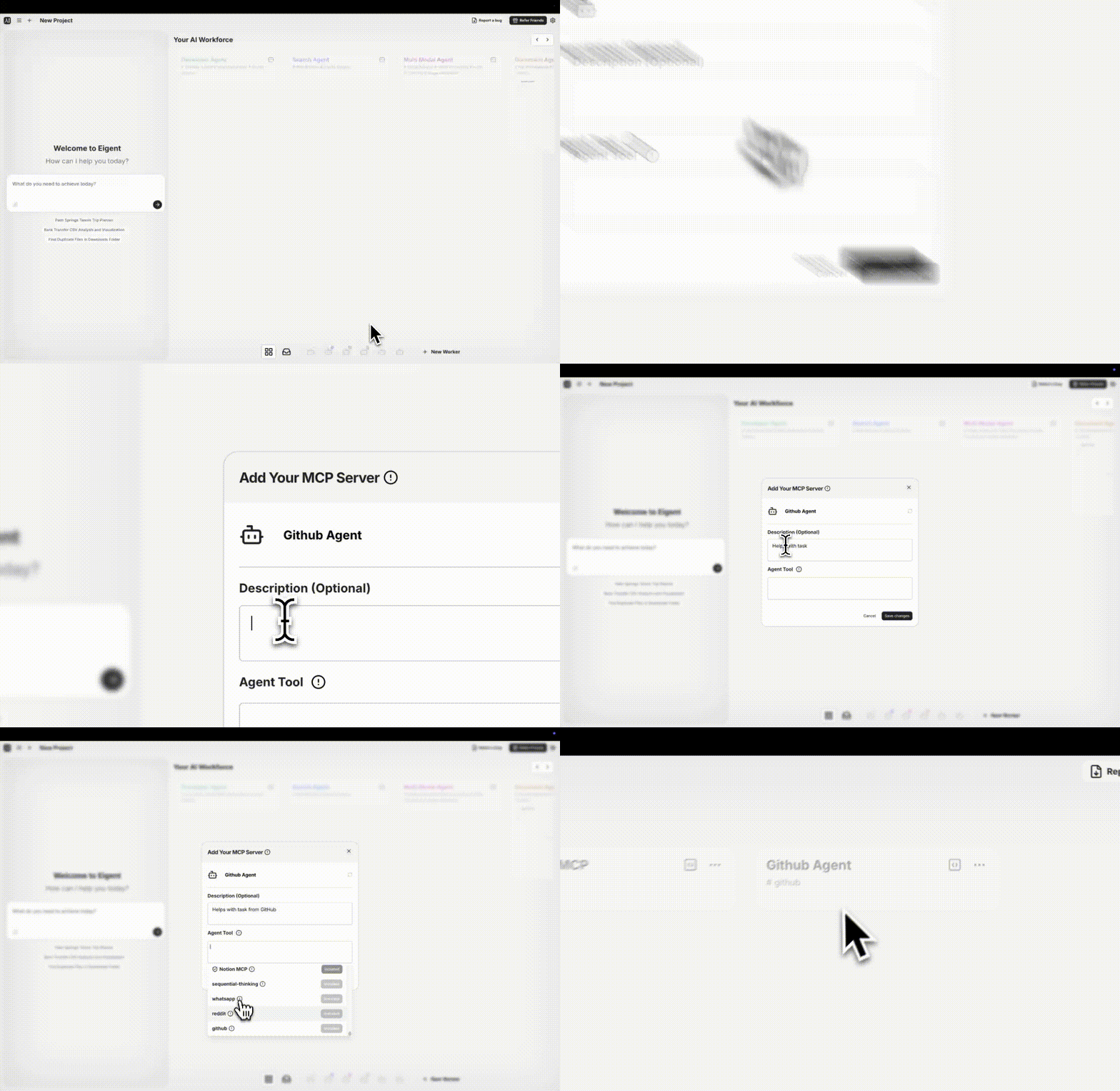
Now that the MCP server is configured, create a Worker that uses this server. In Eigent, a “Worker” is an AI agent persona that can carry out tasks using a specified toolset or MCP server. Navigate to your Workforce/Agents screen and choose Add Worker.
Name it something like “GitHub MCP” and describe it as “Helps around GitHub tasks”. Assign the Agent Tool to the MCP server we just added (e.g. “sequential-thinking”). Save the worker to create your GitHub automation assistant.
Step 5: Prompt the Agent to Summarize Pull Requests
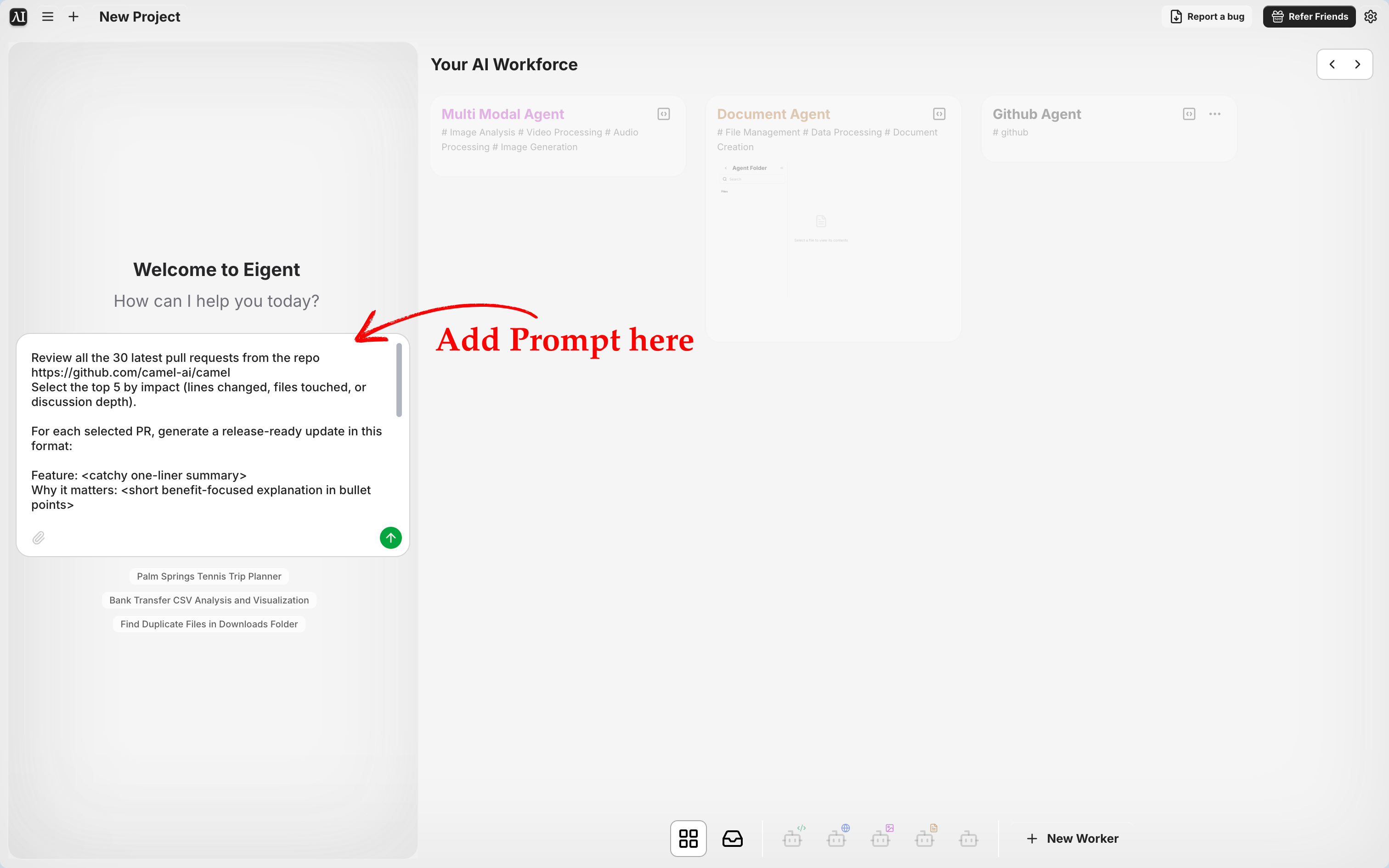
Open a chat with your new worker and provide a task prompt asking the agent to review pull requests from a repository and summarize them.
Try a detailed prompt like this:
Review the latest 30 pull requests from the repo https://github.com/camel-ai/camel. Select the top 5 by impact (lines changed, files touched, or discussion depth). For each selected PR, generate a release-ready update in this format: ✨ Feature: <catchy one-liner summary> \n💡 Why it matters: <short bullet-point explanation> \n🙏 Thanks @<GitHubAuthor>.
This instructs the agent to automate a common open-source workflow: analyzing recent pull requests and preparing a synopsis of important changes. You can customize the repository URL or criteria as needed.
Step 6: Watch Eigent Automatically Break Down the Task and Fetch Data
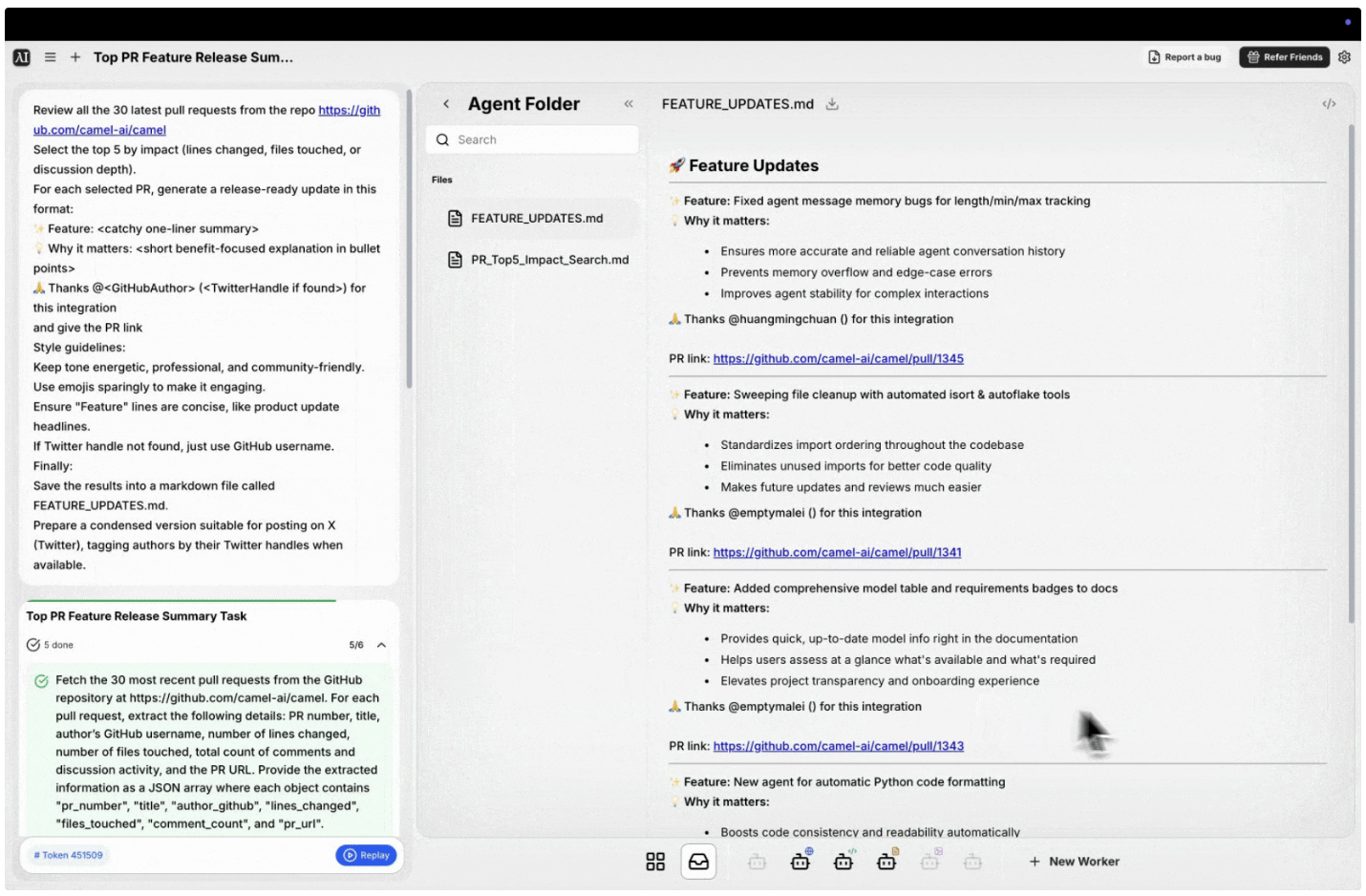
Once you send the prompt, Eigent’s multi-agent engine kicks in. The request is fairly complex, but Eigent handles it by dividing the work into manageable subtasks. Behind the scenes, the Sequential Thinking MCP server interprets the instruction and forms a plan. It may:
- Fetch the list of the latest 30 PRs from the specified repository (using the GitHub MCP tool).
- Analyze each PR’s metadata (lines changed, files, comments) to determine “impact”.
- Pick the top 5 PRs based on the criteria.
- For each of those PRs, compose a summary in the requested format (✨ Feature, 💡 Why it matters, 🙏 Thanks...).
- Optionally prepare a condensed version for X (Twitter) if requested.
Finally, the agent produces the output: a neatly formatted set of release-ready updates for the top PRs, often presented in Markdown.
Empowering OSS Workflows with Agentic Automation
In this tutorial, we configured Eigent to automate an open-source maintenance task—summarizing GitHub pull requests—using an AI agent. We introduced a custom GitHub MCP server into Eigent, created a dedicated worker, and generated release note snippets from live repository data.
By leveraging Eigent’s MCP integration and multi-agent coordination, complex workflows (like triaging dozens of PRs) can be handled efficiently by AI, freeing you to focus on higher-level decisions. Eigent can be tailored to many scenarios, from writing summaries and managing issues to testing code or updating documentation.
Give Eigent a try in your own projects, and enjoy the productivity boost of having an AI-powered team on your side! The future of open-source collaboration might just be a mix of human passion and tireless AI assistants working together. 🚀
Recent Posts
What Are Claude Plugins? Connectors and Skills, Now One Thing
Claude plugins merge connectors and skills into one system. Learn what Claude plugins are, which plans have them, how to add them, and how to build your own.
Eigent
Eigent Release Notes v1.0.8: A New Home, Global Search & Clearer Conversations
Eigent v1.0.8 introduces a redesigned Home, search across Spaces, a new composer, and a default conversation timeline that makes agent work easier to follow.
 Douglas Lai
GPT-6.2 Astra and Sol: What's New, Pricing, and Benchmarks
GPT-6.2 Astra and Sol are OpenAI's newest models for ChatGPT Work, Codex, and the API. Here's what changed, the pricing, the benchmarks, and which to use.
Eigent


