
Models (local model)
Configure and deploy your preferred LLM models with Eigent.
Self-host model
- Configure your self-host model
First, you need to set up your local models and expose them as an OpenAI-Compatible Server.
#Vllm https://docs.vllm.ai/en/latest/getting_started/quickstart.html#openai-compatible-server
vllm serve Qwen/Qwen2.5-1.5B-Instruct
#SGLang https://docs.sglang.ai/backend/openai_api_completions.html
from sglang.test.test_utils import is_in_ci

if is_in_ci():
    from patch import launch_server_cmd
else:
    from sglang.utils import launch_server_cmd

from sglang.utils import wait_for_server, print_highlight, terminate_process

server_process, port = launch_server_cmd(
    "python3 -m sglang.launch_server --model-path qwen/qwen2.5-0.5b-instruct --host 0.0.0.0 --mem-fraction-static 0.8"
)

wait_for_server(f"http://localhost:{port}")
print(f"Server started on http://localhost:{port}")
#Ollama https://github.com/ollama/ollama
ollama pull qwen2.5:7b
# LLaMA.cpp server https://github.com/ggml-org/llama.cpp/tree/master/tools/server
./llama-server -m /path/to/model.gguf --host 0.0.0.0 --port 8080
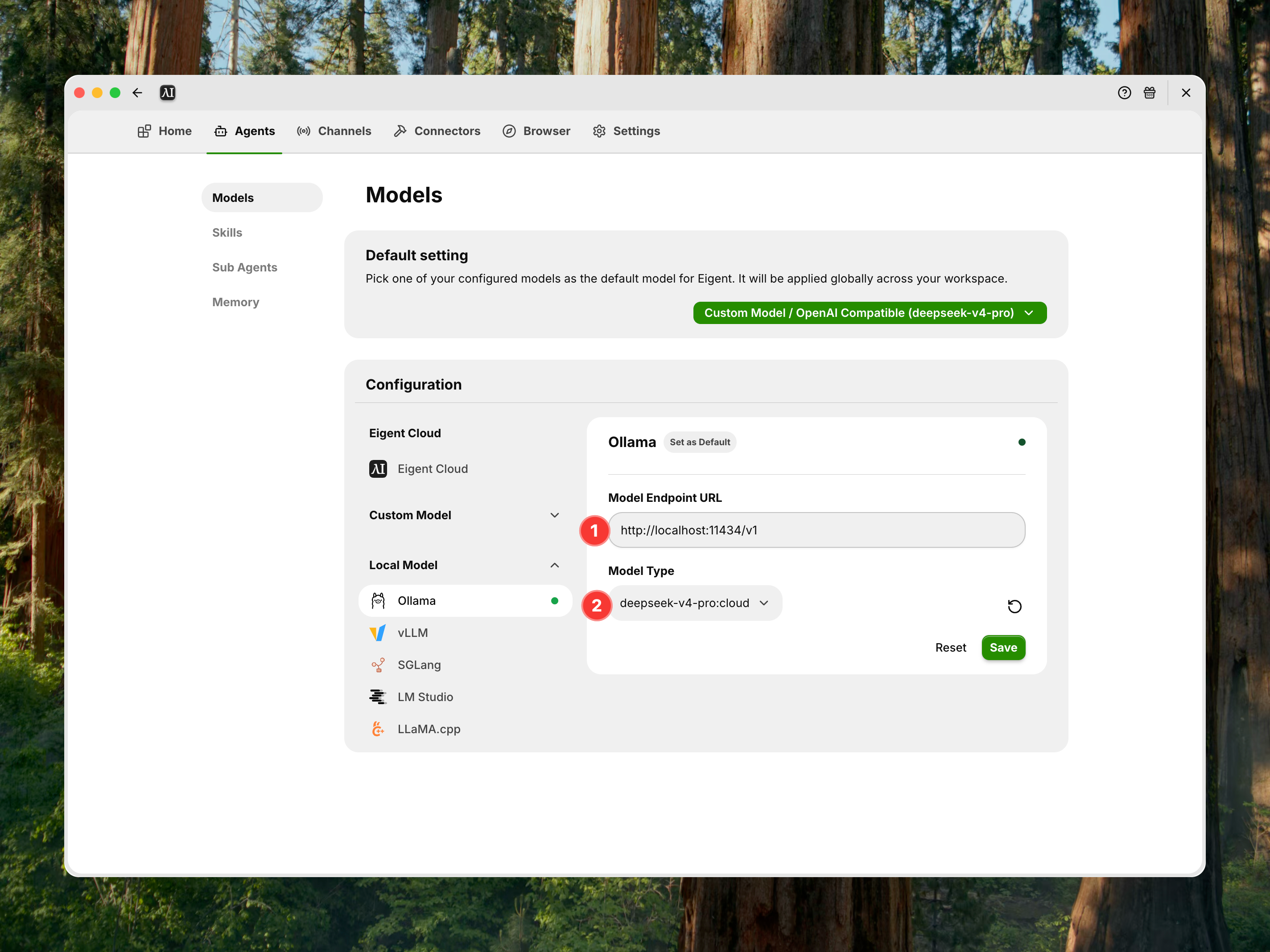
- Setting your model
- Configure the Google Search toolkit
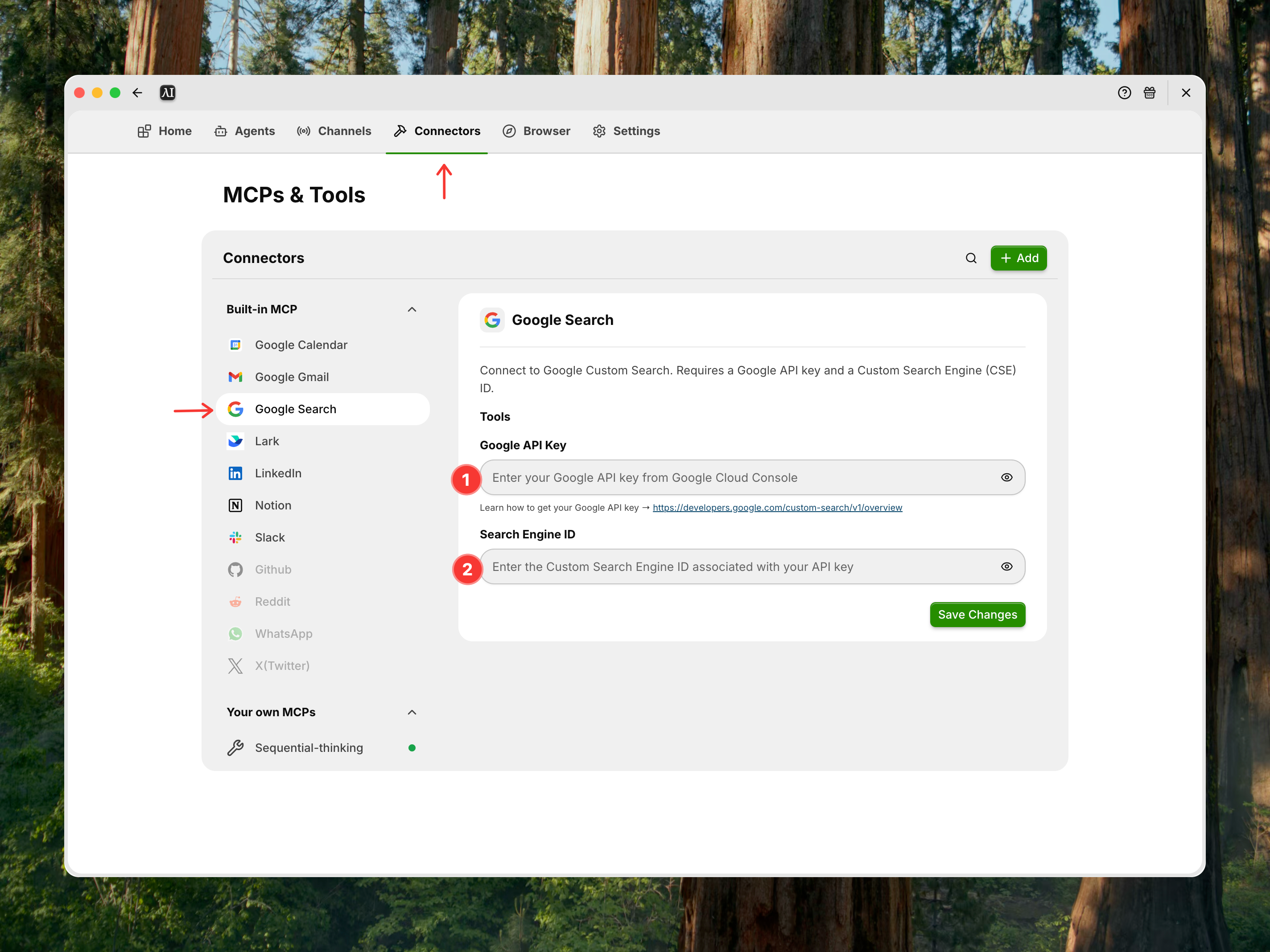
You can refer to the following document for detailed information on how to configure GOOGLE_API_KEY and SEARCH_ENGINE_ID: https://developers.google.com/custom-search/v1/overview