MiniMax
This guide walks you through setting up your MiniMax API key within Eigent to enable the MiniMax model for your AI workforce.
Prerequisites
- Get your API Key: If you haven't already, generate a key at Minimax Platform.
- Copy the Key: Keep your API key ready to paste.
Configuration steps
1. Access application settings
- Launch Eigent and navigate to the Home Page.
- Click on the Settings tab (usually located in the sidebar or top navigation).
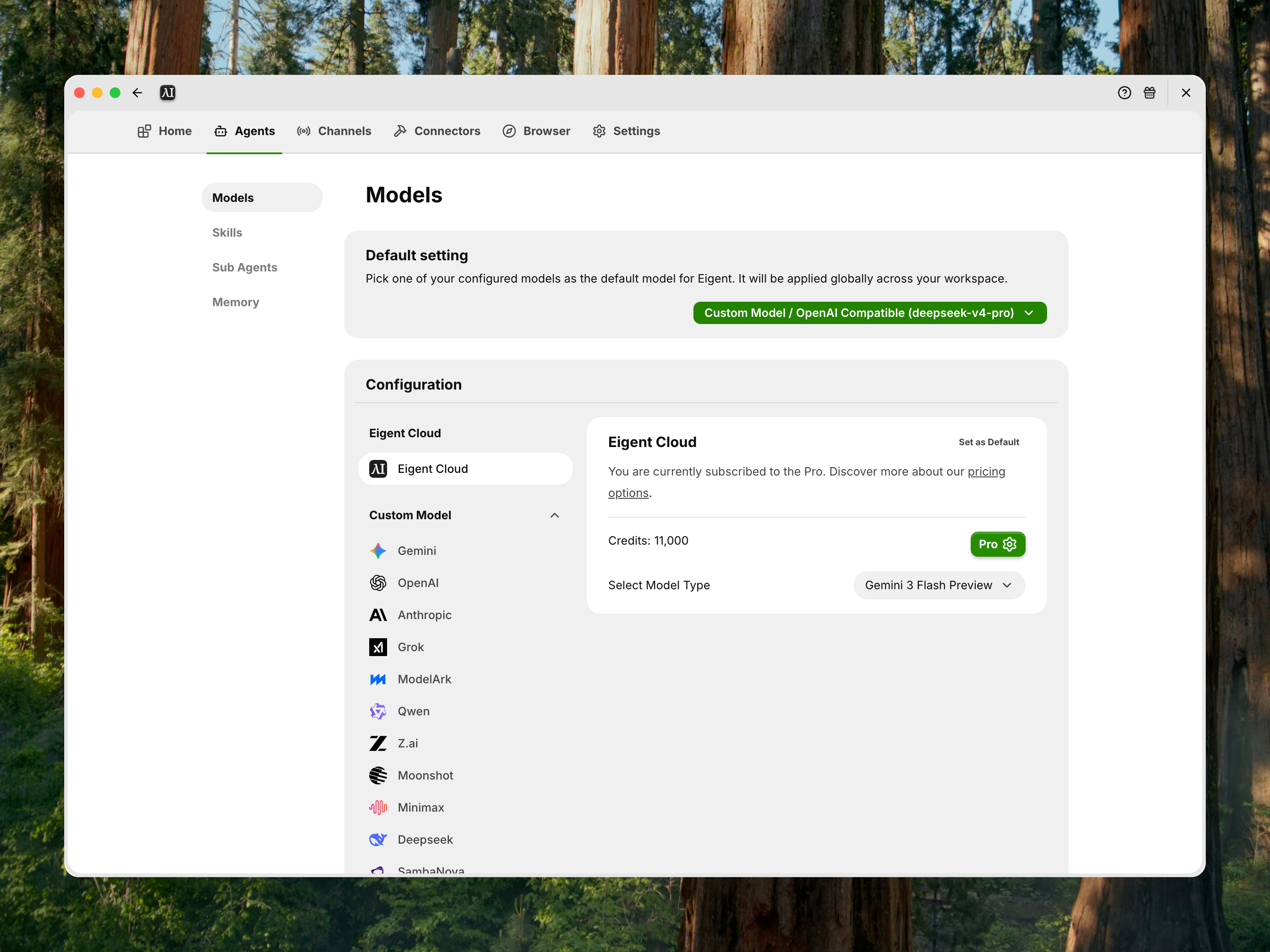
2. Locate model configuration
- In the Settings menu, find and select the Models section.
- Scroll down to the Custom Model area.
- Look for the Minimax Config card.
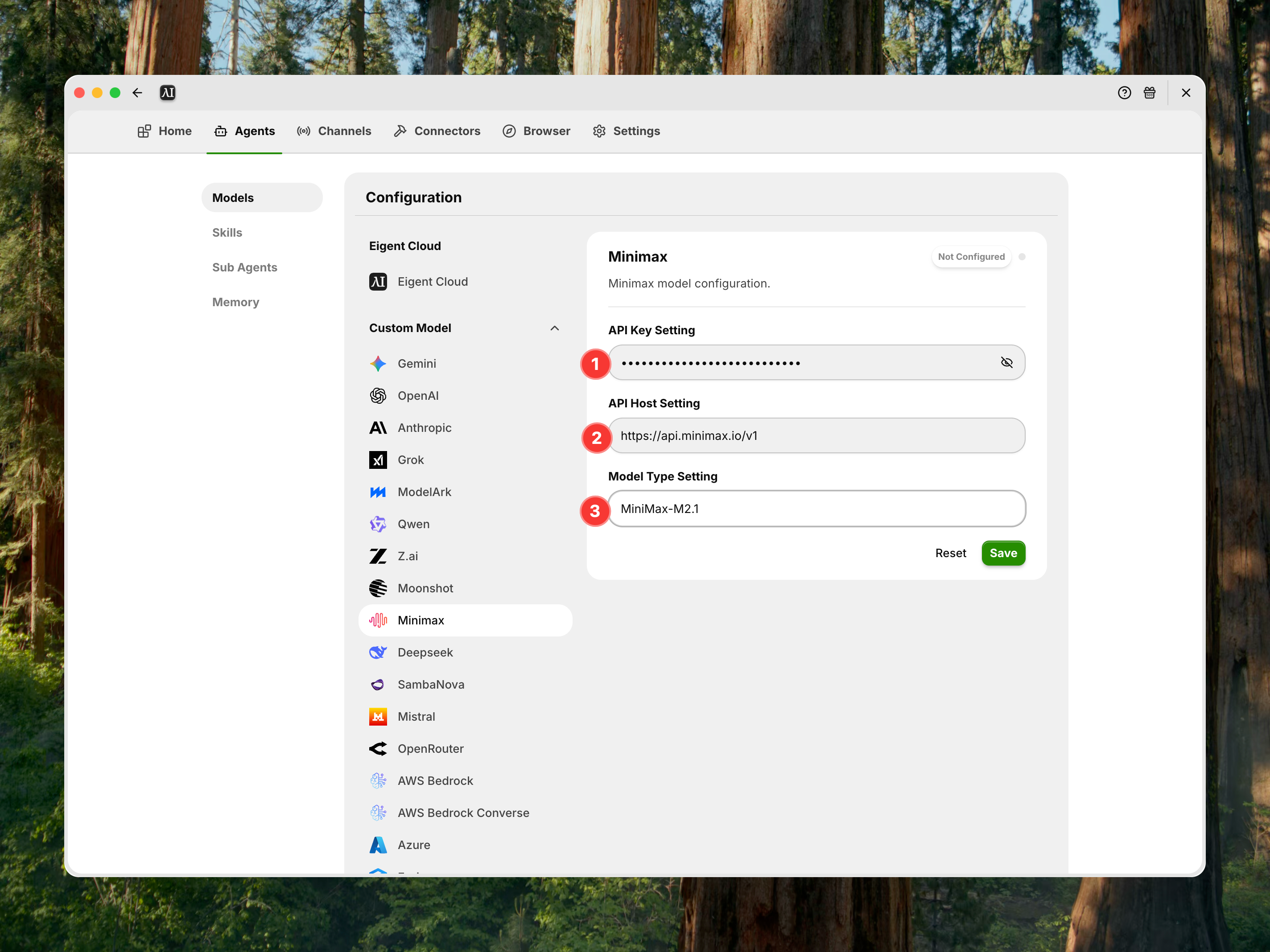
3. Enter API details
Click on the Minimax Config card and fill in the following fields:
- API Key: Paste the key you generated from Minimax Platform.
- API Host: Enter the appropriate API endpoint host.
- Model Type: Enter the specific model version you wish to use.
- Example:
MiniMax-M2.1
- Example:
- Save: Click the Save button to apply your changes.
4. Set as default & verify
- Once saved, the "Set as Default" button on the Minimax Config card will be selected/active.
- You are ready to go. Your Eigent agents can now utilize the Minimax model.