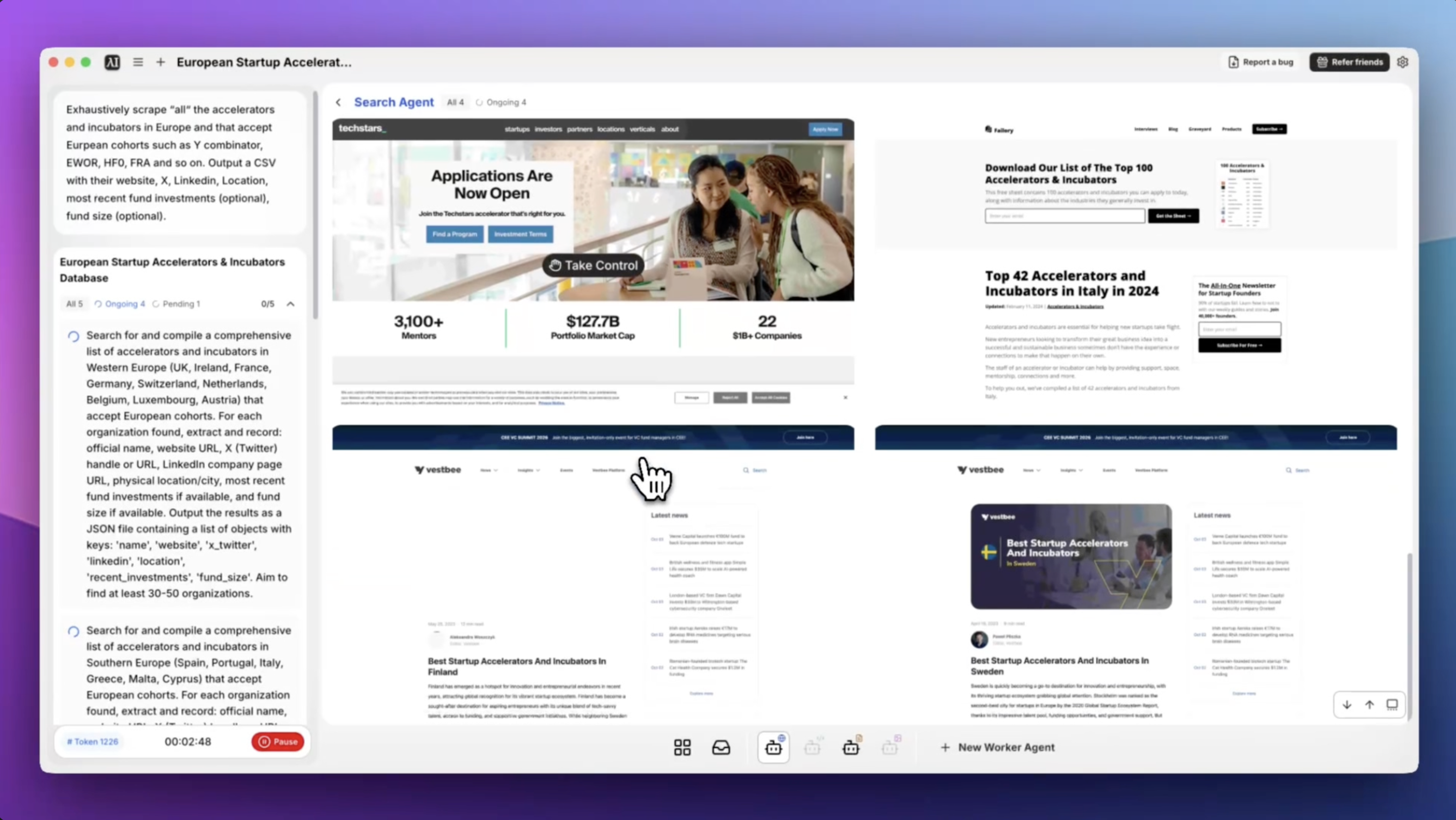
Build the Most Complete European Accelerator Database in One Task
If you've ever tried to manually compile a list of accelerators and incubators across Europe, you know how fragmented the landscape is. YC has a directory. EWOR has its own site. HF0, Antler, Entrepreneur First — they're all scattered across different platforms, and none of them list each other. Pulling together a clean, deduplicated CSV with contact info, social links, and fund data typically takes days of research.
With Eigent, you describe what you need, and the browser agent handles the scraping, deduplication, and formatting automatically.
Define What You're Looking For
Eigent works best when you're specific about the scope. The prompt for this workflow was:
Exhaustively scrape all the accelerators and incubators in Europe or that accept European cohorts such as Y Combinator, EWOR, HF0, FRA and so on. Output a CSV with their website, X, LinkedIn, Location, most recent fund investments (optional), fund size (optional).
You can adapt this to your own criteria — geography, stage focus, sector, or cohort timing.
Let Eigent Gather Sources
Eigent's browser agent opens multiple tabs in parallel to systematically collect data. It pulls from accelerator directories like Crunchbase, F6S, and Dealroom, as well as individual accelerator websites, LinkedIn and Twitter/X profiles for social links, and news articles for recent investment data. You don't need to provide starting URLs — Eigent knows where to look.
Deduplication and Standardization
One of the harder parts of this kind of scrape is that the same accelerator often appears under different names across sources (e.g., "Y Combinator", "YCombinator", "YC"). Eigent consolidates duplicates and standardizes fields before writing the CSV, so you end up with a clean dataset rather than a raw dump.
Review the CSV Output
Once the task completes, Eigent saves a CSV to your desktop with columns for name, website, X, LinkedIn, location, and any optional fields you requested. It also generates a brief README documenting the sources scraped and the methods used — useful if you need to explain the dataset to a teammate or reproduce it later.
Open the file in Excel or Google Sheets to review, filter, and sort.
Refine or Extend the Dataset
After the initial run, follow up with Eigent to go deeper:
Add a column for each accelerator's application deadline.
Filter this list to only accelerators currently accepting applications.
Find the contact email for the partners at the top 20 entries.
Why This Matters
Market maps like this are the foundation of investor outreach, partnership conversations, and competitive research. Building one manually is the kind of grunt work that gets pushed off for weeks. Running it through Eigent means you have a working dataset in hours — and you can update it anytime by re-running the same task.
What to Try Next
Scrape the same data for accelerators in Southeast Asia or Latin America.
Cross-reference this list with Crunchbase to add funding stages and portfolio companies.
Find which accelerators in this list have an open application right now and sort by deadline.
Build a similar list of VCs that invest at pre-seed in European climate tech.
Tips for Better Results
-
Be specific about what "European" means for you. If you want to include programs like YC that accept European founders, say so explicitly. If you only want EU-based programs, specify that too.
-
Optional fields slow the task down. If you don't need fund size or recent investments, leave them out to get results faster.
-
Run a follow-up to validate links. Browser agents occasionally capture broken or outdated URLs. A quick follow-up prompt — "Check which URLs in this CSV return 404 errors" — keeps the dataset clean.