Your End-of-Day Workflow, Handled Automatically
The end of the workday comes with a predictable set of chores: tidy up the desktop, figure out what you actually accomplished, write some kind of summary. It's low-value work that still takes real time. This workflow shows how Eigent handles both tasks in parallel — cleaning your desktop and generating an HTML daily report — while you close your laptop.
One Prompt, Two Tasks Running at Once
There's no need to separate the requests. Tell Eigent what you want at the end of your day:
Off work now! Please help me organize the work files on my desktop into today's folder, and then write an HTML daily report summarizing what I did today.
Eigent immediately splits this into two independent tasks and runs them simultaneously — one agent handling file operations, another generating the report.
Task Split: Developer Agent + Document Agent
Eigent's AI Workforce assigns work based on capability:
- Developer Agent — handles system operations via terminal commands. It creates the dated folder, identifies work files, and moves everything into place using shell commands.
- Document Agent — handles content creation. It generates the HTML daily report based on the files it identifies and any task context available.
Both agents run concurrently, which means the total time is roughly the time it takes for the slower of the two — not the sum of both.
The Developer Agent Organizes Your Files
The Developer Agent scans your desktop for work files — documents, spreadsheets, markdown notes, CSVs, project plans — and groups them for relocation. It then:
- Creates a new folder named with today's date (e.g.,
2026-01-15) - Moves all identified work files into that folder using
mvcommands - Runs
ls -lato verify the operation completed correctly - Reports back with a list of every file moved and its new location
Files that look unrelated to work (system files, personal items) are left untouched.
The Document Agent Writes the HTML Report
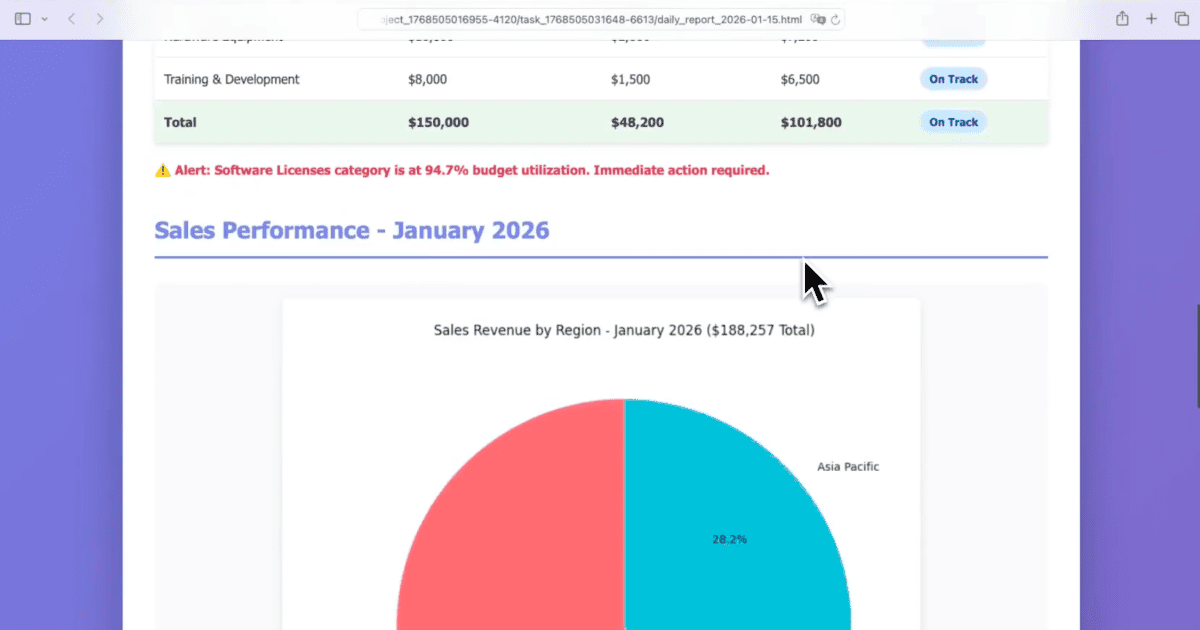
While the Developer Agent is handling the file system, the Document Agent independently writes daily_report_2026-01-15.html — a formatted HTML document containing:
- The date and a summary of the day's work activity
- A structured list of files that were organized, grouped by type
- A clean, readable layout ready to open in any browser
The report is saved to the workspace directory and referenced in the task output.
Both Tasks Complete Together
The Eigent UI shows both tasks progressing side by side, and both resolve within the same session. The result: a clean desktop with all work files in a dated folder, plus an HTML report documenting the activity — produced without switching between apps or writing a single line of code.
Customizing the Workflow
The default behavior works out of the box, but you can tailor it precisely:
Organize my desktop files into today's folder. Create subfolders for Documents, Spreadsheets, and Code files. In the daily report, include a section for "Completed Tasks" and "Open Items" with a placeholder for me to fill in.
Move only files created or modified today. Leave older files on the desktop.
Save the daily report to my Google Drive folder instead of the desktop.
What to Try Next
Run this same workflow every weekday at 6pm automatically.
After organizing, identify the five largest files on my desktop and ask me whether to archive or delete them.
Generate the daily report as a PDF instead of HTML.
Check if any of the files moved today are duplicates of files already in my Documents folder.
Tips for Better Results
-
Run it consistently. The dated folder structure (
YYYY-MM-DD) creates a natural archive you can search by date. After a month of running this workflow, your desktop will stay consistently clean. -
Ask for a preview first. Adding "show me which files you plan to move before you move them" gives you a review step on the first run, so you can confirm the agent's categorization logic before it becomes automated.
-
Expand the report template. If you want the daily report to include more than file activity — tasks completed, meetings attended, links visited — include that context in your prompt or connect additional data sources like your calendar or notes app.