Generate 200 Unique Games in Parallel — Then Bundle Them Into One File
This use case is about raw throughput. Generating a single HTML game file is straightforward. Generating 200 unique ones — each with a different theme, mechanic, and visual style — and bundling them into a single deliverable is a task designed to demonstrate the power of parallelism. Eigent handles it by decomposing the request into 200 simultaneous subtasks and running them all at once.
Write the Prompt
The key to this workflow is telling Eigent to run subtasks in parallel:
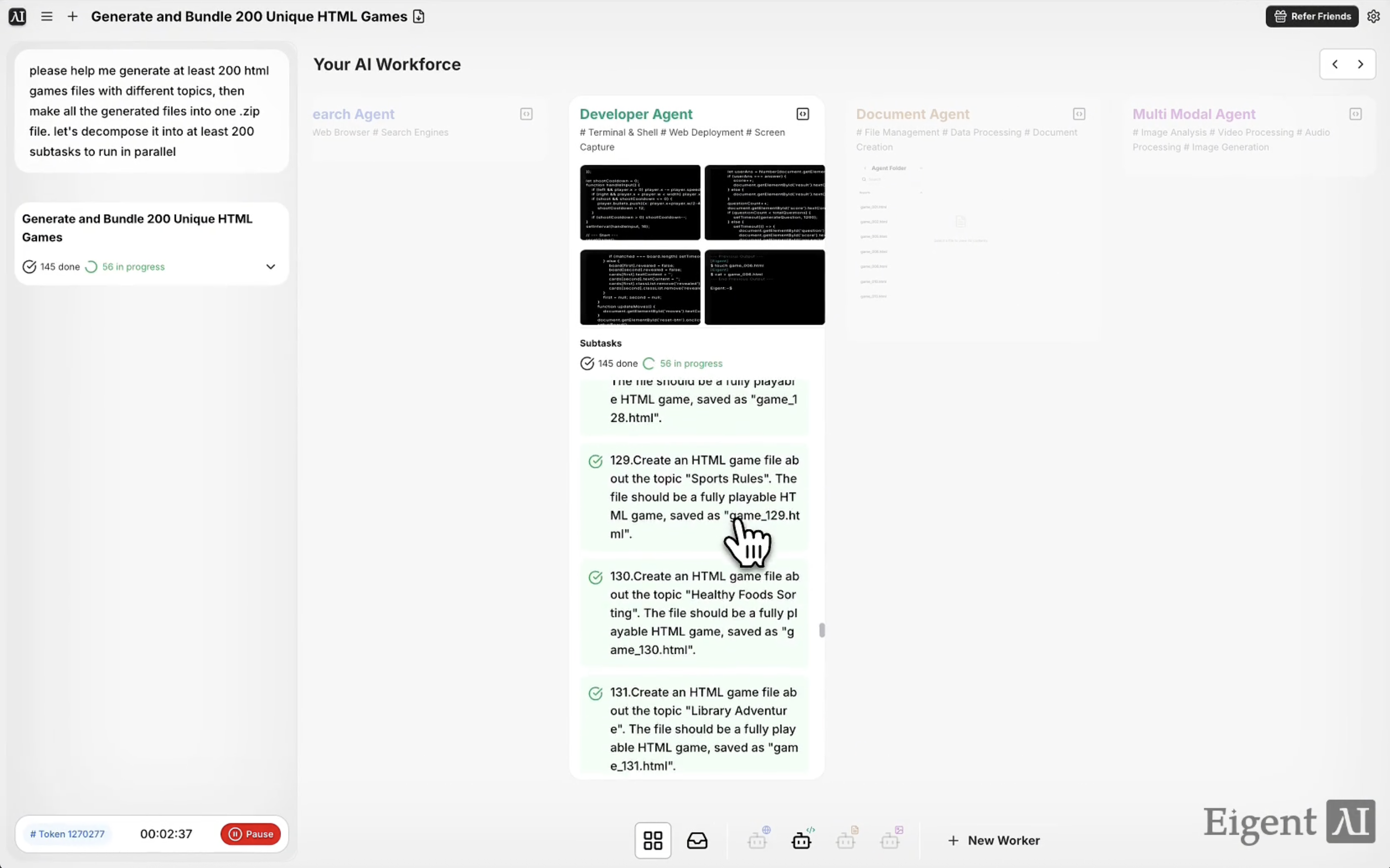
Please help me generate at least 200 HTML game files with different topics, then package all the generated files into one .zip file. Decompose this into at least 200 subtasks to run in parallel.
Eigent will interpret this as a mass-parallelization task and spin up the appropriate number of concurrent workers automatically.
Eigent Decomposes the Task
Before any files are created, Eigent plans the workload. It generates a list of 200+ distinct game themes and mechanics — puzzle games, arcade games, trivia games, simulation games, and more — and assigns each to an independent subtask. Each subtask is responsible for writing a complete, self-contained HTML game file.
This decomposition step is what makes the workflow feasible. Without it, you'd be waiting for 200 sequential file generations.
Parallel Game Generation
With 200 subtasks running simultaneously, Eigent generates all the game files in a fraction of the time a sequential approach would take. Each file is a standalone HTML document with embedded CSS and JavaScript — no external dependencies, no build steps required.
You can watch the agent output panel to see subtasks completing in real time.
Bundling Into a ZIP
Once all 200 game files are generated, Eigent bundles them into a single .zip archive and saves it to your desktop. The archive contains every game file, named consistently and ready to extract or share.
Review the Output
Extract the ZIP and open a few HTML files in your browser to verify the variety and quality of the output. Each file should be a playable, self-contained game on a distinct topic.
If any files are duplicated in theme or missing, you can ask Eigent to regenerate specific entries:
Game #47 has the same theme as game #12. Regenerate it with a different topic.
Why This Matters
This workflow demonstrates one of Eigent's core architectural strengths: the ability to decompose a large task into hundreds of independent parallel subtasks and execute them simultaneously. The same pattern applies to any high-volume generation task — reports, data transformations, email drafts, code templates, test cases. If you can describe one instance of the task, Eigent can scale it to hundreds.
What to Try Next
Generate 50 unique HTML data visualization templates and bundle them into a ZIP.
Create 100 single-page landing page templates for different industries and save them as a bundle.
Generate a quiz game for each of the 50 US states and package them together.
Build 200 unique recipe HTML pages from a list of world cuisines and bundle them.
Tips for Better Results
-
Specify "different topics" or "unique themes" explicitly. Without this, Eigent may generate variations on the same few themes. Explicit uniqueness requirements push it toward broader variety.
-
Request a manifest file. Adding "also generate a README listing all 200 games with their themes" gives you a quick reference without having to open every file individually.
-
Scale the subtask count to match the job. If you want 500 files, tell Eigent to decompose into 500 subtasks. The parallel architecture scales with the number you specify.