
Build a Launch Deck in Minutes with a Single Uploaded Skill
Every product team I've worked with has the same bottleneck: someone needs to build a deck. It doesn't matter if it's a launch announcement, a board update, or a team standup — the process is always the same. You spend 30 minutes researching, another hour formatting slides, and then someone asks you to "make it a bit more polished." That's half a day gone.
I've been building Eigent to solve exactly these kinds of workflows, and this use case is one of my favorites. You upload a single skill, describe your task, and let Eigent handle the research and slide generation end to end. Here's how it works.
Upload the PPTX Skill
Eigent supports custom skills, which means you can extend what your open-source coworker can do beyond its default capabilities. In this case, we're adding a PowerPoint skill that gives Eigent the ability to create and structure slide decks.
Head to Settings → Agents → Skills and upload your skill package. Download the PPTX skill: pptx.zip
Once it's installed, Eigent knows how to generate presentations, and you can reuse this skill for every future deck without re-uploading.
Describe What You Want
This is where it gets interesting. Instead of opening PowerPoint and staring at a blank slide, you just tell Eigent what you need. Here's the prompt I used:
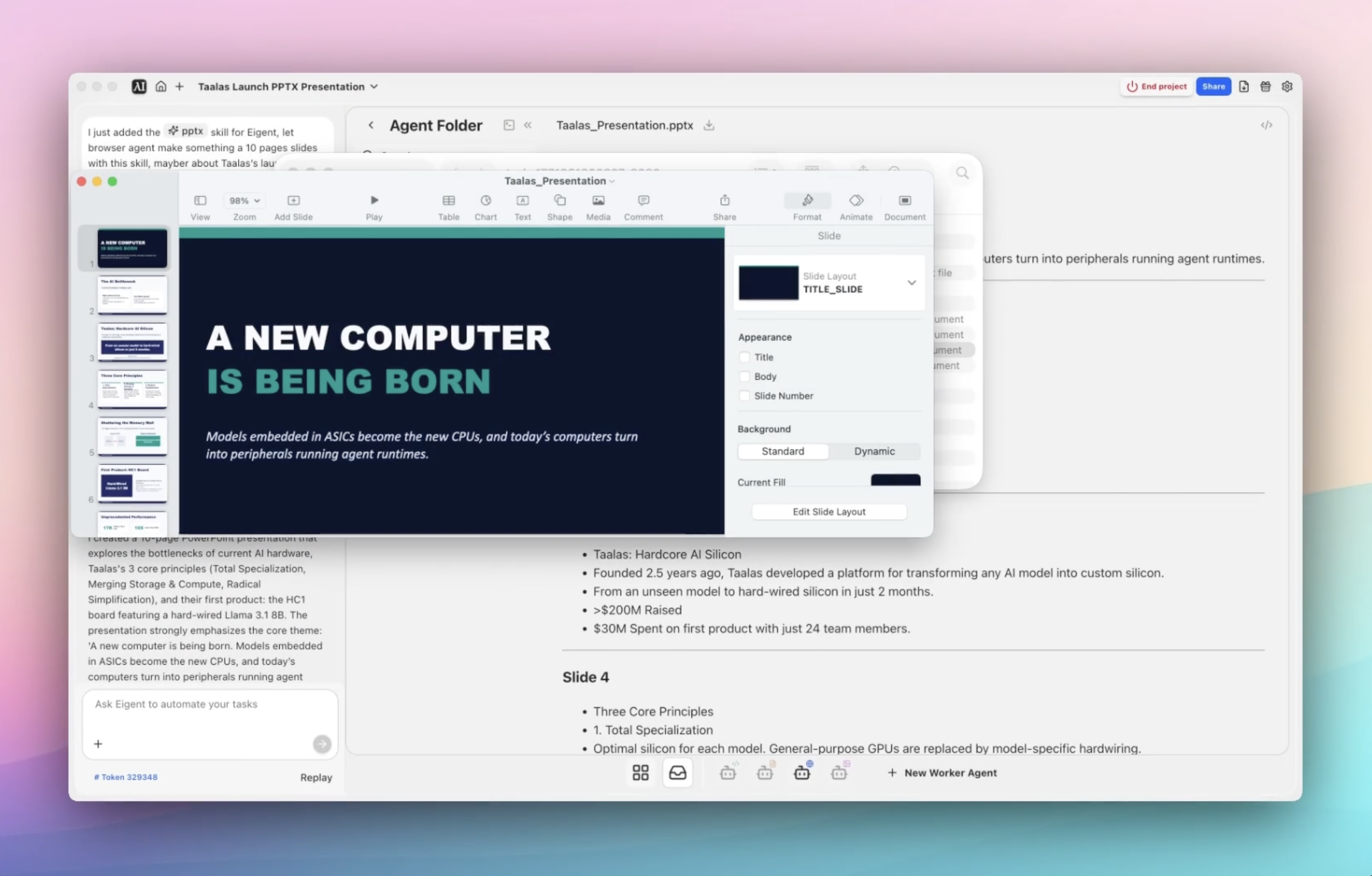
I just added the PPTX skill for Eigent. Please use the browser agent to create a 10-slide presentation with this skill about Taalas's launch. It feels like a new computer is being born: models embedded in ASICs become the new CPUs, and today's computers turn into peripherals running agent runtimes. I'd like to share this with the team.
That's it. No templates, no drag-and-drop formatting, no Googling for the latest stats. You describe the task and let Eigent figure out the structure.
Give Eigent Context (Or Don't)
For this particular task, no files are required. Eigent can gather everything it needs from the web using the browser agent. That said, you can always improve the output by including additional context — a launch brief, notes on your team's preferred tone, brand guidelines, or any must-include talking points.
The more context you give, the more aligned the output will be. But even without it, Eigent does a solid job of pulling together relevant information and structuring it into something presentable.
Let Eigent Do the Work
Here's where the magic happens. Eigent kicks off the browser agent to research Taalas's launch — opening multiple browser sessions in parallel to gather context from relevant sources. Once it has enough material, it runs the uploaded PPTX skill to generate the actual presentation.
The entire workflow runs autonomously. You don't need to babysit it, copy-paste links, or manually organize research into slides. Eigent handles the research, structures the narrative, and outputs a finished deck saved locally on your desktop.
Review What Eigent Built
After the workflow completes, open the agent output folder and you'll find everything Eigent generated: a 10-slide presentation, the research context gathered by the browser agent, and any related artifacts. From there, you can review, tweak, and share.
Going from "idea" to "shareable deck" in a single flow — without manually researching and formatting — is the kind of workflow that used to take half a day and now takes minutes.
Why This Matters
This isn't just about making slides faster. This workflow demonstrates something fundamental about how Eigent works: skills make it customizable.
Instead of relying on a fixed set of actions, you upload a skill and turn Eigent into a teammate that matches your workflow. Today it's building decks. Tomorrow it could be generating reports, drafting documents, or automating any other repeatable task your team runs into.
What to Try Next
Once you've built your first deck, try extending the workflow with follow-up prompts:
Create a second version of this deck for investors.
Make a shorter 5-slide version for internal standup.
Turn this presentation into a one-page launch brief.
Use the same style to create a product roadmap deck.
Each of these leverages the same uploaded skill — no additional setup required. Your workflow gets faster every time you reuse it.
Tips for Better Results
-
Be specific about the output. Tell Eigent how many slides you want, who the audience is, and what tone to use — internal team, executive update, or investor-facing all produce very different decks.
-
Add context when you have it. Eigent can research from the web, but giving it a launch link or your own notes makes the final deck more aligned with your actual message.
-
Reuse skills across workflows. Once a skill is uploaded, it stays available for every future task. The more you use Eigent, the faster your workflows become — and that compounds over time.