Find Every Duplicate File in Your Folder — Without Opening a Single One
Most people know they have duplicate files somewhere. Copies of the same PDF with slightly different names, images saved twice from different sources, documents exported and re-exported over months of iteration. Finding and cleaning them up manually means opening everything, comparing sizes and contents, and hoping you don't accidentally delete something important.
Eigent scans your folder, identifies duplicates across all comparison dimensions, and presents the results grouped and clearly labeled — so you can decide what to keep and what to delete.
Identify the Folder to Scan
Make sure the folder you want to scan is accessible on your desktop or within your Documents directory. For this workflow, the target is a folder named mydocs inside the Documents directory. You can adapt the prompt to any folder path on your machine.
Write the Scan Prompt
Tell Eigent what you want it to look for:
I have a folder named mydocs inside my Documents directory. Please scan it and identify all files that are exact or near duplicates — including those with identical content, file size, or format (even if file names or extensions differ). List them clearly, grouped by similarity.
The key phrase here is "even if file names or extensions differ" — this catches cases where the same file was saved under a different name, or where a .jpg and a .jpeg are the same image.
Eigent Scans and Compares
Eigent analyzes the folder using multiple comparison methods:
- Exact content match: Files with identical byte-for-byte content, regardless of filename
- File size match: Files with the same size (useful for catching likely duplicates quickly)
- Format-based grouping: Identifying files that are the same type and likely duplicates based on content analysis
For image files, Eigent can also use perceptual hashing to detect near-identical images that were re-saved at slightly different compression levels.
Review the Grouped Results
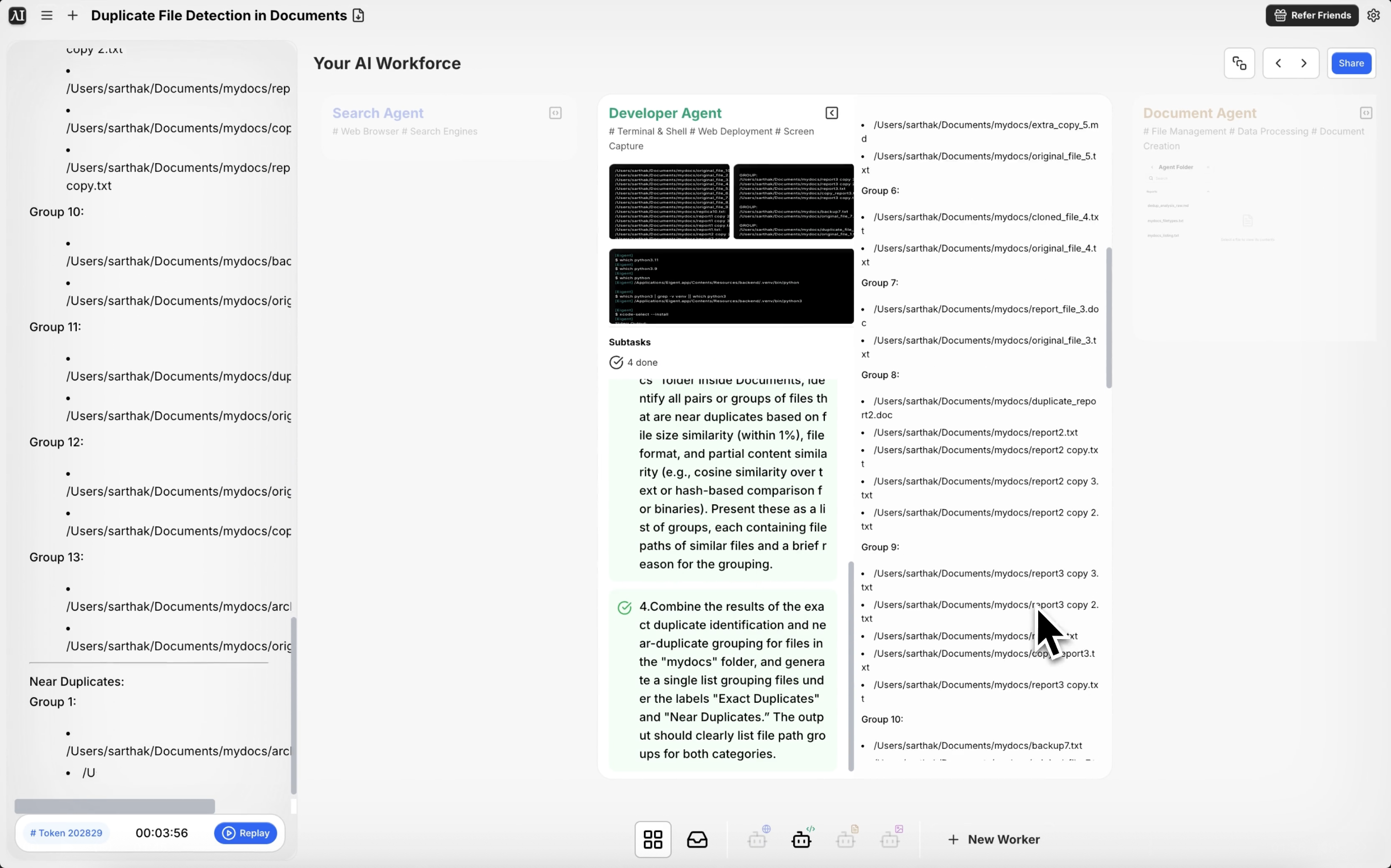
Eigent returns a structured list of duplicate groups. Each group shows all files that appear to be duplicates, with their full paths and relevant metadata. You can see at a glance which files are copies and where they live in your folder structure.
Decide What to Delete
Eigent identifies the duplicates but leaves the deletion decision to you. Once you've reviewed the list, you can tell Eigent which ones to remove:
Keep the most recently modified file in each group and move the others to a folder called "Duplicates for Review".
Delete all exact-content duplicates but keep one copy of each file.
Why This Matters
Duplicate file cleanup is one of those tasks that everybody knows they need to do and almost nobody ever gets around to. It's tedious, risky (you don't want to delete the wrong version), and hard to do systematically by hand. Eigent makes it safe by surfacing everything for review before acting — and fast by doing the comparison work automatically.
What to Try Next
Scan my entire Downloads folder and identify all duplicate files.
Find all duplicate images in my Photos library and show me which ones are near-identical.
After cleaning up duplicates, show me the top 10 largest files remaining in this folder.
Move all duplicate files to a "Review" folder instead of deleting them.
Tips for Better Results
-
Be specific about what counts as a duplicate. "Same content" is different from "same filename". Clarify in your prompt which criteria matter most for your use case.
-
Scan one folder at a time. For very large directories with tens of thousands of files, start with a specific subfolder to validate the results before scanning everything.
-
Ask Eigent to create a report. Adding "save the results as a CSV" gives you a persistent record of what was found, useful for auditing the cleanup later.