Run a Full SEO Audit Before Your Product Launch
Launching a new product without checking your SEO baseline is like opening a store with no signage. An audit tells you what's working, what's broken, and where the biggest opportunities are — before you spend anything on promotion. This workflow uses Eigent to run a thorough, automated SEO audit on a live website and deliver a structured report with actionable recommendations.
Write the Audit Prompt
The prompt for this workflow is direct:
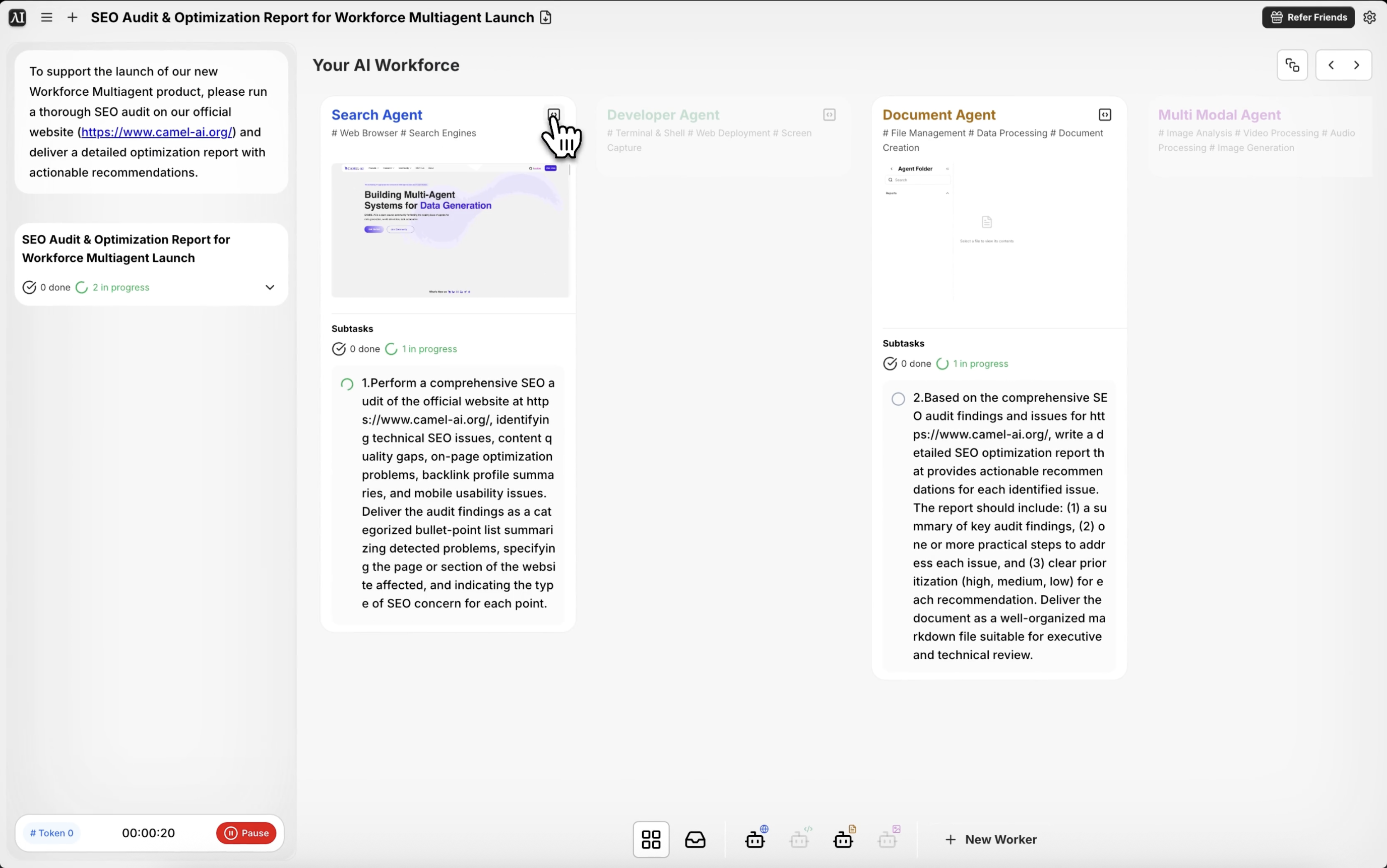
To support the launch of our new Workforce Multiagent product, please run a thorough SEO audit on our official website (https://www.camel-ai.org/) and deliver a detailed optimization report with actionable recommendations.
Substitute your own URL and product context. The more background you give — what the site is about, who the target audience is, what keywords you're trying to rank for — the more targeted the recommendations will be.
Eigent Crawls the Website
Eigent's browser agent navigates through the site systematically, visiting key pages to collect raw data. It examines page titles and meta descriptions, heading structure (H1, H2, H3), URL formatting, internal linking patterns, image alt attributes, page load indicators, mobile rendering, and canonical tags.
This crawl runs across multiple pages in parallel to cover the full site surface efficiently.
Technical SEO Analysis
Beyond the on-page elements, Eigent evaluates the technical signals that search engines use to index and rank your site. This includes checking for broken links, missing or duplicate meta tags, pages blocked by robots.txt that shouldn't be, improper redirect chains, and structured data (schema markup) presence.
Content and Keyword Gap Analysis
Eigent analyzes the existing content against the target keywords and audience for the product being launched. It identifies pages that are well-optimized, pages that are missing critical keyword coverage, and opportunities where new content could capture search traffic relevant to the launch.
Recommendations Report Delivery
The output is a structured optimization report with findings organized by priority — critical issues (things that are actively hurting rankings), high-impact improvements (changes with significant upside), and quick wins (low-effort optimizations). Each recommendation includes a clear explanation of why it matters and what action to take.
Why This Matters
Manual SEO audits take days and require expertise across technical SEO, content strategy, and competitive analysis. Eigent compresses this into a single workflow that delivers a structured, actionable report in minutes. For a product launch, this means you can identify and fix the most critical issues before you start driving traffic — rather than discovering problems after you've already spent the budget.
What to Try Next
Run the same audit on our competitor's site at [URL] and compare the results.
Generate a list of 20 blog post titles targeting keywords from this audit.
Check the audit recommendations again after we implement the changes next week.
Audit just the landing pages for the Workforce Multiagent product and focus on conversion-related SEO signals.
Tips for Better Results
-
Specify the keywords you're targeting. If you have a list of keywords you want the site to rank for, include them in the prompt. Eigent will align its content gap analysis to those specific terms.
-
Include competitor URLs. Adding "also check how our site compares to [competitor URL]" gives you competitive context for the recommendations, not just an absolute assessment.
-
Request a prioritized action list. Asking for "a top 10 list of the highest-impact changes I should make this week" gives you a clear starting point instead of a comprehensive-but-overwhelming report.