
Dispatch
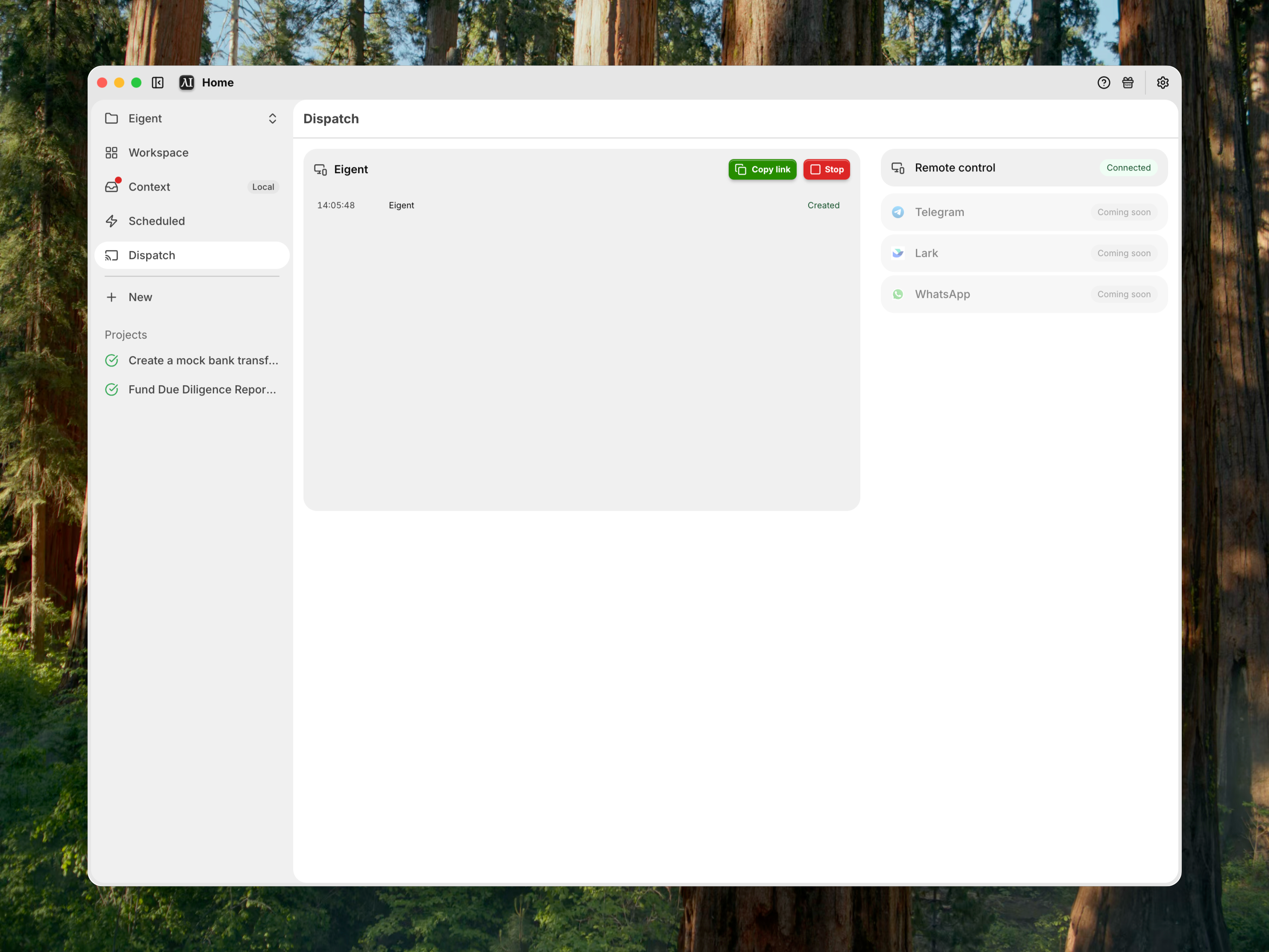
Control an active Eigent Space from a shareable remote web session.
Dispatch provides channels for interacting with Eigent away from the desktop application.
The currently implemented channel is Remote Control. Telegram, Lark, and WhatsApp appear as future channels.
Open Dispatch
- Open a Space.
- In the Space sidebar, select Dispatch.
Remote Control requires an active Space because commands and desktop targets are scoped to that Space. A remote-control session is a connection to your desktop, separate from the Sessions that organize Tasks inside a Space.
Start a Remote Control session
- In Dispatch, find Remote Control.
- Select Start.
- Wait for Eigent to create the session.
- Select Copy link.
- Open the link on the remote device.
The remote page connects to the desktop bridge and targets the selected Space.
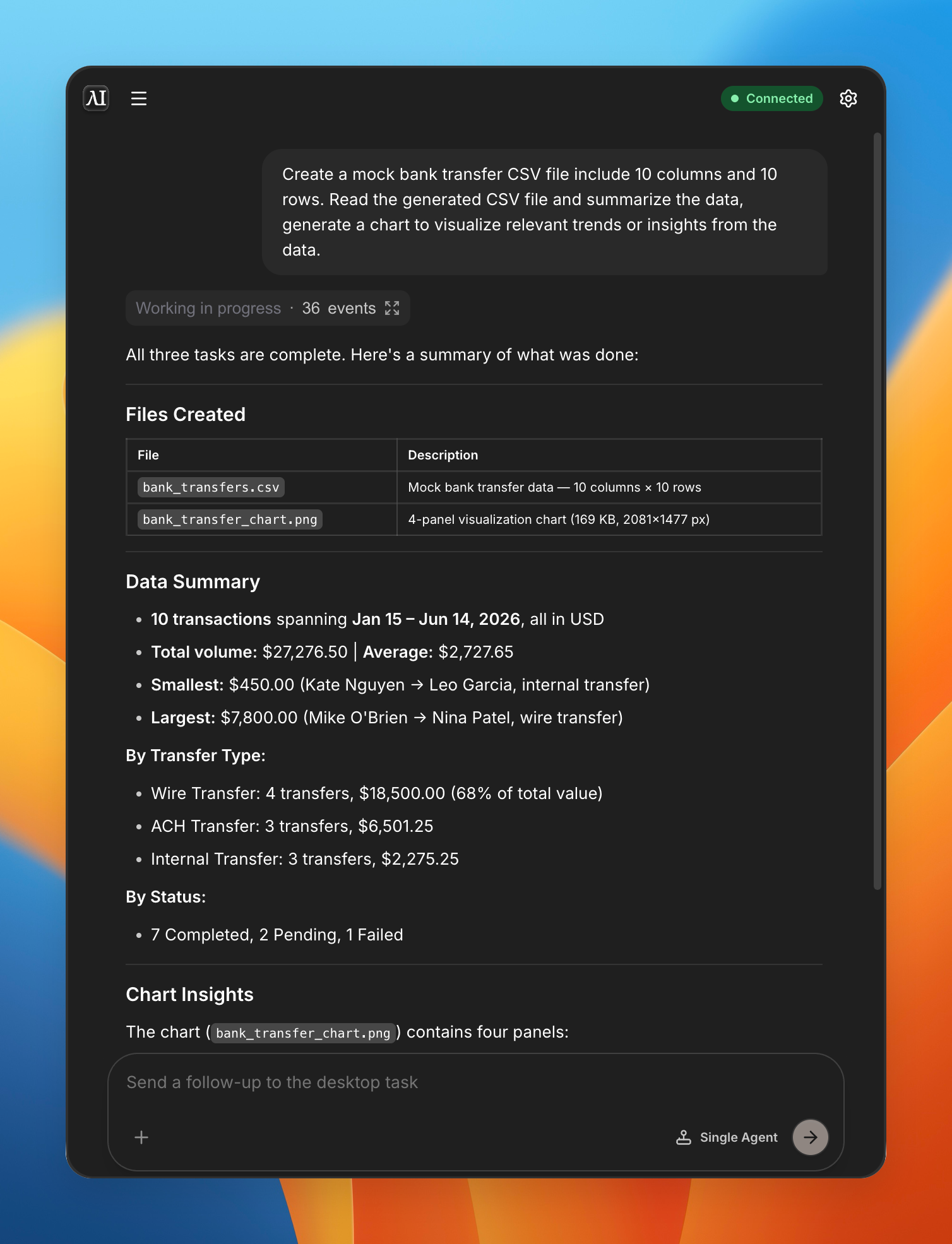
Send a remote follow-up
- Open the remote link.
- Confirm the connected desktop target.
- Enter a follow-up command.
- Send it.
- Review status updates on the remote page or desktop.
Remote commands become task input on the desktop side.
Review activity
The Dispatch activity log can show:
- Remote-control session creation
- Remote connection
- Command delivery
- Command status
- Errors
- Remote-control session stop
Use it to determine whether a problem occurred in the remote page, server, desktop bridge, or active task.
Stop a remote-control session
- Return to Dispatch.
- Select Stop.
Stop remote-control sessions when remote access is no longer required. A copied link should not be treated as permanent access.
Messaging channels
Telegram, Lark, and WhatsApp are displayed as Coming soon. The separate Channels dashboard also marks channel support as Coming soon.
Do not document these messaging channels as available until setup and connection controls are enabled.
Security
- Share remote links only with intended users.
- Stop the session after use.
- Avoid sending credentials through remote prompts.
- Confirm the active Space before creating the link.
- Review activity logs for unexpected commands.
Troubleshooting
Remote Control cannot start
Open a Space and confirm the desktop can reach the Eigent server.
The remote page is disconnected
Confirm that the desktop application is running and the bridge is connected.
A command does not reach the task
Review Dispatch logs, confirm the target, and retry after the desktop bridge reconnects.