
Connectors overview
Extend Eigent with hosted integrations, Google Search, and custom MCP servers.
Connectors give agents access to external services and tools. A connector can search data, read or write records, send messages, access calendars, or expose a custom capability through the Model Context Protocol (MCP).
Open Connectors
- Open the Eigent dashboard.
- Select Connectors.
The page combines supported integrations, Google Search, and user-managed MCP servers.
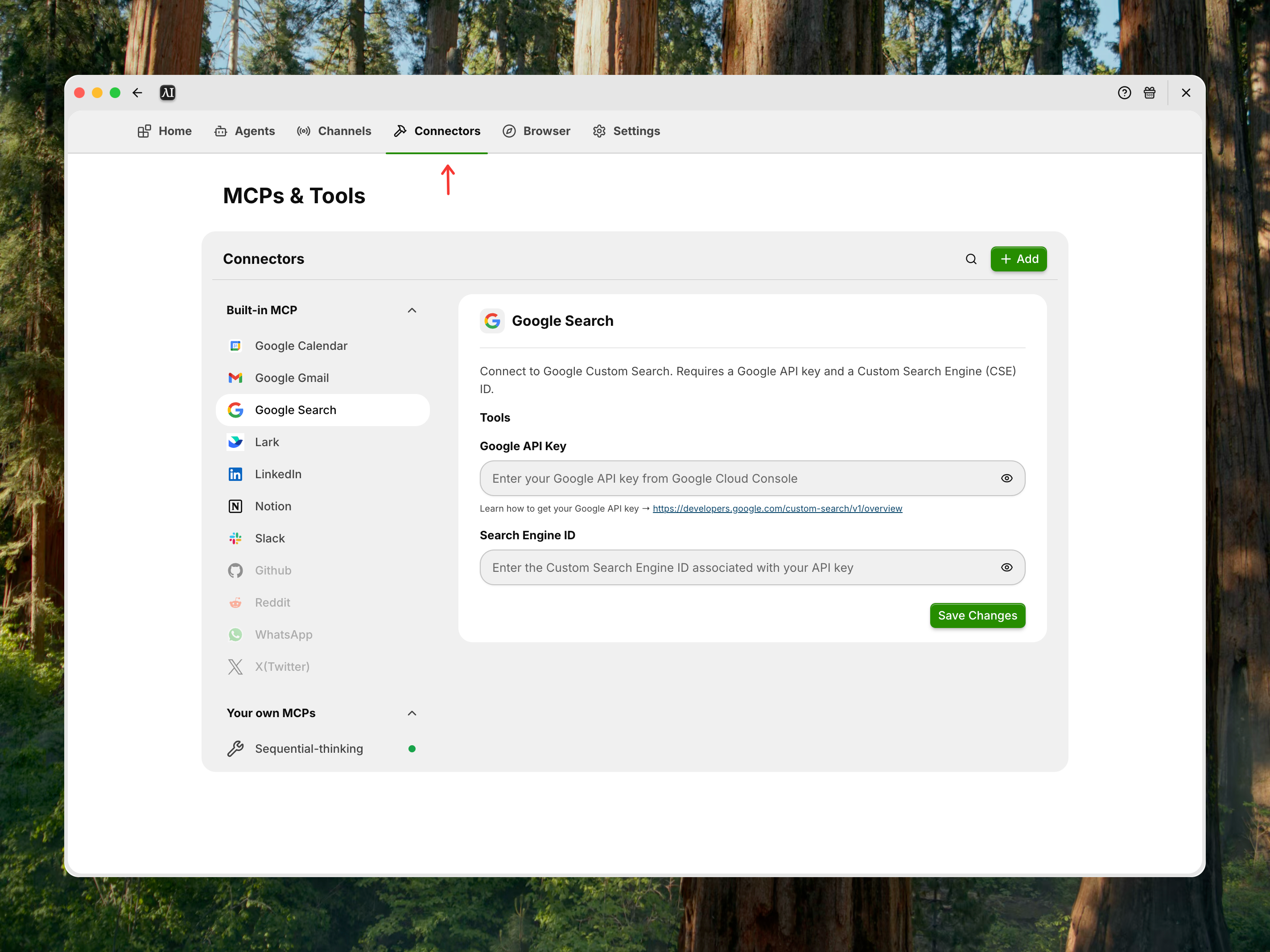
Connector types
Supported integrations
Supported integrations provide a guided setup for known services. The current interface can include:
- Notion
- Slack
- Google Calendar
- Gmail
- Lark
Catalog availability can vary by deployment.
Google Search
Google Search provides current web results for Browser agents and research workflows. Managed mode can enable it by default; self-hosted mode requires Google Custom Search credentials.
Custom MCP servers
Add a local command-based server or a remote MCP URL when the required service is not in the supported catalog.
Understand connector status
Connected integrations appear before unconnected ones. A connector can provide:
- Install or authentication action
- Enable or disable switch
- Configuration form
- Environment variables
- Edit and delete actions
Some items remain visible as future integrations.
X, WhatsApp, Reddit, and GitHub are marked Coming soon in the current connector interface. Do not describe them as generally available until their controls are enabled.
Assign tools to agents
Installing a connector makes its tools available to Eigent. To use it in Workforce:
- Open a Space.
- Add or edit a worker.
- Open the tool selector.
- Select the connector.
- Save the worker.
Describe the service and expected operation in the task prompt.
Security
Connectors can perform actions in external systems.
- Use accounts and credentials with minimum permissions.
- Review OAuth consent and environment variables.
- Audit custom MCP commands and remote URLs.
- Disable connectors that are not required.
- Remove credentials before sharing screenshots or logs.
Troubleshooting
A connector is installed but unused
Assign it to the relevant worker and make the intended action explicit in the task.
Authentication expires
Open the connector configuration and repeat its authentication flow.
An MCP server does not start
Run the configured command independently and review its environment variables and executable path.