
Eigent Cloud models
Use managed models and credits without configuring provider API keys.
Eigent Cloud provides managed model access for users who do not want to configure provider credentials or local inference.
When to use Eigent Cloud
Choose Eigent Cloud when you want:
- The fastest setup path
- A curated model catalog
- No provider API-key management
- Usage tracked through Eigent credits
- A managed fallback while testing BYOK or local models
Enable a Cloud model
- Open Agents > Models.
- Select Cloud.
- Review the available models.
- Select the model to use.
- Enable Cloud and mark it as preferred when it should be the default.
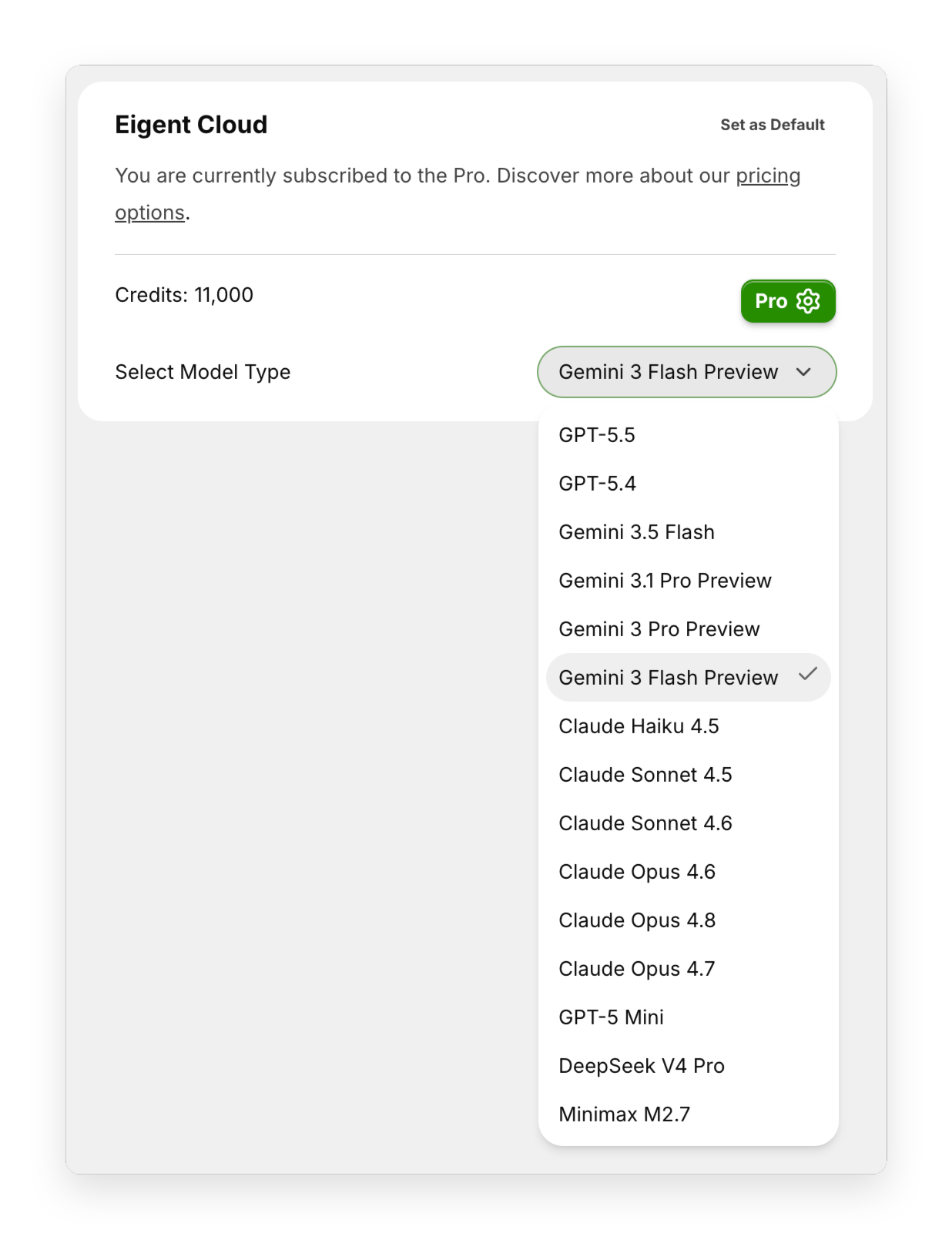
Available model families
The current application catalog can include managed options from:
- Google Gemini
- OpenAI
- Anthropic Claude
- DeepSeek
- MiniMax
Exact models can change as providers release new versions. Treat the in-product catalog as the source of truth for current availability.
Understand credits
Cloud usage consumes Eigent credits. Credit consumption depends on the selected model and task usage.
The product can show:
- Current plan
- Available credit balance
- Links for plan management
- Model availability based on the account
Review the current pricing and plan page before running large or automated workloads.
Change the Cloud model
- Open the Cloud model selector.
- Choose another available model.
- Save or apply the selection.
New tasks use the new preference. Running tasks are not migrated automatically.
Use Cloud with other providers
You can keep Cloud enabled while also configuring BYOK and local providers. Mark one provider as preferred, then select another model for individual tasks when needed.
This supports workflows such as:
- Cloud as the default, local model for private files
- BYOK as the default, Cloud as a fallback
- Different model families for coding, research, and writing
Troubleshooting
No Cloud models are available
Confirm the account is signed in, the application can reach Eigent services, and the current plan includes model access.
Credits are unavailable
Open account management to review the plan or add credits.
The selected model changed
Model availability can change. Open the Cloud catalog and select another supported model.